logo

Axosoft

Poor project management frequently results in setbacks and reduced efficiency. Axosoft, a tool designed for agile project management, tackles these issues throu...

0.00 | 0 Reviews

Poor project management frequently results in setbacks and reduced efficiency. Axosoft, a tool designed for agile project management, tackles these issues throu...

Product Overview

Poor project management frequently results in setbacks and reduced efficiency. Axosoft, a tool designed for agile project management, tackles these issues through its cloud-based scrum platform. Effortlessly manage sprints, improve task distribution, and guarantee on-time software launches. This software offers accurate velocity monitoring, promoting better team performance. Discover the features of Axosoft today!
Product Snapshot

Product Details

What Is Axosoft?

Overview

Axosoft is a cloud-based scrum tool designed specifically for agile project management. It provides a robust collection of features aimed at software developers and agile teams. The platform is crafted to facilitate efficient and precise project planning and releases. With its outstanding built-in tracking capabilities, teams can gain an accurate understanding of their velocity, ultimately enhancing overall performance.

What Is Axosoft Best For?

Axosoft is particularly recognized for its effective capacity management. The platform allows development teams to evaluate the capacities of their sprints, teams, and individual members, making it easier to allocate work efficiently. This functionality helps ensure timely software releases.

Axosoft Pricing

The vendor provides two pricing options for Axosoft:

  • Hosted – $126/month for a maximum of 5 users

  • Installed – $1250/year for a maximum of 5 users

Discover a tailored Axosoft pricing plan that fits your organization’s specific needs and scale.

Please note: Pricing may vary.

Axosoft Integrations

The following third-party applications can seamlessly integrate with Axosoft:

  • Slack

  • GitLab

  • Toggl

  • Zendesk

  • GitHub

  • Azure Active Directory

How Does Axosoft Work?

Here’s a straightforward guide to navigating the Axosoft dashboard after logging in:

  1. Create a new project folder in Axosoft.

  2. Add your first item to the project.

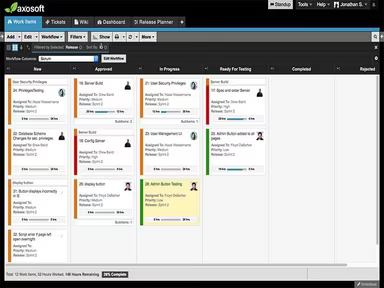
  3. Utilize the release planner to assess your team’s, sprint’s, and individual members' capacities, assigning tasks as needed.

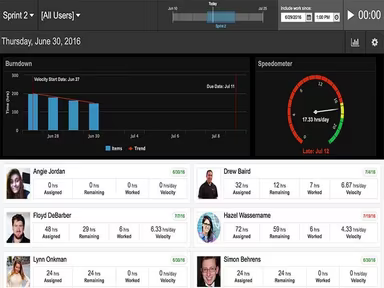
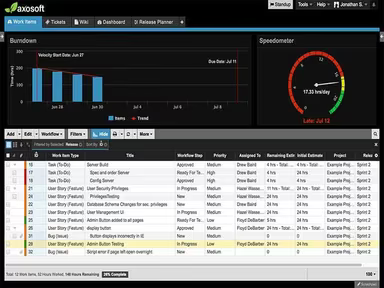
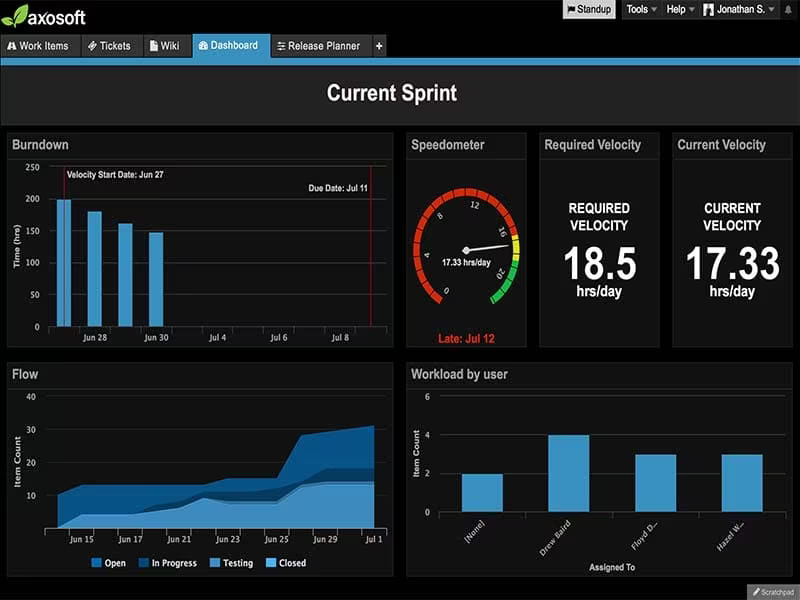
  4. Monitor the project's progress, including velocity and expected ship dates, using the built-in tracking features.

  5. Create wiki pages for test cases and other relevant documentation.

  6. Tag an item with a source control commit.

  7. Add comments to an Axosoft item.

  8. Log work against an item.

  9. Gain comprehensive insights into the software by scheduling a complimentary Axosoft demo.

Who Is Axosoft For?

The following sectors utilize Axosoft software:

  • Oil and energy

  • Healthcare

  • Construction

  • Education

  • Information technology

  • Food and beverages

Is Axosoft Right For You?

If you're in search of a powerful, all-inclusive toolkit for software development that is accessible on both desktop and mobile platforms, then Axosoft may be ideal for you. This software offers a strong suite of tools ensuring security, reliability, and the safeguarding of customer information. It incorporates various protective measures such as secure data centers for hosting, restricted physical access to servers, multiple layers of network security, and real-time monitoring.

If you're still uncertain whether Axosoft is the right choice for your organization, reach out to us at info@softwareseekers.com, and we will assist you in making the best decision.

Project Management Software Features

dashboard
free plan
reporting
scheduler
dashboards
free trial
mobile app
purchasing
ai features
file sharing
integrations
telemedicine
collaboration
mobile access
time tracking
bid management
patient portal
budgeting tools
e prescriptions
email marketing
lead generation
marketing tools
quality control
rent collection
task management
asset management
automation tools
custom workflows
document sharing
easy integration
expense tracking
lab integrations
lease management
maintenance logs
project tracking
shared calenders
budget management
claims management
data importexport
project templates
safety management
tenant management
time zone support
content management
customizable forms
data visualization
equipment tracking
project management
project scheduling
shop floor control
team communication
alertsnotifications
campaign management
communication tools
contract management
document management
employee engagement
employee management
employee onboarding
facility management
incident management
production planning
property accounting
reporting analytics
resource allocation
workforce analytics
financial management
inventory management
maintenance requests
patient demographics
portfolio and assets
real time monitoring
bill of materials bom
billing and invoicing
business intelligence
customer segmentation
equipment maintenance
inspection management
partner data exchange
product health scores
scalable architecture
work order management
attendee communication
customizable workflows
facilities maintenance
performance management
benefits administration
change order management
compensation management
registration management
reporting and analytics
social media management
supply chain management
workflows and approvals
business intelligence bi
communication and access
documents and compliance
manufacturing management
subcontractor management
training and development
integrated team calendars
stakeholder collaboration
access controlspermissions
human resources management
maintenance and operations
attendance and time tracking
employee self service portal
integration with erp systems
product lifecycle management
centralised product portfolio
venue and resource management
agenda and schedule management
compliance and risk management
human resources management hrm
sales and marketing automation
speaker and content management
audience interaction technology
data driven product performance
employee information management
on site and virtual event tools
project planning and scheduling
tenant and lease administration
appointment managementscheduling
product lifecycle management plm
integration with financial systems
production planning and scheduling
recruitment and applicant tracking
financial management and accounting
customer relationship management crm

Pros

  • Robust scrum functionality
  • Axosoft Release Planner helps plan sprints efficiently
  • Seamless software releases
  • Precise velocity tracking

Cons

  • An initial learning curve for some users
  • Customization options can be improved, according to some user reviews

Price

Professional

$126

Get Free Guidance from Our Solution Experts.

Ratings

0.00 | 0 reviews

Ratings Distribution

Positive

0%

Neutral

0%

Negative

0%

User Reviews

No reviews yet

Be the first to share your experience with Axosoft.

Frequently Asked Questions

Find answers to the most common queries about our software recommendation service.

Yes, Axosoft offers a RESTful developer API that allows integration with Axosoft database and third-party applications.

Axosoft, an agile project management tool, currently supports the English language.

Axosoft integrates with several third-party applications, including GitHub, Toggl, Azure Active Directory, Zendesk, GitLab, and Slack.

Yes, Axosoft supports mobile devices and offers a mobile-friendly view where users can view, add, and edit items.

The software offers two pricing plans: Hosted ($126/month for 5 users) and Installed ($1250/year for 5 users). Get a custom Axosoft pricing quote based on your company’s size and needs.

Axosoft is used in healthcare, food and beverages, information technology, construction, oil and energy, and education industries.

Axosoft offers support options, including a knowledge base, email, a help desk, and chat.