logo

Backlog

Backlog strikes the perfect balance: it’s robust enough to handle genuine workflows while remaining user-friendly for everyone. Plus, it’s more affordable than...

0.00 | 0 Reviews

Backlog strikes the perfect balance: it’s robust enough to handle genuine workflows while remaining user-friendly for everyone. Plus, it’s more affordable than...

Product Overview

Backlog strikes the perfect balance: it’s robust enough to handle genuine workflows while remaining user-friendly for everyone. Plus, it’s more affordable than complex solutions. Whether your team is working together in person, from different locations, or spanning multiple time zones, Backlog ensures that tasks are transparent, structured, and continuously progressing. Designed for teams of any size, it enables you to oversee sprints, client initiatives, and internal demands without the chaos of uncoordinated tools.
Product Snapshot

Product Details

What Is Backlog?

Overview

Designed for agile teams, Backlog serves as a comprehensive project management tool that includes everything necessary without any extra fuss. It caters to teams of various sizes, enabling effective management of sprints, client projects, and internal requests without the hassle of disjointed tools.

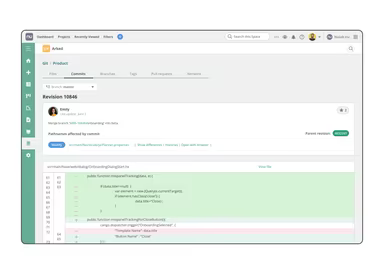
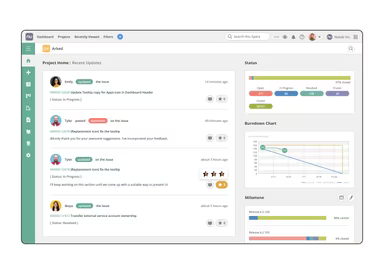
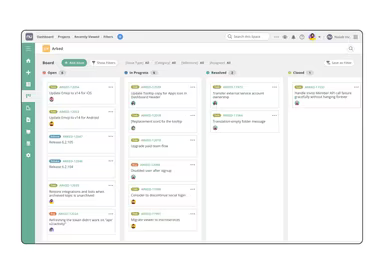
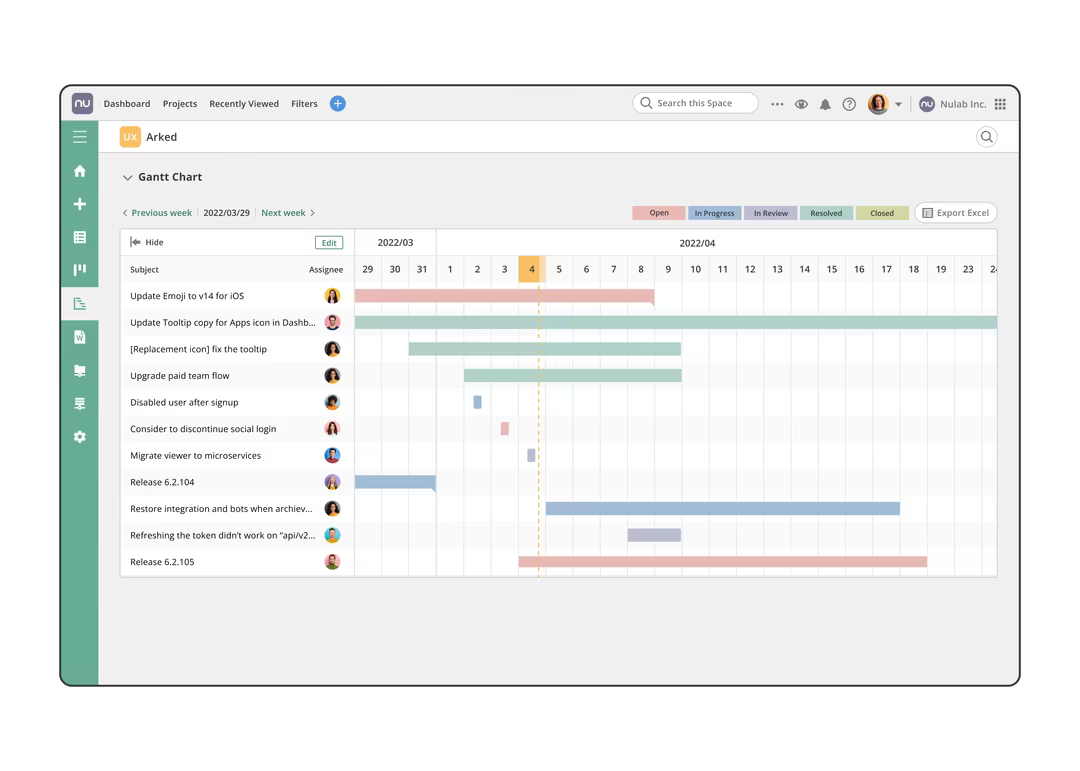
With features like Kanban boards and Gantt charts for visualizing tasks, you can break down intricate projects into manageable subtasks. The ability to customize task fields ensures that it aligns perfectly with your team's unique workflow. Developers will appreciate the integrated support for Git and SVN, allowing them to oversee code alongside their tasks. Additionally, wikis, file sharing, and real-time notifications ensure seamless communication among team members. Whether you're upgrading from outdated tools or optimizing your tech ecosystem, Backlog is quick to implement, user-friendly, and adaptable enough to facilitate collaboration across different functions.

What Is Backlog Best For?

Backlog is particularly recognized for its effortless blend of powerful features with an easy-to-use interface. This makes it a top pick for teams that desire both functionality and simplicity. Thanks to its intuitive layout, users can smoothly navigate the platform and make full use of its extensive capabilities without feeling bogged down by complexity.

Backlog Pricing

Backlog operates on a fixed pricing structure, which means you won't incur charges based on user count. Choose between monthly payments or save two months with an annual subscription. You can also test any plan free for 30 days — no credit card needed.

  • Free – $0/month

  • Starter – $35/month

  • Standard – $100/month

  • Premium – $175/month

Users have the option to request a detailed pricing analysis for Backlog to find the plan that best suits their business needs.

Disclaimer: Prices may vary.

Backlog Features

  • Task management

  • Gantt chart

  • Burndown chart

  • Kanban board

  • Bug tracking

  • Git integration

  • Subversion support

  • Wiki functionality

  • Subtasking capability

  • Add issues via email

  • AI-generated issue summaries

  • Custom status options

  • Custom fields availability

  • Two-factor authentication (2FA)

  • Email & live chat support

Backlog Integrations

You can enhance your experience with Backlog through various integrations that connect seamlessly with popular tools:

  • Slack

  • Cacoo

  • Redmine Importer

  • Jira

  • Jenkins

  • Microsoft Teams

  • Microsoft Copilot

  • OneDrive

  • Webhook support

  • iCal Sync

  • Google Sheets

  • Google Chat

  • Google Drive

  • Dropbox

  • Box

  • Lambdatest

  • TestLodge

  • Email Importer

You can schedule a demo of Backlog to explore these integration options further.

Who Is Backlog For?

The software is advantageous for organizations of all sizes, ranging from small businesses to large corporations. It serves as a vital tool for Project Managers, Developers, and Operations Leads, especially in traditional sectors looking to modernize their operations. If you seek an easy-to-adopt solution that doesn’t demand extensive onboarding and can adapt across various roles and workflows, then Backlog is the right choice for your team.

Support:

If you have any questions or need assistance, feel free to reach out to us at info@softwareseekers.com for expert help from our team.

Project Management Software Features

dashboard
free plan
reporting
scheduler
dashboards
free trial
mobile app
purchasing
ai features
file sharing
integrations
telemedicine
collaboration
mobile access
time tracking
bid management
patient portal
budgeting tools
e prescriptions
email marketing
lead generation
marketing tools
quality control
rent collection
task management
asset management
automation tools
custom workflows
document sharing
easy integration
expense tracking
lab integrations
lease management
maintenance logs
project tracking
shared calenders
budget management
claims management
data importexport
project templates
safety management
tenant management
time zone support
content management
customizable forms
data visualization
equipment tracking
project management
project scheduling
shop floor control
team communication
alertsnotifications
campaign management
communication tools
contract management
document management
employee engagement
employee management
employee onboarding
facility management
incident management
production planning
property accounting
reporting analytics
resource allocation
workforce analytics
financial management
inventory management
maintenance requests
patient demographics
portfolio and assets
real time monitoring
bill of materials bom
billing and invoicing
business intelligence
customer segmentation
equipment maintenance
inspection management
partner data exchange
product health scores
scalable architecture
work order management
attendee communication
customizable workflows
facilities maintenance
performance management
benefits administration
change order management
compensation management
registration management
reporting and analytics
social media management
supply chain management
workflows and approvals
business intelligence bi
communication and access
documents and compliance
manufacturing management
subcontractor management
training and development
integrated team calendars
stakeholder collaboration
access controlspermissions
human resources management
maintenance and operations
attendance and time tracking
employee self service portal
integration with erp systems
product lifecycle management
centralised product portfolio
venue and resource management
agenda and schedule management
compliance and risk management
human resources management hrm
sales and marketing automation
speaker and content management
audience interaction technology
data driven product performance
employee information management
on site and virtual event tools
project planning and scheduling
tenant and lease administration
appointment managementscheduling
product lifecycle management plm
integration with financial systems
production planning and scheduling
recruitment and applicant tracking
financial management and accounting
customer relationship management crm

Pros

  • User-friendly design aids navigation
  • Facilitates efficient team communication
  • Easily manage complex projects
  • Connects with popular third-party apps
  • Effective resolution for software issues

Cons

  • New users may require time to adapt
  • Advanced search features could be improved, according to some reviews
  • Customization options are limited

Price

Professional

Custom

Get Free Guidance from Our Solution Experts.

Ratings

0.00 | 0 reviews

Ratings Distribution

Positive

0%

Neutral

0%

Negative

0%

User Reviews

No reviews yet

Be the first to share your experience with Backlog.

Frequently Asked Questions

Find answers to the most common queries about our software recommendation service.

Task management: Create detailed tasks and sub-tasks and assign them to team members. Gantt charts: Visualize project timelines for individuals and teams with auto-generated Gantt charts. Kanban boards: Visually manage projects with real-time Kanban boards and custom status levels. Burndown charts: Backlog’s burndown charts help project managers track progress and identify bottlenecks. Communication tools: exchange comments, send notifications, assign tasks.

Backlog is completely free for 30 days. Once your trial is over, you can continue using Backlog by activating your subscription and entering your payment details. You can cancel anytime during your trial period.

Team members can communicate easily with each other, exchanging comments, sending notifications, and sharing files on individual tasks and subtasks. Users can create project wikis that serve as a central repository for shared team resources and documentation. Important project files can be uploaded and managed in centrally located folders. There are also integrations with popular communication platforms, including Slack and Microsoft Teams.

Your data security is our priority. We are committed to providing a secure and reliable environment for our customers. We have various measures and policies in place to protect the data of all our users including a secure data center, periodic backups, and SSL encryption.

Yes, Backlog project management software offers an API.

Yes, Backlog supports Android, iPad, and iPhone devices.

Backlog offers support options such as FAQs, forums, a 24/7 customer representative, email, a help desk, chat, and a knowledge base.