

Birdview
Take control of your projects with Birdview PSA software. Centralize team assignments and financial tracking for seamless project success.
Are you finding it challenging to oversee projects, allocate resources, and keep budgets in check? Look no further than Birdview PSA software, your ultimate solution. This tool allows you to unify team tasks and monitor financials within a single platform, ensuring your project's success from inception to completion.
What Is Birdview?
Overview
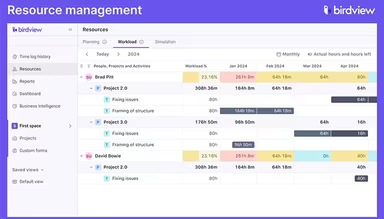
Birdview is an all-in-one project management tool that provides a complete perspective on your projects. It goes beyond simple scheduling options by incorporating features for resource management, budgeting, and communication. This integrated approach enhances project workflows, balances team workloads effectively, and guarantees that projects are completed on schedule.
What Is Birdview Best For?
This software shines in managing project portfolios, allowing users to seamlessly handle multiple projects and programs. It enables prioritization, alignment, and optimization of projects in accordance with strategic objectives and available resources. Keep track of project health, progress, and performance through various metrics and indicators, making your project management experience smoother with Birdview.
Birdview Pricing
The software comes with the following pricing options:
Lite - $9 per user per month when billed annually
Team - $24 per user per month when billed annually
Enterprise - Custom Pricing
Additionally, you can access professional services from Birdview for an extra fee. Feel free to request a tailored cost estimate for your organization.
Note: Prices may vary.
Birdview Integrations
The software supports integration with several third-party applications such as:
Zapier
Asana
Jira
Redmine
Microsoft Outlook
How Does Birdview Work?
To start using the Birdview project management software after logging in, follow these steps:
Create a new project or choose an existing one from your project list.
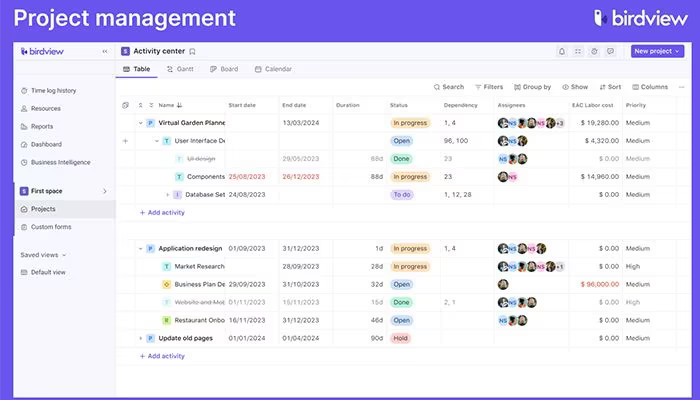
Add tasks, subtasks, dependencies, and assign team members to your project.
Define the start and end dates, duration, priority levels, and status for each task.
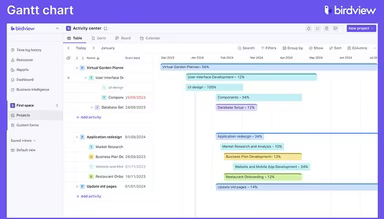
Select from the Gantt chart, Kanban board, or list view to visualize and manage your project's progress.
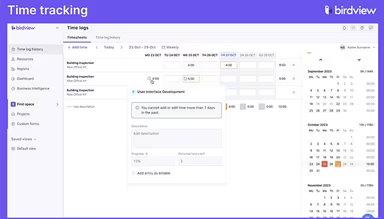
Track the time spent on each task using either a timer or manual entry.
Keep an eye on your project's budget and expenses with the financial module.
Create reports and dashboards to evaluate your project's performance and metrics.
Interested in seeing the software in use? Schedule a complimentary Birdview demonstration today!
Who Is Birdview For?
This software is suitable for a variety of sectors, including:
Construction
Healthcare
IT
Marketing
Is Birdview Right For You?
If you're looking for project management software that can adapt to your evolving needs, Birdview is a flexible solution that meets diverse client demands by providing integrated tools for project management and resource allocation. It's designed for effective project oversight by executives, team members, and managers alike. With complete visibility into projects, it facilitates seamless service delivery across numerous industries.
Birdview prioritizes security and scalability. It has been developed with data protection as a fundamental concern to safeguard your critical information. Furthermore, it can scale alongside your business as requirements change.
If you're still uncertain whether this software fits your needs, reach out to our customer support at info@softwareseekers.com and check out reviews about Birdview.