

.
What Is Cerebro Software?
Overview
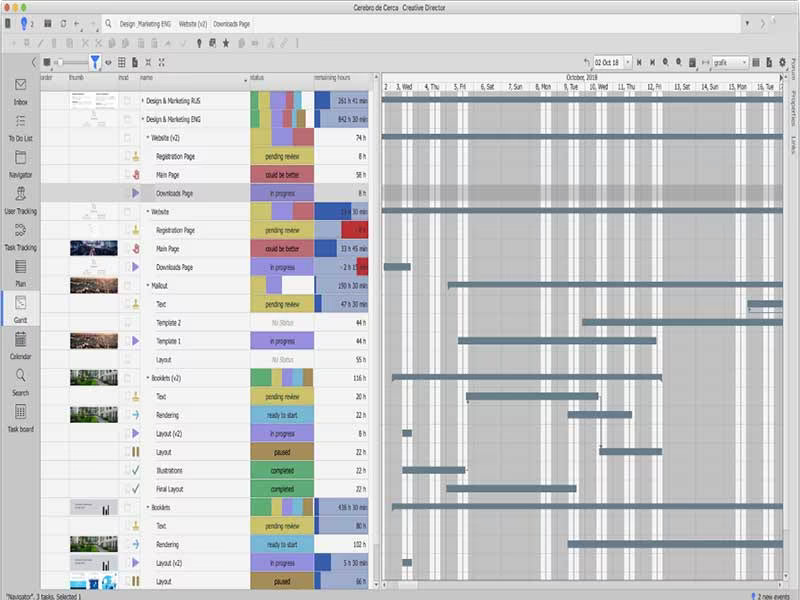
Cerebro is a collaborative software solution designed for organizations that deal with visual content. This includes marketing agencies, animation and VFX studios, as well as architectural firms. The platform is equipped with various tools to manage intricate projects, schedule tasks, facilitate teamwork, store and share large files, and monitor progress via dashboards and reports. Additionally, Cerebro provides dedicated file and data storage servers, enabling users to work from any location globally.
What Is Cerebro Best For?
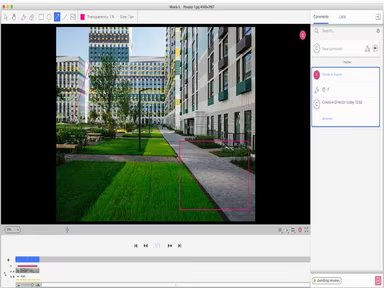
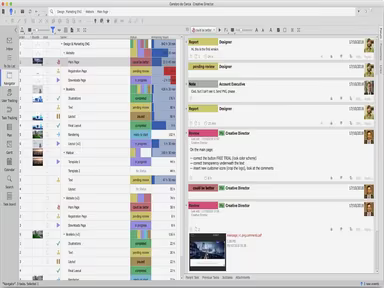
This software excels in enhancing collaboration and communication among team members, no matter where they are located. It offers features such as internal messaging, visual annotations for materials, personal task lists, task distribution among teams and individuals, and real-time tracking of project metrics. This allows distributed teams to collaborate seamlessly as if they were in the same office, ensuring a smooth workflow from asset creation to receiving customer feedback.
Cerebro Pricing
Cerebro provides a free tier along with three paid plans: Team, Studio, and Factory. The monthly costs for the Team and Studio plans are $9 and $29 per user, respectively. The Factory plan encompasses the complete set of features at $59 per user per month.
If you're interested in more pricing information, feel free to reach out by clicking on Get Pricing.
Cerebro Integrations
Cerebro supports integration with numerous third-party applications. Some notable integrations include:
Unreal Engine
DaVinci Resolve Studio
Amazon Web Services
Telegram
Outlook Calendar
Additionally, users have the option to create custom integrations with platforms like Google Drive, 1C, Microsoft Excel, and more.
How Does Cerebro Work?
To get started with the Cerebro project management tool, follow these steps:
Log in using your provided credentials to access the dashboard.
The main navigation panel will appear on the left side of the dashboard with options such as Projects, Customers, Calendar, etc.
Select "Projects" to initiate new projects or view active ones.
To enter an existing project, click on it from the list; this will take you to its specific dashboard.
The project dashboard displays an overview of tasks, assignments, files, comments, and timelines.
Create a new task by clicking the "Tasks" tab followed by the "+ New task" button.
Input a title and description for your task. You can assign it to yourself or others. Set due dates, attach files, and add comments as needed.
Select "Save" to include the new task in your project; it will now appear in your active tasks list.
You can begin working on the task and update its status as it progresses.
The mobile app is available for added convenience while on the move.
If you want to explore more about Cerebro's various features, consider watching a demo.
Who Is Cerebro For?
Cerebro is particularly beneficial for small to medium-sized businesses across diverse industries. It is tailored for organizations with approximately 50 to 500 employees by offering workflow and project management tools that enhance efficiency. Suitable sectors include information technology (IT), professional services, marketing and advertising, manufacturing, retail, software development, consulting, staffing agencies, law firms, and engineering firms.
Is Cerebro Right For You?
This software is an excellent choice for businesses seeking a powerful and secure productivity tool. It encompasses various functionalities such as task management, file sharing, time tracking, and collaboration aimed at increasing productivity while streamlining processes and enhancing team communication.
Cerebro incorporates multiple layers of security to safeguard sensitive data and confidential information. User accounts are protected by passwords along with two-factor authentication for improved security. The platform also employs document encryption protocols, password policies, and detailed permission settings to determine user access levels. Additionally, Cerebro provides usage auditing, activity logging, encrypted data transfers, and adheres to compliance standards that help businesses meet privacy regulations like HIPAA, PCI DSS, and GDPR.
We suggest checking out reviews of Cerebro to understand what current users think about the software. For further inquiries, please contact Software Finder at info@softwareseekers.com.