

ClickTime
Streamline your time management and project tracking with ClickTime, a scalable solution perfect for businesses of all sizes.
Discover the powerful features of ClickTime designed for seamless time management and project oversight. This adaptable tool is built to meet the evolving demands of businesses of all sizes, whether you are a startup or a large corporation.
What Is ClickTime?
ClickTime serves as a robust software solution for tracking time and expenses, tailored for project-based environments. Its primary aim is to enhance both efficiency and productivity within businesses. Key features include tracking employee hours and gaining insights into projects. As a cloud-based platform, it allows users to monitor their time from anywhere through a mobile application. With options for customizable timesheets, built-in integrations, and dedicated support, ClickTime ensures a secure and compliant method for precise time tracking and resource management.
What Is ClickTime Best For?
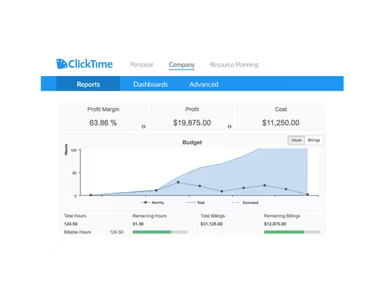
Renowned for its project management functionalities, ClickTime provides tools such as project insights and billable hours tracking. These features enable teams to keep tabs on project profitability, expenses, and invoicing. Additionally, its resource management capability aids organizations in efficiently planning and distributing employee hours. Users can also tailor overtime rules, manage expenses, and handle time-off requests, making the software versatile enough to meet various organizational demands.
ClickTime Pricing
The cost of ClickTime is determined by your organization's specific needs. Below are the available packages:
Starter - $12/user/month
Team - $15/user/month
Premier - $27/user/month
Enterprise - Custom pricing
Note: Pricing is subject to change.
ClickTime Integrations
ClickTime allows users to connect its project-focused time-tracking software with numerous popular third-party business applications, simplifying workflow processes. These integrations help you sync your time and project data directly into the systems you use regularly, saving time and reducing redundant data entry. Here are some notable integrations available with ClickTime:
QuickBooks
Dropbox
Slack
Salesforce
G Suite
BambooHR
Asana
Concur
How Does ClickTime Work?
To begin using ClickTime, follow these straightforward steps:
Create an account or log in to your existing ClickTime account.
Select the project you want to monitor from the dashboard.
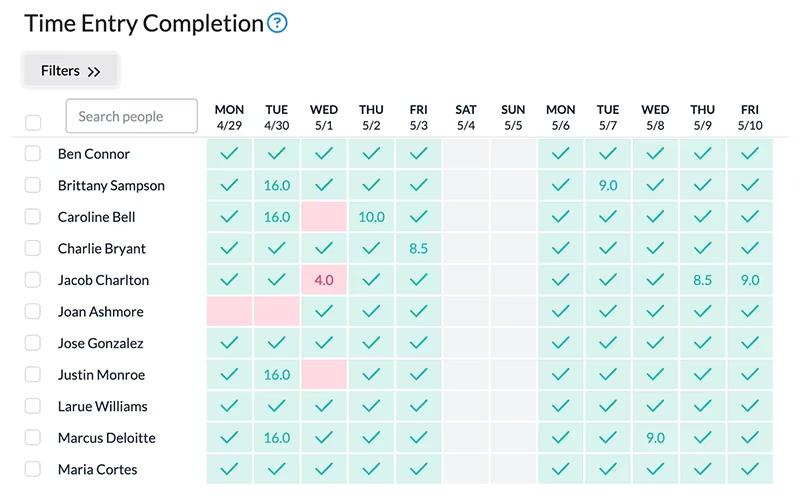
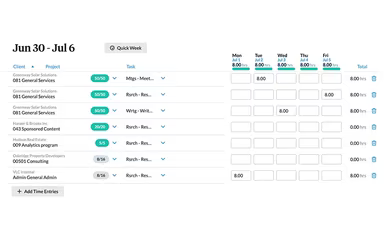
Click on 'Time Entry' to manually log the time spent on tasks or utilize the stopwatch feature for real-time tracking.
Employ the mobile timesheet app to record working hours while remote.
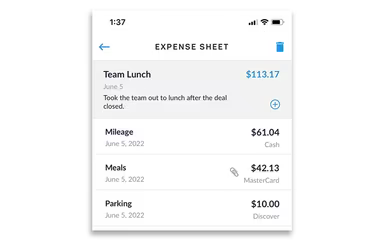
Track expenses by accessing the 'Expense Tracking' feature.
Manage leave requests using the 'Time Off Management' option.
Review project insights and budgeting in the 'Project Management' section.
Create comprehensive reports by choosing from over 70 prebuilt report templates found in the 'Reporting & Business Intelligence' area.
You can also watch a demo of ClickTime to gain further insights into this project time-tracking software.
Who Is ClickTime For?
This software is ideal for businesses across various sizes. Multiple industries can take advantage of ClickTime's offerings, including accounting, consulting, architecture, and marketing. Additionally, sectors such as:
Education
Information Technology (IT)
Engineering
Nonprofits
Is ClickTime Right For You?
If your business requires precise time tracking and visibility into projects, ClickTime could be a great fit. It enables employees to log hours and tasks from any device while providing customizable reports and approval workflows. This oversight into resource allocation aids in optimizing labor costs and ensuring deadlines are adhered to.
Moreover, ClickTime emphasizes security and compliance with regulations like GDPR and SOC 2 Type II. Features such as two-factor authentication and regular audits ensure that sensitive data remains protected. To understand more about user experiences with ClickTime's time tracking software, consider reading existing reviews. For additional inquiries, feel free to reach out to Software Finder at info@softwareseekers.com.