

Clockly
Boost productivity with Clockly, the scalable employee monitoring and time-tracking software that simplifies time management and enhances team performance.
Are you struggling to monitor your employees’ time effectively? Look no further than Clockly, a flexible software designed for employee monitoring and time tracking that enhances productivity across businesses. It boasts features like online timesheets, project budgeting, and real-time analytics, offering a thorough solution to oversee your team's performance. Discover Clockly today for efficient time management.
What Is Clockly?
Overview
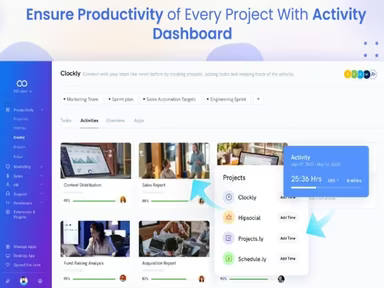
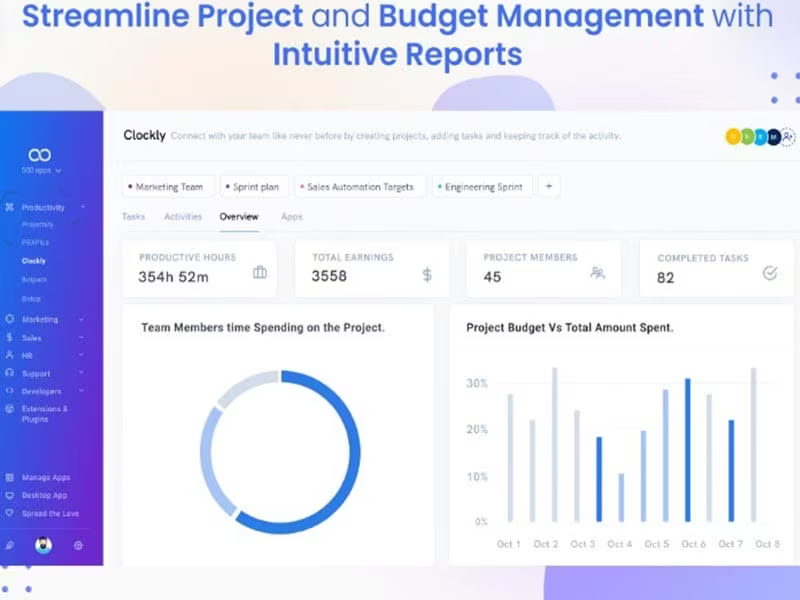
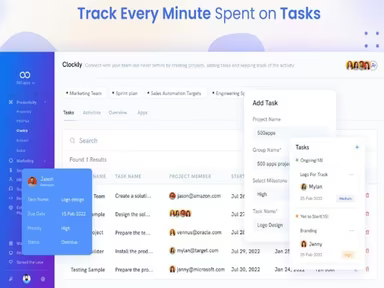
Clockly, developed by 500apps, is a time-tracking and employee monitoring solution that operates in the cloud, catering to businesses of any size. This software provides a robust array of features, including task management, time tracking, and budget oversight.
With Clockly, companies can efficiently monitor employee hours, assess productivity levels, and manage project expenses all from a unified platform. This enables organizations to gather important insights into how their workforce utilizes time, facilitating data-driven decisions aimed at enhancing operational efficiency.
What Is Clockly Best For?
The software is particularly recognized for its outstanding customer support. Users appreciate the quick response times from the support team, ensuring that inquiries and issues are addressed promptly.
Clockly Pricing
There are three pricing plans available for Clockly:
Cloud – $14.99/month
Enterprise – $74.95/month
Hosted – Custom Pricing
The pricing structure is adaptable based on the specific needs and scale of your organization. For a tailored quote, please click on Get Pricing.
Please note that prices may vary over time.
Clockly Integrations
This software seamlessly integrates with various third-party applications, including:
Asana
Basecamp
Jira
Trello
Pivotal Trackers
Monday.com
How Does Clockly Work?
To utilize the software's features effectively, follow these steps:
Log into the Clockly application after installation.
Select your desired language and regional settings.
Adjust date and time formats based on your preferences.
Add locations or cities to monitor various time zones.
Personalize clock styles and themes for each clock displayed.
Create alarms and reminders by selecting the appropriate clock.
Synchronize your clocks with online time servers for precise updates.
Access help resources or tutorials for advanced features.
A complimentary demo of Clockly is also available if you wish to explore its functionalities in greater detail.
Who Is Clockly For?
This software provides flexible solutions tailored to meet the diverse needs of businesses across various sectors, including:
Banking
Information Technology
E-commerce
Is Clockly Right For You?
If you are in search of an intuitive time tracking and employee monitoring tool that helps with productivity tracking and operational improvements, then Clockly could be an excellent fit. The platform includes numerous project management features aimed at providing valuable insights, enhancing efficiency, and enabling informed decision-making.
Additionally, it supports integration with well-known project management applications and is designed for organizations of all sizes. Features such as a Chrome extension and desktop applications for Mac, Windows, and Linux enhance user mobility.
If you still have questions about whether Clockly is suitable for your needs, feel free to reach out to us at info@softwareseekers.com, and we will gladly assist you in making the best choice.