logo

Coda Software

Coda Software offers a vibrant combination of document generation and data organization. This tool transcends traditional documents, serving as a comprehensive...

0.00 | 0 Reviews

Coda Software offers a vibrant combination of document generation and data organization. This tool transcends traditional documents, serving as a comprehensive...

Product Overview

Coda Software offers a vibrant combination of document generation and data organization. This tool transcends traditional documents, serving as a comprehensive hub for teamwork, project monitoring, and automating workflows. Experience the versatility and strength of Coda, crafted to enhance your team's efficiency.
Product Snapshot

Product Details

What Is Coda Software?

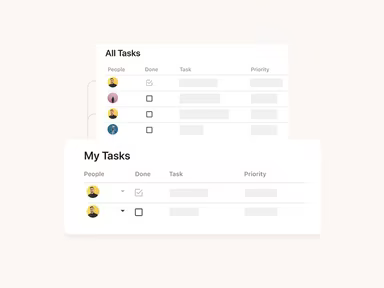
Coda is a dynamic project management tool that merges the capabilities of a document editor with those of a spreadsheet. This innovative software allows users to craft documents that function like powerful applications, enabling the integration of text, tables, and various interactive features all within a single workspace.

With Coda, users can create anything from basic task lists to intricate business workflows directly within their documents. Essentially, it centralizes all your data and processes into one cohesive document, reducing reliance on multiple applications.

What Is Coda Software Best For?

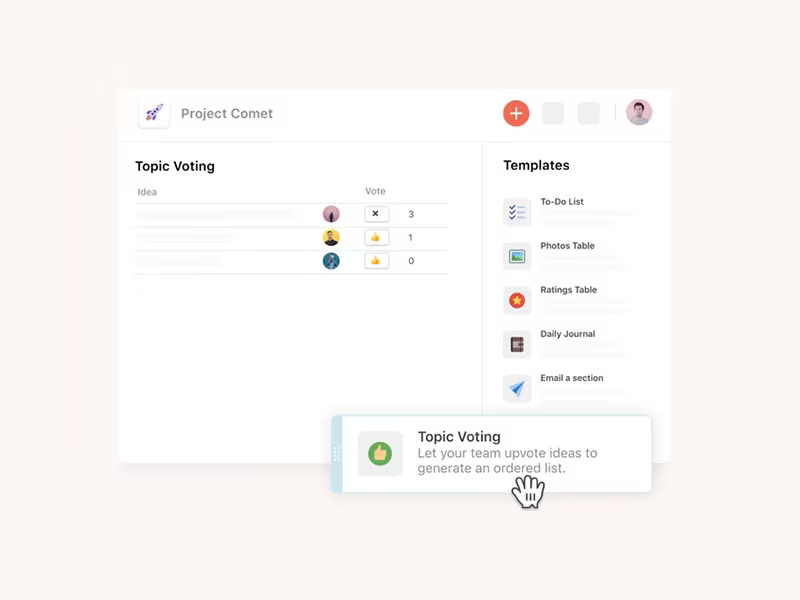
A standout aspect of Coda is its distinctive combination of a document editor and a database, empowering you to create "docs as powerful as apps." Unlike conventional software where documents and databases exist separately, Coda merges these elements into one platform. This allows you to design a document that includes interactive tables, buttons, and other components capable of processing or reacting to data in real-time.

How Much Does Coda Cost?

The pricing structure for the software includes the following plans:

  • Free - $0 for the entire team per month

  • Pro - $12 per doc maker each month

  • Team - $36 per doc maker each month

  • Enterprise - Custom Plan

If your organization is expanding and you'd like to inquire about pricing options, feel free to reach out to us.

Please note: Pricing is subject to change.

Coda Software Integrations

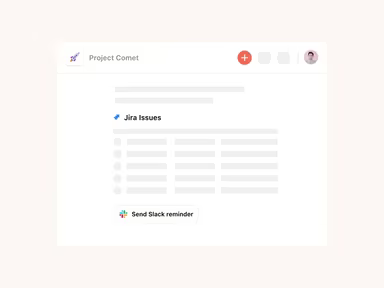
This software seamlessly integrates with several third-party applications, such as:

  • Figma

  • Asana

  • Slack

  • Microsoft Teams

  • GitHub

  • Spotify

  • Jira

  • Zoom

How Does Coda Software Work?

To get started with Coda in one comprehensive document, follow these steps:

  1. Log in to your dashboard using your Coda credentials.

  2. Create a new document by selecting the ‘+’ or 'New Doc' button.

  3. Select a template from the Coda gallery that meets your requirements or begin from scratch.

  4. Add content to your document, including text, tables, images, and more.

  5. Invite others to view or edit the document and assign their permissions (view only, comment, or edit).

To delve deeper into the software's features, consider watching the Coda demo.

Who Is Coda Software For?

Coda primarily serves teams and individuals who need an adaptable platform for collaboration on documents and managing data. Its users range from small businesses to educational institutions and individual project managers. Typical users include:

  • Freelancers

  • Project managers

  • Collaborative teams

  • Educators and trainers

  • Marketing agencies

  • Product managers

Is Coda Software Right For You?

Coda is relied upon by teams at top companies such as Uber, The New York Times, Toast, and Square. It serves as a project management solution that unifies all your documents for managing team plans, individual tasks, or company wikis.

The platform prioritizes security with robust measures such as data encryption, regular security evaluations, and compliance with GDPR and CCPA standards. Features like two-factor authentication and SSO (Single Sign-On) enhance account safety.

Coda also excels in scalability. It is built to adapt as your needs evolve, making it suitable for individual users, small teams, or large organizations. You can start with straightforward documents and progressively integrate more advanced features as required.

If you're still uncertain about its fit for your needs, consider reading Coda reviews or contact us at info@softwareseekers.com to discuss whether Coda is right for your organization.

Project Management Software Features

dashboard
free plan
reporting
scheduler
dashboards
free trial
mobile app
purchasing
ai features
file sharing
integrations
telemedicine
collaboration
mobile access
time tracking
bid management
patient portal
budgeting tools
e prescriptions
email marketing
lead generation
marketing tools
quality control
rent collection
task management
asset management
automation tools
custom workflows
document sharing
easy integration
expense tracking
lab integrations
lease management
maintenance logs
project tracking
shared calenders
budget management
claims management
data importexport
project templates
safety management
tenant management
time zone support
content management
customizable forms
data visualization
equipment tracking
project management
project scheduling
shop floor control
team communication
alertsnotifications
campaign management
communication tools
contract management
document management
employee engagement
employee management
employee onboarding
facility management
incident management
production planning
property accounting
reporting analytics
resource allocation
workforce analytics
financial management
inventory management
maintenance requests
patient demographics
portfolio and assets
real time monitoring
bill of materials bom
billing and invoicing
business intelligence
customer segmentation
equipment maintenance
inspection management
partner data exchange
product health scores
scalable architecture
work order management
attendee communication
customizable workflows
facilities maintenance
performance management
benefits administration
change order management
compensation management
registration management
reporting and analytics
social media management
supply chain management
workflows and approvals
business intelligence bi
communication and access
documents and compliance
manufacturing management
subcontractor management
training and development
integrated team calendars
stakeholder collaboration
access controlspermissions
human resources management
maintenance and operations
attendance and time tracking
employee self service portal
integration with erp systems
product lifecycle management
centralised product portfolio
venue and resource management
agenda and schedule management
compliance and risk management
human resources management hrm
sales and marketing automation
speaker and content management
audience interaction technology
data driven product performance
employee information management
on site and virtual event tools
project planning and scheduling
tenant and lease administration
appointment managementscheduling
product lifecycle management plm
integration with financial systems
production planning and scheduling
recruitment and applicant tracking
financial management and accounting
customer relationship management crm

Pros

  • Helps you create project briefs
  • Free plan offers a comprehensive range of features
  • Helps you save time with pre-built templates
  • An upgrade for spreadsheets

Cons

  • Gaining proficiency as a beginner can be challenging, according some user reviews
  • Needs internet access to work

Price

Professional

$0

Get Free Guidance from Our Solution Experts.

Ratings

0.00 | 0 reviews

Ratings Distribution

Positive

0%

Neutral

0%

Negative

0%

User Reviews

No reviews yet

Be the first to share your experience with Coda Software.

Frequently Asked Questions

Find answers to the most common queries about our software recommendation service.

Yes, Coda offers an API to its users.

Coda supports the English language.

Coda software offers different third-party integrations, including Jira, Zoom, GitHub, Asana, and more.

Yes, Coda supports mobile devices.

Coda pricing is divided into four modules: Free, Pro, Team, and Enterprise. The free plan costs $0, the Pro plan costs $12, and the Team plan costs $36. Meanwhile, you can get a customized Coda cost if you opt for the Enterprise plan.

Coda software is used across industries, including marketing and education. It is suitable for freelancers, SMBs, and large-scale enterprises. It is typically used by product designers, professional trainers, project managers, and remote teams.

Coda offers these support options: email, live chat, in-doc troubleshooting, and community support.