

Codebase
Streamline your software development with Codebase, offering issue tracking, customizable workflows, and powerful team collaboration tools.
Codebase offers a powerful project management platform equipped with essential features for tracking issues, overseeing code repositories, and facilitating team collaboration. Although some users might need training for the initial setup, its comprehensive reporting capabilities and adaptable workflows render it an indispensable resource for effectively managing software development initiatives.
What Is Codebase?
Codebase is a cloud-driven project management tool tailored specifically for software development teams. It simplifies the development workflow, allowing users to collaborate efficiently, track issues, manage code repositories, and deploy their projects seamlessly.
What Is Codebase Best Known For?
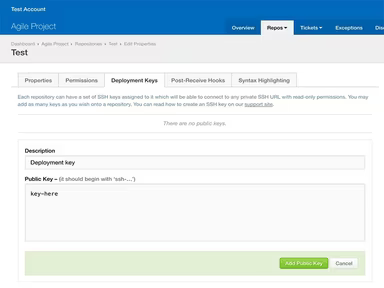
A key highlight of Codebase is its extensive and integrated source code management features. With built-in support for Git, Mercurial, and Subversion repositories, it enables development teams to manage and version their source code effectively.
Codebase Pricing
This project management tool provides several pricing options:
Hobbyist Plan: $14/month
Freelancer Plan: $27/month
Studio Plan: $40/month
Agency Plan: $84/month
If you wish to explore the pricing of Codebase further, please reach out to our customer support team. Click "Get Pricing" for a personalized quote.
Note: Prices may change.
Codebase Integrations
Codebase integrates effortlessly with these third-party applications:
Git
Mercurial
Subversion
HipChat
How Does Codebase Work?
To get started with the software after installation, follow these steps:
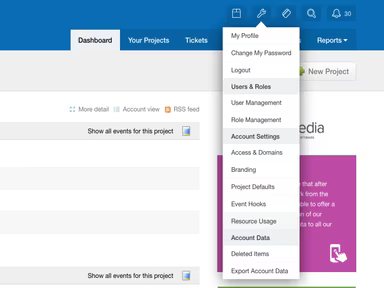
Log in to your account and access the dashboard.
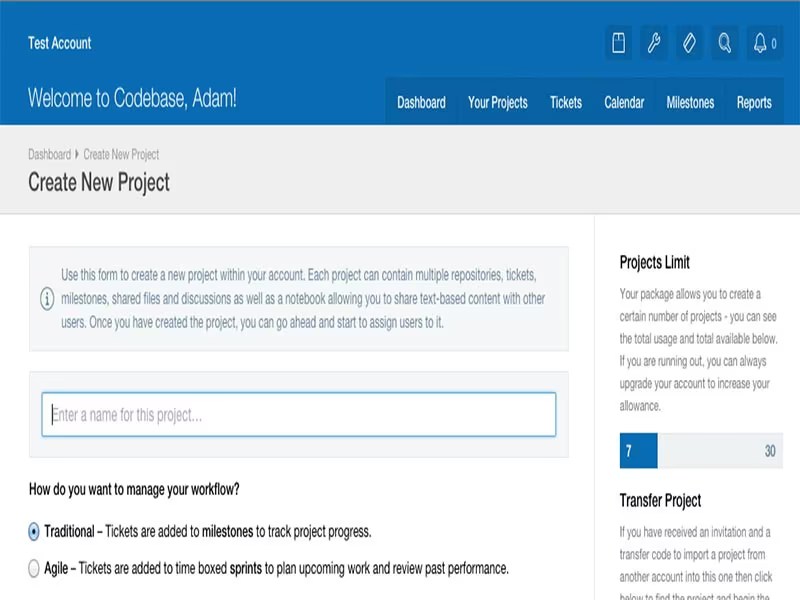
Select the project or repository you want to work on.
Create a new file or open existing files in the repository.
Utilize the integrated version control system to track changes in your source code repositories.
Employ the issue tracker to create, assign, and monitor issues, bugs, and feature requests.
Collaborate with team members through tools such as wikis, discussions, and document sharing.
You can also schedule a free demo of Codebase to discover more about its features.
Who Is Codebase For?
Codebase is ideal for various sectors including:
Software development
Design and technology
E-commerce
Nonprofit organizations
Media and entertainment
Information Technology (IT)
Is Codebase Right For You?
If you’re frustrated with finding suitable project management and version control solutions for your software team, consider Codebase. It has earned praise for its efficiency in managing projects and version control. Notable clients include BBC, Trust-IT, Save the Children, Potato, White October, Nixon, and Meanbee.
The software emphasizes security and scalability, ensuring your data remains safe while accommodating your evolving project management requirements. Additional features and add-ons enhance its capabilities further.
If you're still uncertain whether it's the best fit for you, please contact us at info@softwareseekers.com. Our knowledgeable team is ready to help you make an informed choice.