

Drag Software
Transform your team's productivity with Drag software, centralizing tasks and communication in Gmail for seamless collaboration and workflow automation.
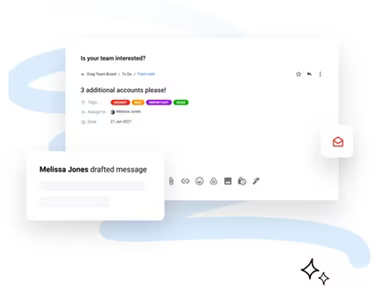
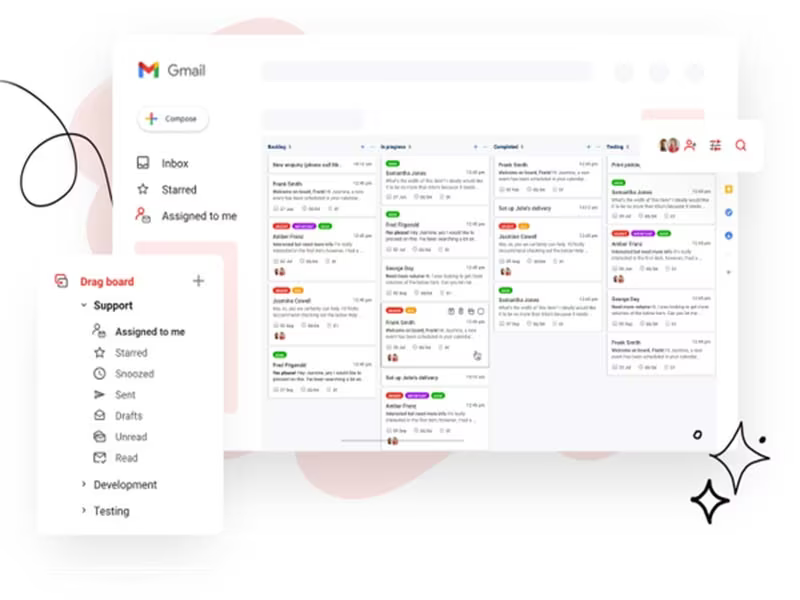
Struggling to manage your team's tasks and collective inboxes? Drag software makes work easier by consolidating tasks, emails, WhatsApp messages, and collaboration within Gmail. This user-friendly and flexible tool provides an array of functionalities, including: AI Tagging, AI Drafting for Email Responses, Shared Inboxes accessible by multiple users, Task Management, Workflow Automation, and Real-time Analytics. Discover the features of Drag to boost your organization’s efficiency.
What Is Drag Software?
Overview
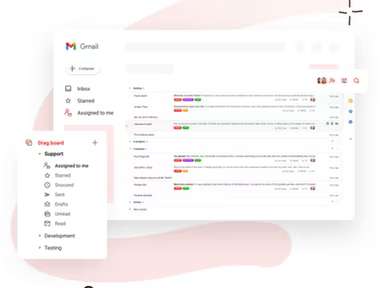
Drag software is a cloud-based platform that turns Gmail into a comprehensive workspace. It primarily serves support teams across multiple sectors, offering a centralized space where collaboration and task management occur in real-time. This solution effectively addresses common challenges faced by users juggling various tools and platforms. By integrating directly with Gmail, it allows users to oversee their tasks, shared inboxes, emails, and team interactions all in one convenient location.
What Is Drag Software Best For?
In the competitive landscape of SaaS, Drag software stands out for its outstanding customer support services. The company’s commitment to client success is evident in its robust support structure, which includes a vast knowledge base, prompt email assistance, and a dedicated team of customer success professionals. This support team enhances software usage and cultivates a positive experience for users.
Drag Software Pricing
The software provides four distinct pricing plans:
Starter – $12/user/month
Plus – $18/user/month
Pro – $24/user/month
For organizations with specific needs and sizes, custom pricing options for Drag software are available.
Note: Pricing may vary over time.
Drag Software Integrations
Drag software seamlessly integrates with the following third-party applications:
Zapier
Google Workspace
Google Calendar
Gmail
API
How Does Drag Software Work?
Here’s how to navigate the dashboard and utilize the features of the software:
Log in to your account to view the Drag dashboard and assess key business metrics.
Use the navigation menu to browse through modules and shared inboxes such as sales, inventory, and finance.
Create tasks that include new transactions like sales orders or purchase requests.
Generate reports and analytics to gain insights into your business performance.
Customize dashboards and reports according to your specific requirements.
Set up alerts to receive notifications for significant events.
Manage user permissions and roles to regulate access.
Utilize the search feature for swift data retrieval.
Employ AI for tagging and sorting emails, as well as drafting replies for important messages, saving you time on responses.
You can also schedule a complimentary demo of Drag software to see how it operates.
Who Is Drag Software For?
This software is tailored for businesses of all sizes, catering to both SMBs and large corporations. Various teams utilize it, including those in customer support, operations, finance, sales, marketing, and human resources. Additionally, Drag software is advantageous for industries such as:
Manufacturing
E-commerce
Travel
Logistics
Real estate
Accounts Payable and Receivable
Is Drag Software Right For You?
If you’re in search of a tool that can convert your Gmail into an all-in-one workspace—enabling you to manage shared inboxes, tasks, collaborate effectively, and even automate workflows with AI assistance—then Drag Software could be your ideal choice. Many clients, including Canva, Roche, and Hubs trust this solution. Furthermore, it implements stringent security protocols to safeguard user data and ensure its integrity.
If you still have inquiries regarding Drag software, please reach out to our support team at info@softwareseekers.com for further assistance.