

Edraw Project
Streamline your project management with Edraw Project. Create Gantt charts, plan efficiently, and track progress effortlessly with user-friendly tools.
Meet Edraw Project: the ultimate project management tool designed for a variety of sectors. Effortlessly create Gantt charts, streamline your planning processes, and monitor project progress with intuitive features. Edraw Project equips you with powerful resources for developing schedules, managing resources, overseeing budgets, and much more. Discover cost-effective pricing options that deliver exceptional value for your project management needs.
What Is Edraw Project?
Overview
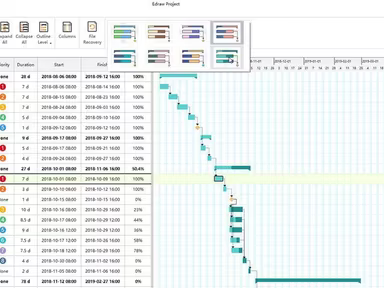
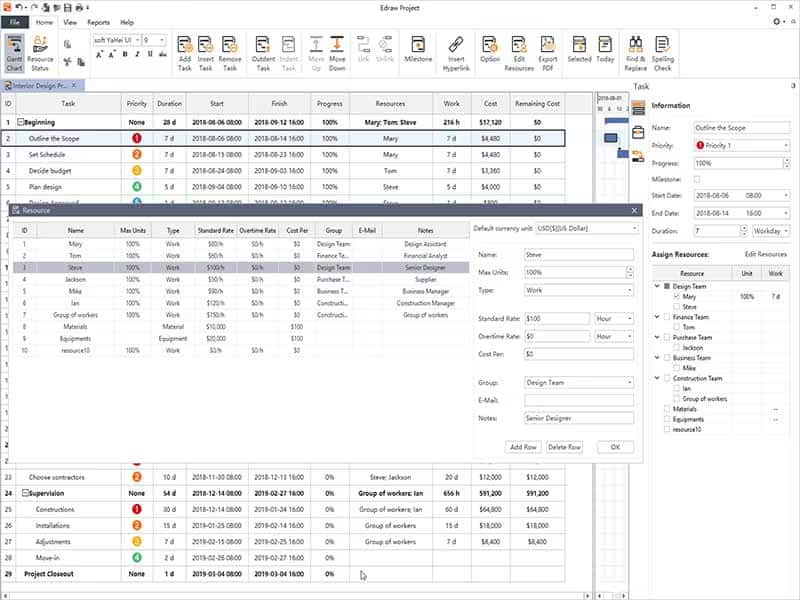
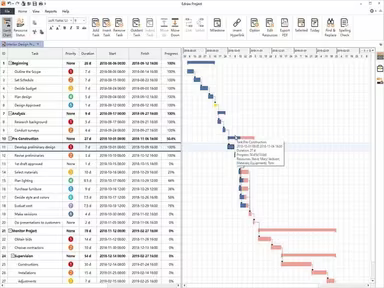
Edraw Project is a powerful tool tailored for project management, particularly known for its Gantt chart capabilities. It enhances the planning and monitoring of projects through detailed Gantt charts and extensive reporting features. Users can quickly create personalized Gantt charts that display project timelines, tasks, durations, dependencies, resources, and milestones.
The user-friendly drag-and-drop interface makes it easy to prioritize tasks, change start dates, and adjust task durations. For more insights on Edraw Project's functionalities and pricing, continue reading this in-depth software review.
Edraw Pricing
This software provides three pricing plans for single users:
Perpetual License: $179/user for three years
Annual License: $99/user for one year
Lifetime License: $245/user for lifetime access
For those requiring multiple user access, similar plans are available at a discounted rate. Prospective customers can inquire for further details regarding Edraw Project's pricing by reaching out to us.
Please note that prices may change over time.
Edraw Project Integrations
The provider has not disclosed any information about integrations with third-party applications.
How Does Edraw Project Work?
To effectively use the Edraw project management tool, follow these steps:
Log into your Edraw Project account.
Select 'New' to initiate a new project.
Input a project name and pick a template if you wish.
Add tasks by clicking 'Add Tasks'.
Assign start and due dates for each task by modifying the date column in the table view.
Create task dependencies by dragging a line from one task to another.
Distribute resources such as personnel or equipment to tasks in the 'Resources' column.
Incorporate milestones into your project plans by providing a milestone name and date in the 'Milestones' section.
Add any budget or cost details in the appropriate columns to monitor your project expenses.
View your project timeline in the Gantt chart format to visualize task schedules, dependencies, and progress.
Edit task specifics and project information directly from either the Gantt chart or table view as necessary.
Watch the Edraw Demo to discover more about the various features offered by this software.
Who Is Edraw Project For?
The project management capabilities of Edraw are suitable for organizations of all sizes, ranging from small startups to large corporations. It can be utilized across multiple industries, including:
IT
Education
Engineering
Finance
Healthcare
Manufacturing
Retail
Is Edraw Project Right For You?
If you’re looking for an intuitive Gantt chart solution that facilitates effective project management and collaboration, Edraw Project is an excellent option. It includes features like Gantt chart creation, critical path analysis, scheduling, task and resource allocation, progress tracking, and risk management—making it a robust choice for professionals.
Renowned companies such as Toyota, Walmart, AT&T, Deloitte, and Shell rely on Edraw for their project management needs. To read reviews from current users and gain further insights, explore Edraw reviews. For more information, please contact Software Finder at info@softwareseekers.com.