

eM Client
Manage your emails and schedules effortlessly with eM Client, the innovative solution for busy professionals. Streamline your communication today!
Discover eM Client, a cutting-edge email solution that combines your messaging and calendar requirements into a single, efficient platform. This is the perfect tool for handling various communication channels in fast-paced work settings.
What Is eM Client?
Overview
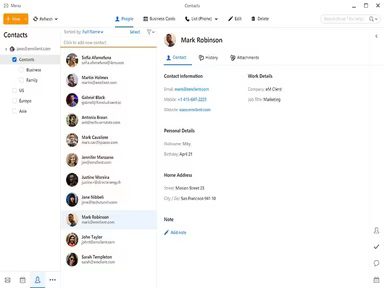
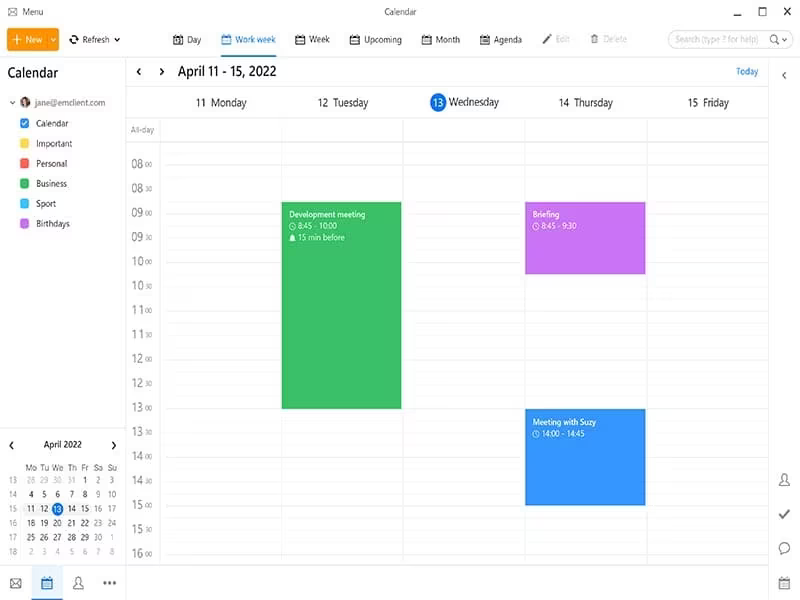
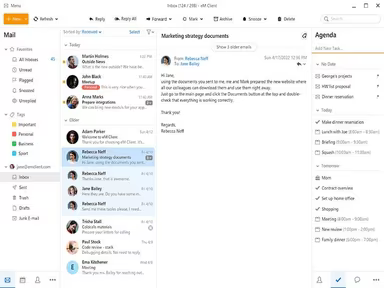
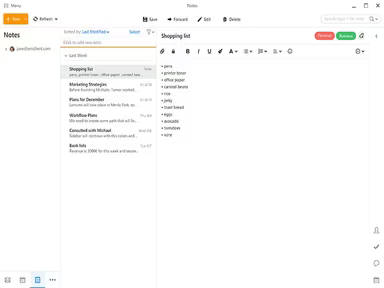
eM Client is a robust email client application crafted for both Windows and macOS users. This desktop software is tailored to meet the demands of professionals and everyday users alike. It provides an array of features including calendars, tasks, contacts, notes, and chat functionalities. By consolidating multiple communication methods into a single, user-friendly interface, it simplifies your digital interactions.
What Is eM Client Best For?
A standout feature of eM Client is its ability to offer "Message Encryption." This functionality ensures that your email exchanges remain secure and private. With eM Client, you can encrypt outgoing messages, allowing only the designated recipient to access and read them. This is particularly advantageous when transmitting sensitive or confidential information via email, giving you confidence that your communications are safeguarded.
eM Client Pricing
The software provides several pricing options:
Free - $0
Pro - $29.95 per device
Business Pro - $32.95 per device
eM Client's pricing structure accommodates the diverse requirements of various organizations. You can also request a personalized quote.
Please note that pricing may vary.
eM Client Integrations
This software seamlessly integrates with a variety of third-party applications, such as:
Google Workspace
Microsoft Office 365
Dropbox
Zoom
Webex
How Does eM Client Work?
Getting started with the software is straightforward:
Log in using your credentials.
Once logged in, you'll see a clean and intuitive dashboard.
The navigation panel on the left side includes options for Mail, Calendar, Tasks, Contacts, and Chat.
Select any option to manage your emails, schedule, tasks, contacts, or chat.
You can create new emails, schedule meetings, add tasks, manage contacts, and initiate chat conversations directly from the dashboard.
The search bar at the top allows for quick navigation to your emails, contacts, events, and tasks.
If you want an in-depth look at the features and functions available, consider watching a free demo of eM Client.
Who Is eM Client For?
eM Client is ideal for individuals as well as businesses of all sizes—from small enterprises to large corporations. It serves various industries including:
IT
Education
Healthcare
Finance
Retail
Is eM Client Right For You?
If you're in search of a comprehensive email client that combines all your communication and scheduling needs into one accessible platform, then eM Client could be the right fit for you.
This software emphasizes security with features like message encryption to keep your communications private and secure. Additionally, it scales effectively to meet the needs of individuals as well as small to large businesses.
If you’re still uncertain whether eM Client's features are suitable for you, reach out to our customer support team at info@softwareseekers.com for assistance in making the best choice.