

FACS
Streamline your construction projects with FACS, a centralized platform for efficient document and form management tailored to your business needs.
FACS caters specifically to the construction industry, providing a unified system for overseeing documents and forms. While it may take some time to become familiar with its specialized functionalities, the software is tailored to meet the unique requirements of construction management and document handling. In summary, it serves as an essential resource for optimizing project workflows.
What Is FACS?
Overview
Field Automated Communication Systems (FACS) is a project management solution hosted in the cloud, tailored specifically for the construction sector. This software is crafted to address the unique requirements of construction firms by leveraging their current documents, forms, and workflows. FACS enhances visibility, simplifies document creation and teamwork, and serves as a unified platform for sharing and communicating information.
What Is FACS Best Known For?
A standout feature of Field Automated Communication Systems is its capability to offer a centralized platform that allows construction companies to manage their projects in real time. With both desktop and mobile applications, users can operate online or offline, ensuring transparency throughout the lifecycle of documents.
FACS Pricing
The cost of the Field Automated Communication Systems platform can vary based on several factors. A major consideration is the scale of the construction company and the number of projects they oversee.
If you're interested in learning about the pricing details for FACS software, please click on Get Pricing.
FACS Integrations
Field Automated Communication Systems can seamlessly connect with PlanGrid, allowing users to instantly markup and collaborate on plans and documents from any location.
How Does FACS Work?
Here’s a brief guide on how to navigate the dashboard after installing the FACS project management tool:
Log in and access your dashboard.
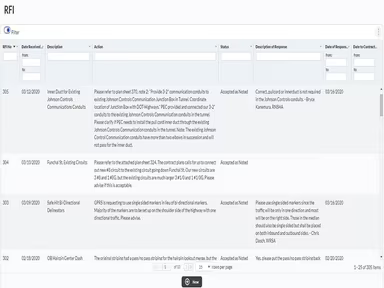
Use your existing documents and forms from the software or create new ones as needed.
Customize the platform by establishing various custom roles to manage permissions for different team members.
Initiate your projects by developing transparent document life cycles and granting access to the central platform for your entire team.
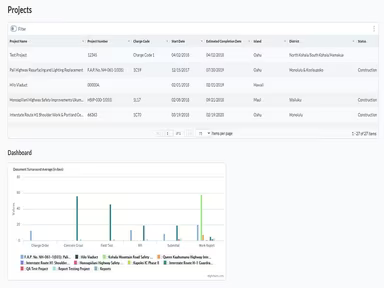
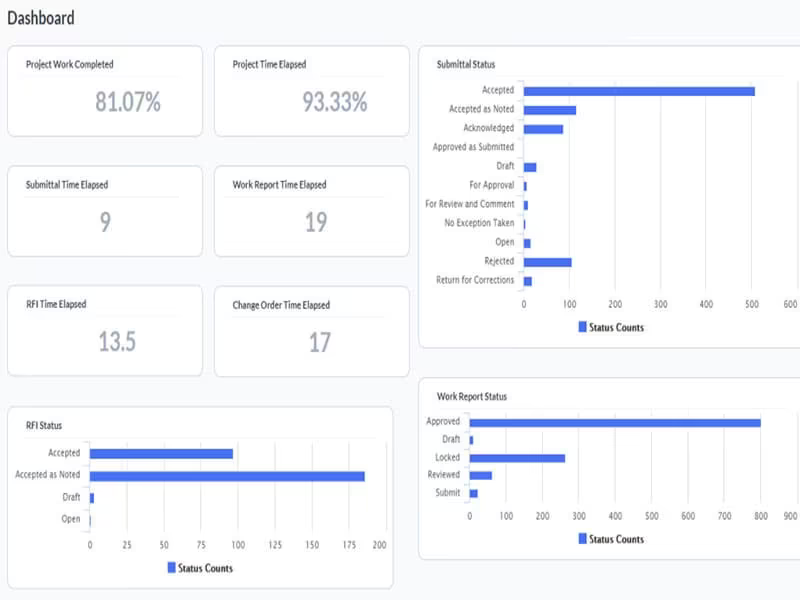
Utilize project and program-level roll-up logs, reports, and dashboards to monitor progress and performance.
Employ the integrated search feature in FACS to quickly locate specific documents and information.
Create custom dashboard indicators for an at-a-glance view of your projects.
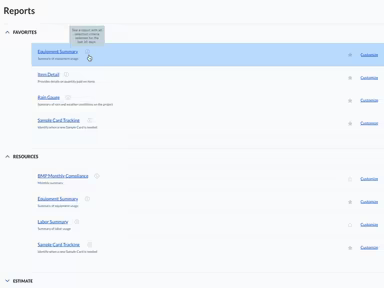
Generate reports with integrated alerts to track various construction components such as payments, labor, materials, equipment, etc.
Leverage the PlanGrid integration with FACS to efficiently markup and collaborate on plans and documents from anywhere.
Watch the FACS Demo to discover more about its features.
Who Is FACS For?
Field Automated Communication Systems is designed for businesses within the construction industry, regardless of their size. From small contractors to major construction firms, this platform is suitable for a wide array of businesses across different sectors, including:
Commercial
Residential
Industrial
Is FACS Right For You?
If you're in the construction sector and need to streamline your project management processes while enhancing collaboration, consider using Field Automated Communication Systems. It’s specifically designed to meet the needs of construction businesses by providing a centralized hub for managing all documents and forms.
The software includes essential security and compliance features vital for construction firms. You can create multiple custom roles that regulate permissions and access for various team members, ensuring they only see information relevant to them. This method enhances security and minimizes the risk of unauthorized access to sensitive data.
We suggest checking out FACS reviews to hear feedback from current users about their experiences with the software. For further inquiries, reach out to Software Finder at info@softwareseekers.com.