

Hubworks
Streamline workforce management with Hubworks, the intuitive platform that boosts productivity for small businesses and enterprises alike.
If your organization faces challenges in effectively handling workforce management, Hubworks may be the answer. This software provides a user-friendly and efficient platform designed for managing tasks and schedules, ultimately boosting productivity for both small businesses and larger enterprises.
What Is Hubworks?
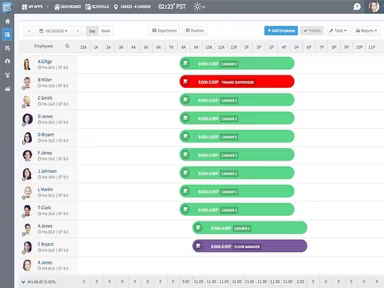
Hubworks Suite, currently referred to as Zip Clock, is a cloud-based application aimed at enhancing project management and fostering collaboration among teams. This software features an effective online employee shift scheduling tool that enables organizations to create and share work schedules effortlessly. Notable functionalities include scheduling, time-off management, schedule templates, self-managed employee availability, and employee sharing across various locations, all accessible from a single account.
What Is Hubworks Best For?
The Hubworks Suite Zip schedules facilitate a more efficient scheduling process, which helps to conserve time and minimize errors. This feature promotes smooth coordination and communication between team members. Managers can quickly assign shifts, monitor employee availability, and make real-time modifications as needed.
Hubworks Pricing
The cost of Hubworks is determined by your organization's specific needs and requirements. After the free trial period, a Custom Hubworks pricing plan is available to accommodate your flexible needs.
The software offers three pricing tiers:
$29/location/month (1 to 20 employees)
$49/location/month (21 to 50 employees)
Custom Edition (Over 50 employees)
Note: Pricing is subject to change.
Hubworks Integrations
Hubworks Suite is capable of integrating with the following:
AnyConnector
Brink POS
Additionally, HubWorks provides an API along with a marketplace for further integration possibilities.
How Does Hubworks Work?
Follow these steps to get started with Hubworks project management software after installation:
Log in to the web application using the credentials provided during setup.
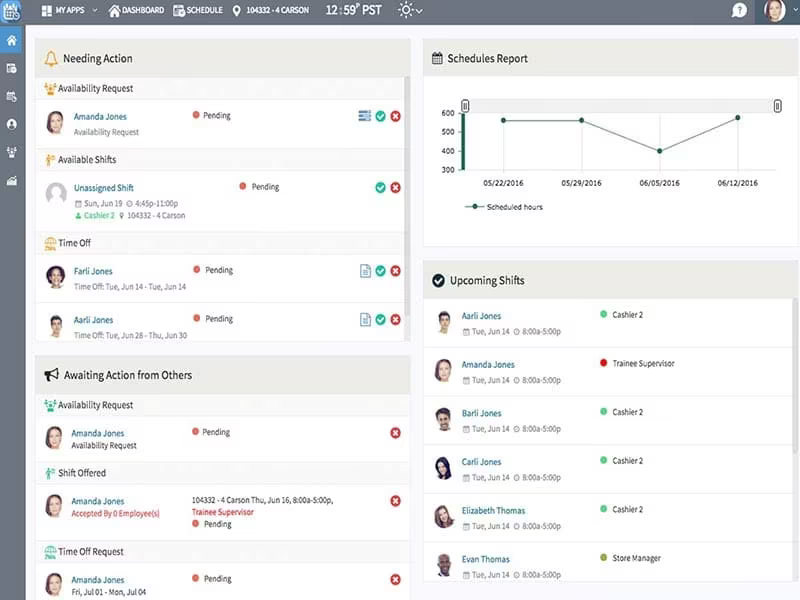
The Home screen displays real-time time punches from employees as they clock in and out. You can also view employees' Zip schedules here.
Select the Employee Performance Reports menu option to access reports on employee hours and adherence to schedules.
Navigate to the Open Punches screen to approve or modify any pending time punches. You can correct missed clock-ins or outs prior to finalizing payroll.
The Shift Management screen allows you to see available employees who can fill in for last-minute shift changes if necessary.
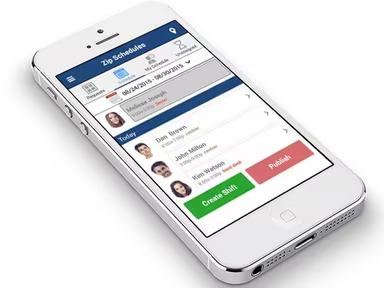
Utilize the mobile app for real-time notifications about employees nearing breaks or at risk of exceeding overtime. It also allows you to manage shift replacements while on the move.
Consult the Labor Laws section for assistance with compliance rules regarding maximum work hours and break regulations specific to your area.
Watch a free demo of Hubworks to further explore its features and capabilities.
Who Is Hubworks For?
Hubworks Suite serves as an excellent solution for businesses of any size, ranging from small startups to large corporations. It supports various industries and sectors, including:
Convenience stores
Hospitals
Hotels
Nonprofits
Parks
Restaurants
Retail
Warehouses
No matter if you're a project manager, department head, or team member, Hubworks equips you with the necessary tools to effectively manage projects and personnel (including temporary staff), collaborate with peers, and monitor progress towards objectives.
Is Hubworks Right for You?
The Hubworks Suite may be a great fit for organizations looking for a comprehensive workforce management solution. Its customizable features and add-ons offer flexibility, enabling businesses to adapt the software according to their unique needs.
The software prioritizes security, ensuring that data remains safeguarded against unauthorized access. Additionally, it is designed for scalability, accommodating the requirements of businesses of all sizes. For more insights into the platform's benefits, read reviews on Hubworks or reach out to Software Finder at info@softwareseekers.com for additional support.