

iTimekeep
Streamline your time-entry process with iTimekeep's intuitive and secure cloud-based platform. Join thousands of firms trusting iTimekeep today!
Many organizations face challenges with intricate time-entry systems, which can impede efficiency. iTimekeep offers a solution through its user-friendly, cloud-based, and secure platform. Experience it for yourself and discover why countless firms rely on iTimekeep to streamline their time-entry procedures. Delve into the features of iTimekeep software to uncover its full range of functionalities.
What Is iTimekeep?
Overview
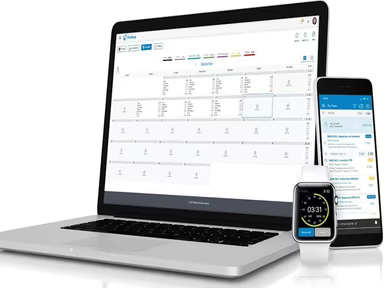
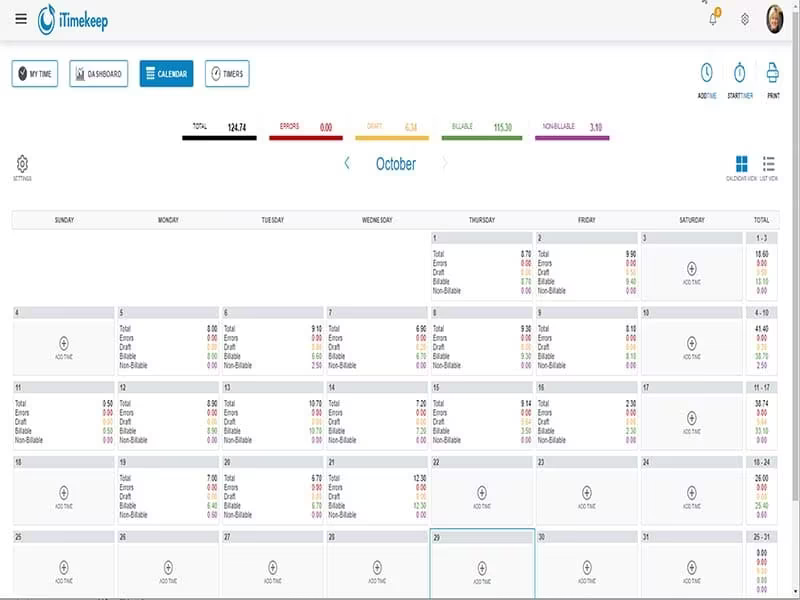
iTimekeep serves as a time-tracking solution aimed at enhancing the process of recording billable hours for lawyers and legal firms. Featuring an intuitive interface and compatibility with top practice management systems, this software guarantees accurate and timely documentation of billable hours.
This tool includes various functionalities such as voice-activated time logging, mobile access, and integrated timers. It allows legal professionals to effortlessly monitor their time from any location at any time.
What Is iTimekeep Best For?
iTimekeep is particularly recognized for its capability to deliver real-time tracking of time, which significantly minimizes billing inaccuracies. Furthermore, it helps maintain adherence to internal timekeeping guidelines. The platform's easy-to-use interface empowers firms to seamlessly log their hours, no matter where they are or what device they use.
iTimekeep Pricing
The cost of the software varies based on factors like the number of users and specific features needed. For a personalized quote on iTimekeep pricing, please reach out for a custom estimate.
iTimekeep Integrations
This software can integrate with the following applications:
Microsoft Outlook
LawPay
How Does iTimekeep Work?
To get started with iTimekeep, follow these steps:
Log into the software using your credentials.
Select the 'New Time Entry' button or click on the '+' icon to bring up the time entry screen.
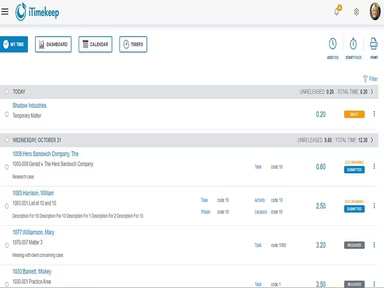
Complete the required fields, including client information, task code, description of work, and the duration spent on each task.
Utilize the built-in timer to accurately measure the time dedicated to each task.
Take advantage of the voice-activated feature to dictate your time entry details.
After entering all necessary information, click the 'Save' button to store your time entry.
In the 'My Time' section, you can view and modify your recorded time entries.
Make use of analytics and reporting tools to review your timekeeping patterns.
Enable push notifications on your mobile device to get reminders about crucial deadlines.
Watch a complimentary iTimekeep demo to explore more about the software.
Who Is iTimekeep For?
This software is tailored for businesses of all sizes, catering to small and medium law firms as well as large international legal organizations. Its flexible and customizable features make it an ideal choice for various legal practices such as:
Corporate law
Intellectual property
Litigation
Real estate
Family law
Is iTimekeep Right For You?
Your firm might opt for iTimekeep to enhance the precision and effectiveness of its current timekeeping methods, especially in tracking hours worked. Legal departments and firms need an easy-to-navigate solution that simplifies billing practices and optimizes employee productivity.
By adopting iTimekeep, organizations can significantly decrease time loss, boost revenue potential, and ultimately enhance profitability within their legal operations.
Check out reviews of iTimekeep to discover how current users are leveraging the software. Alternatively, contact us at info@softwareseekers.com for assistance from our customer support team in making an informed choice.