

Jira Service Management
Streamline your IT service management with Jira Service Management. Enhance support and efficiency for smoother operations today!
Are you facing difficulties with managing tickets and IT service operations? Jira Service Management provides a streamlined ITSM solution that makes processes easier and boosts support through effortless integrations. Discover its capabilities today for more efficient operations and to take back control of your IT service management.

What Is Jira Service Management?
Overview
Jira Service Management, created by Atlassian, is a cloud-based platform intended for IT service management (ITSM) and operational teams. This software provides various solutions aimed at overcoming typical obstacles such as ineffective ticket management, limited insight into workflow processes, and efficient change management. Its powerful features enable organizations to optimize their IT service functions and boost overall productivity.
What Is Jira Service Management Best For?
This service management software is well-known for its exceptionally responsive support team. Moreover, it includes a comprehensive knowledge base that allows users to resolve issues independently, thereby lightening the load on the service desk. This results in improved customer satisfaction and enables service teams to concentrate on more complex problems.
Jira Service Management Pricing
The provider has established four pricing tiers for its cloud-based Jira Service Management offerings:
Free – $0/month (for up to 3 agents)
Standard – $17.65 per agent
Premium – $44.27 per agent
Enterprise – Custom pricing
The cost for the Data-Centered plan stands at $17,200 annually for 50 users.
Note: The pricing may change over time.
Jira Service Management Integrations
The following third-party applications can be integrated with Jira Service Management via its marketplace:
Jira Software
Zoom
Microsoft Teams
Salesforce
Slack
Figma
Miro
How Does Jira Service Management Work?
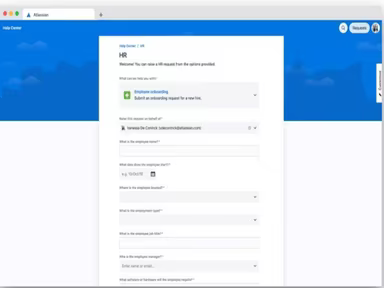
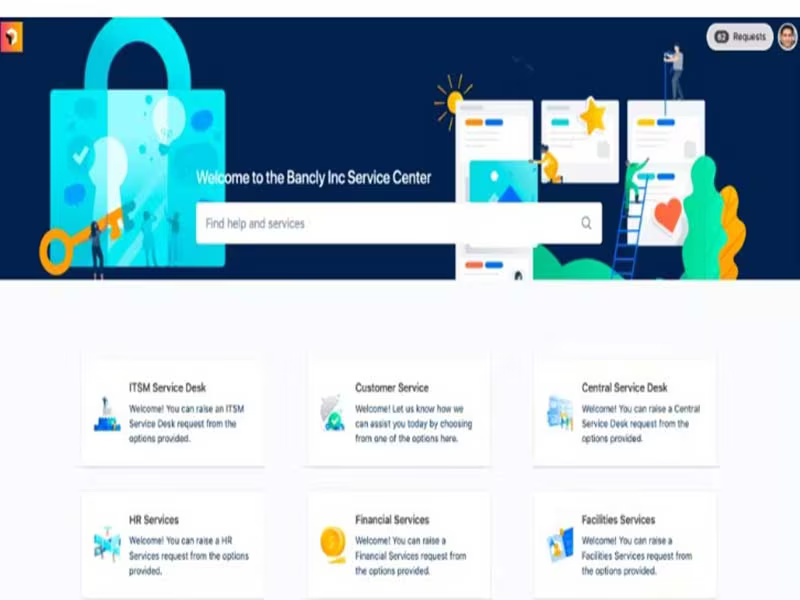
You can easily navigate the dashboard and utilize the software's features by following these steps:
Log in to your Jira Service Management account to view the dashboard.
Create and manage service requests and issues.
Assign tasks to team members and monitor their progress.
Implement automation rules for more efficient workflows.
Keep an eye on service queues and prioritize tasks effectively.
Generate reports and insights for informed decision-making.
Collaborate with team members and clients within the platform.
You can also schedule a free demo of Jira Service Management for a thorough overview of the software.
Who Is Jira Service Management For?
This software meets the requirements of organizations of all sizes, from small businesses to large corporations. It is utilized in various sectors including:
Finance
Retail
Manufacturing
Telecommunications
Information technology
Is Jira Service Management Right For You?
If you are in search of a robust IT service management solution that empowers your teams, enhances visibility into workflows, and accelerates work processes, then Jira Service Management could be an excellent choice. A number of clients, such as Nextiva, ISS World, Canva, Infobip, and Toast have placed their trust in it.
Additonally, Jira Service Management includes top-notch features like customizable permissions, SAML SSO, and encryption during data transmission. It also allows users to set security levels for issues. Designed with scalability in mind, this software caters to both small enterprises and large organizations alike.
If you want further details about Jira Service Management software, reach out to us at info@softwareseekers.com. Our customer support team is ready to provide you with all the information you need to make an informed decision.