

Kanbanchi: #1 Online Project Management Software for Businesses
Transform your productivity and collaboration with Kanbanchi's seamless integration, featuring Kanban Boards, Gantt Charts, and more. Try it today!
Kanbanchi is a cutting-edge tool that works effortlessly with Google Workspace, providing user-friendly functionalities such as Kanban Boards, Gantt Charts, a Time Tracker, and various Reporting Tools. Discover how Kanbanchi can enhance your productivity and teamwork starting now.
What Is Kanbanchi?
Overview
Kanbanchi is a cloud-driven tool for collaboration and task management, specifically designed for Google Workspace. It ranks among the leading online solutions for overseeing enterprise-grade projects, offering features like a Kanban Board, Gantt Chart, and Time Tracker that facilitate real-time teamwork and visual task oversight. The goal is to boost productivity by effectively organizing tasks and projects within the user-friendly Google interface.
What Is Kanbanchi Best For?
This tool is particularly celebrated for its user-friendly design and straightforward task management capabilities, enhanced by various plugins. If users are already part of your organization’s Google Workspace domain, signing up and installing the software is a breeze, taking just 30 seconds. Moreover, thanks to its interface resembling that of Google, users can quickly grasp how to leverage Kanbanchi’s features, managing project boards as easily as they do files in Google Drive.
Kanbanchi Pricing
The provider presents three subscription options alongside a free trial:
Premium - $13.97/user/month
Professional - $33.97/user/month
Enterprise - $99.95 (for a minimum of 100 seats)
If you're looking for a plan customized to fit your organization's specific requirements, feel free to request a personalized quote for Kanbanchi!
Please note: Pricing may vary over time.
Kanbanchi Integrations
Kanbanchi integrates smoothly with various Google Workspace applications, including:
Google Vault
Google Drive
Google Calendar
Gmail
How Does Kanbanchi Work?
After logging into the Kanbanchi dashboard, you can navigate through the following steps:
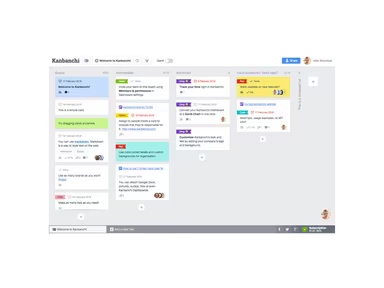
Create a new project board and add tasks to designated Kanban boards.
Delegate tasks to team members to minimize confusion.
Establish deadlines and define priorities for each task.
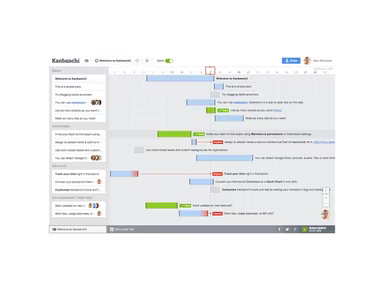
Monitor the progress of tasks using the Time Tracker and Gantt charts.
Produce reports to evaluate project performance.
You can also view a FREE demo of Kanbanchi to gain deeper insights into its functionalities.
Who Is Kanbanchi For?
This software caters to organizations of all sizes—small, medium, and large—across various industries. Its primary users include:
Project managers
Startup teams
Agile practitioners
Product managers
Teachers and students
Marketing professionals
The construction sector
Is Kanbanchi Right For You?
If you are in search of a project and task management solution that integrates seamlessly with Google Workspace, then Kanbanchi could be an ideal choice for you.
The platform is designed to be secure and scalable, suitable for businesses of any scale. It adheres to rigorous industry standards for data security and privacy, including SOC 2 Type II reports, GDPR compliance, HIPAA compliance, and PCI compliance. Additionally, it keeps data safe within the user's Google Drive or on Google Cloud Platform, ensuring both security and accessibility.
If you're still uncertain whether this software meets your needs, reach out to us at info@softwareseekers.com; our customer support team is ready to assist you in making an informed decision.