

MantisBT
Streamline your project management with MantisBT. Enjoy efficient task allocation, precise time tracking, and insightful roadmaps for better organization.
Tired of juggling disorganized project information? Streamline the often tedious task of assigning responsibilities using MantisBT project management software. Enhance your workflows with accurate time monitoring, clear email alerts, and valuable roadmaps. Discover what MantisBT has to offer today!
What Is MantisBT Project Management?
Overview
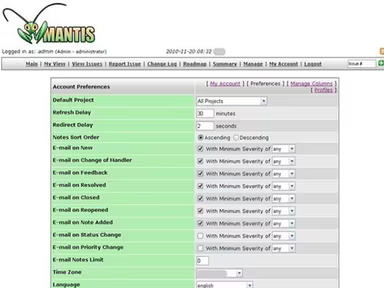
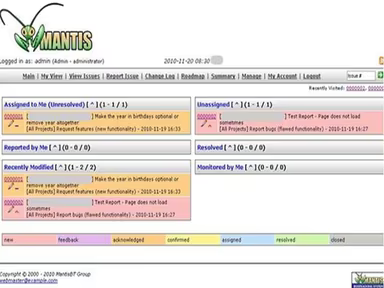
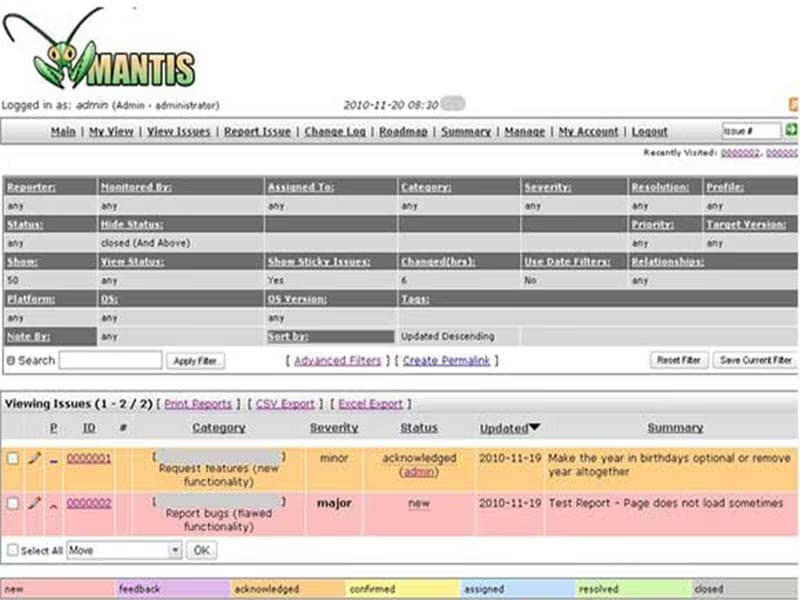
MantisBT, commonly referred to as the Mantis Bug Tracker, provides both cloud-based and on-premise solutions for project management tailored to your organization. This software enables companies to enhance their issue-tracking workflows and improve collaboration on projects. It serves as a unified platform for teams to report, track, and manage tasks throughout the various phases of their project lifecycle.
What Is MantisBT Project Management Best For?
This platform is favored for its cost-effectiveness, making it an excellent choice for organizations in search of a reliable issue-tracking and project management tool.
MantisBT Pricing
MantisBT is available at no cost. Nevertheless, you have the option to tailor it to fit your organization's particular requirements. Click on Get Pricing to receive a personalized quote for MantisBT.
MantisBT Project Management Integrations
The following third-party applications are compatible with MantisBT project management software:
GitHub
LambdaTest
iceScrum
Testsigma
How Does MantisBT Project Management Work?
Here’s a step-by-step guide on how to utilize the dashboard and features of the software:
Log in using your credentials provided by the vendor to access MantisBT.
Select the "Manage" section from the dashboard menu and click on the "Manage Projects" tab.
To create new projects, click on the "Create New Project" button or select an existing project name.
When you click "Create New Project" or an existing project name, you will be directed to the “Create Project" form.
Fill in the necessary fields such as name, description, and status before moving forward.
Click "Add Project" to finalize the creation process.
Utilize a role-based access feature to grant team members access to a project, sub-projects, or specific sections of a project.
You can also schedule a complimentary MantisBT demo to explore its features further. Click on Watch Demo now!
Who Is MantisBT Project Management For?
MantisBT is crafted for businesses of every size, ranging from small startups to large enterprises. It finds applications in various sectors, including:
Automation
Engineering
Is MantisBT Project Management Right For You?
If you're in search of a solution that enhances issue-tracking and promotes effective collaboration on projects, MantisBT project management software may be just what you need. The software adheres to SCORM standards to safeguard sensitive information and is adaptable for organizations of all sizes.
If you wish to discover more about MantisBT project management software, reach out to us at info@softwareseekers.com. We are here to assist you in making an informed choice that suits your needs.