

Mavenlink
Mavenlink empowers professional services teams with seamless project management, resource allocation, and financial visibility—all in one platform.
Key Insights
Derived from customer feedback
Mavenlink serves as a professional services automation and project management solution, primarily utilized by finance and operations teams in sectors such as consulting, IT services, and agencies. Users appreciate its comprehensive approach to overseeing projects, resources, time, and finances within a single platform. Nonetheless, many have raised concerns regarding its limited adaptability for intricate workflows. Recently, Kantata introduced the Expertise Engine™, an AI-driven platform tailored for professional services organizations.
Our Assessment
Mavenlink is particularly well-suited for professional services teams of medium to large size that manage several client projects along with daily resource allocation. Users frequently recognize its long-term advantages in facilitating project delivery and enhancing financial transparency. However, smaller teams might struggle to rationalize the pricing. We endorse it for consulting firms, IT service providers, and agencies that require organized project management on a larger scale.
What Is Kantata?
Kantata, formerly known as Mavenlink, is a project management tool tailored for service-oriented businesses. This platform emerged from the successful merger of Mavenlink and Kimble Applications, officially launching in May 2022.
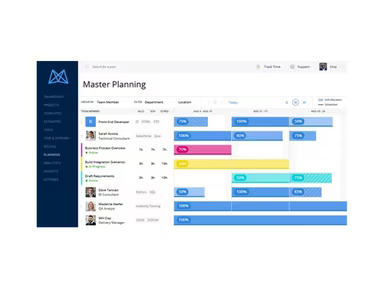
The software aids organizations by consolidating project management, financial oversight, collaboration, resource allocation, and business insights into a single hub. This centralization is vital for driving the success of service-based projects.
With reputation management features, you can enhance your visibility, leading to increased sales and attracting new customers. You can delegate tasks, track time, and manage resources effectively to ensure that projects meet deadlines and stay within budget.
This comprehensive project management solution streamlines daily operations for organizations while ensuring confidentiality when sharing sensitive data and presentations with potential clients and stakeholders.
What Is Kantata Best For?
Kantata facilitates project management by enabling teams to share documents, communicate seamlessly, and monitor progress in real-time, ensuring everyone is aligned. With all operational data centralized and readily available, teams can work more efficiently and foster ongoing improvement. The platform provides extensive reporting capabilities, real-time tracking, and customization options that give you complete control. Users can assign tasks, log time, and manage resources easily to guarantee timely project completion within budget constraints.
How Much Does Kantata Cost?
Kantata's pricing starts at $19 per user per month (billed annually) for Teams plans. While a Free plan is available, there are several pricing options:
Teams Plan: $19/user/month (billed annually) for up to 5 users initially; additional users can be added for $4/user/month.
Professional Plan: $39/user/month (billed annually) with advanced features like Gantt charts, time and expense tracking, and detailed reporting.
Premier Plan: $59/user/month (billed annually) which includes additional functionalities such as resource management, budget oversight, and project accounting.
Enterprise Plan: Custom Pricing that encompasses all Premier features along with tailored solutions and dedicated support.
Besides the base subscription fees, organizations should also consider the following costs:
Implementation: Generally ranges from $15,000 to over $60,000 based on your organization's size and workflow complexity.
Data Migration: Usually costs between $5,000 to $25,000 depending on the volume of historical data being transferred.
Training And Onboarding: Commonly estimated at $3,000 to $15,000 based on user count and training requirements.
Integrations: Typically falls between $5,000 to $30,000 depending on the number of tools integrated.
Customization And Configuration: Usually priced between $5,000 to $20,000 depending on desired workflow tailoring.
Ongoing Premium Support: Typically ranges from $6,000 to $24,000+ per year based on service level agreements and support needs.
User feedback often indicates that Kantata's pricing is on the higher side but is deemed justifiable due to its robust project and resource management features. However, some users feel it may be pricey for smaller teams or those with limited budgets.
For tailored pricing information based on your organization's requirements, it’s advisable to request a custom estimate from Kantata.
Please note that pricing may vary over time.
Kantata Integration
The Kantata project management tool supports integration with various platforms including:
Salesforce
NetSuite
HubSpot CRM
Workday
Sage Intacct
Microsoft Dynamics 365
G Suite
Jira and other third-party applications
This software works seamlessly across all internet-connected devices and integrates well with applications like Google Drive, Trello, and Slack to fit smoothly into existing workflows.
How Does Kantata Work?
The platform employs dashboards to enhance client visibility and collaboration. It aims to optimize financial outcomes while applying industry best practices tailored to your specific needs. User data is safeguarded through enterprise-grade security measures such as secure storage and encryption. The solution is scalable enough to accommodate both small enterprises and larger organizations alike.
You can log into your Kantata account to access a unified workspace where you can manage projects, resources, and financial processes by following these steps:
Create projects by establishing clear objectives, realistic timelines, budgets, and key milestones in one location for team alignment.
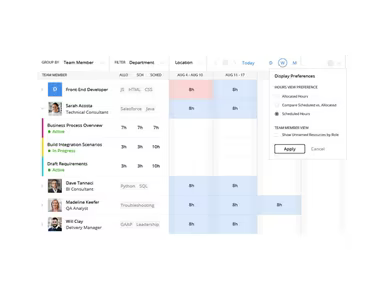
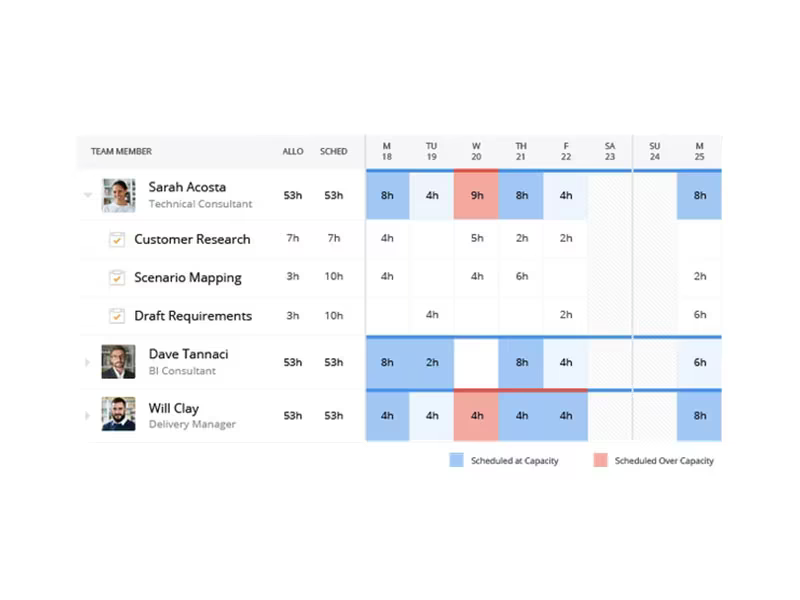
Assign resources by designating team members' roles and availability to balance workloads effectively.
Plan schedules by breaking tasks into manageable segments while setting dependencies to ensure timely delivery with minimal confusion.
Easily track time and expenses by allowing your team to log hours against assigned tasks without disrupting their workflow.
Manage project execution by keeping tabs on progress while coordinating with your team regularly to adjust tasks as priorities shift.
Review finances by comparing your planned budget against actual expenditures for quick insights into where attention may be needed.
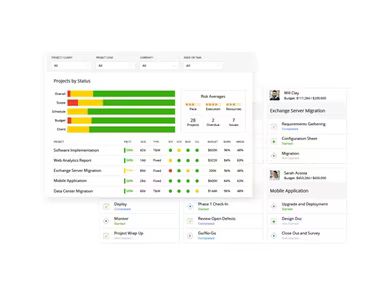
Create reports using dashboards for real-time visibility into project health and performance metrics.
You can also schedule a free demo of Kantata to explore its full range of functionalities.
Who Is Kantata For?
This software is particularly beneficial for small to mid-sized enterprises. Kantata is especially suitable for professional services firms in sectors such as marketing, advertising agencies, creative firms, IT services, and management consulting.
The platform caters well to various industries including advertising agencies, digital marketing firms, consulting services across numerous sectors like education or finance; healthcare providers; IT services; manufacturing; media; hospitality; retail; technology companies; as well as transportation logistics companies.
Kantata Use Cases
User reviews have highlighted several scenarios where this software excels in managing projects, resources, time tracking, and finances:
Agncies Managing Resource Allocation: As agencies expand their client base, it becomes challenging to monitor who is engaged in what tasks. Using separate tools often leads to overbooking or uneven workloads. Kantata may help these teams gain better visibility into staffing utilization as they handle more clients.
Professional Services Organizations Managing Disparate Workflows: Many teams utilize different tools for planning work or tracking budgets which complicates project monitoring. Kantata could streamline these processes into one platform for enhanced efficiency from planning through delivery.
IT Firms Connecting Sales With Delivery Work: Disorganization often arises when sales details do not align with project planning. Kantata can assist teams in linking this information seamlessly for improved clarity during delivery phases.
Operations Teams Enhancing Forecasting: As organizations grow larger it becomes harder to predict revenue or staff availability accurately. By providing clearer views on capacity usage and project performance metrics through Kantata’s tools can help teams make informed decisions sooner rather than later.
Distributed Teams Needing Collaborative Spaces: Teams spread across various locations often face challenges staying aligned when updates are scattered across emails or spreadsheets. Kantata offers a shared space where tasks can be assigned clearly while keeping everyone updated without switching platforms constantly.
Is Kantata Right for You?
If you belong to a professional services team juggling multiple client projects under tight deadlines, Kantata might be an excellent choice for your needs. Notable clients like Toyota Connected North America have successfully utilized it for aligning project delivery with financial tracking as they scale operations. The platform adheres to SOC 1 Type II compliance standards along with GDPR requirements while employing AES encryption for data protection. Furthermore it has been awarded the Silver Stevie Award for Sales Enablement Excellence—adding credibility for service-focused organizations looking to grow efficiently.
User reviews generally reflect satisfaction with the comprehensive features offered by the software. Most users commend its effective tools that streamline their operations. You can scroll down further to read testimonials from current users regarding their experiences with Kantata software.
The software's demo allows real-time access so you can explore if it meets your specific requirements prior to committing financially—a valuable opportunity compared merely reading about its capabilities!
If you still have questions about whether Kantata is right for you? Reach out to our customer support team at info@softwareseekers.com for additional assistance!