

Microsoft OneNote
Organize your notes effortlessly with Microsoft OneNote. Simplify collaboration and manage your media seamlessly for enhanced productivity.
Are you facing challenges with scattered media and chaotic notes? Fed up with disjointed content and tedious sorting? Microsoft OneNote provides seamless organization, tagging, and teamwork across multiple media types. This versatile tool is designed for efficient note management. Discover the features of Microsoft OneNote to streamline your notes and boost collaboration.
What Is Microsoft OneNote?
Overview
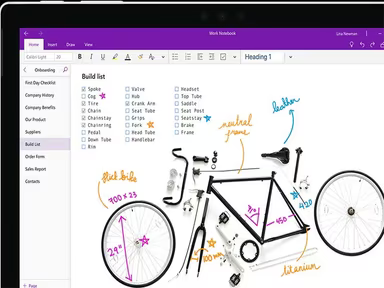
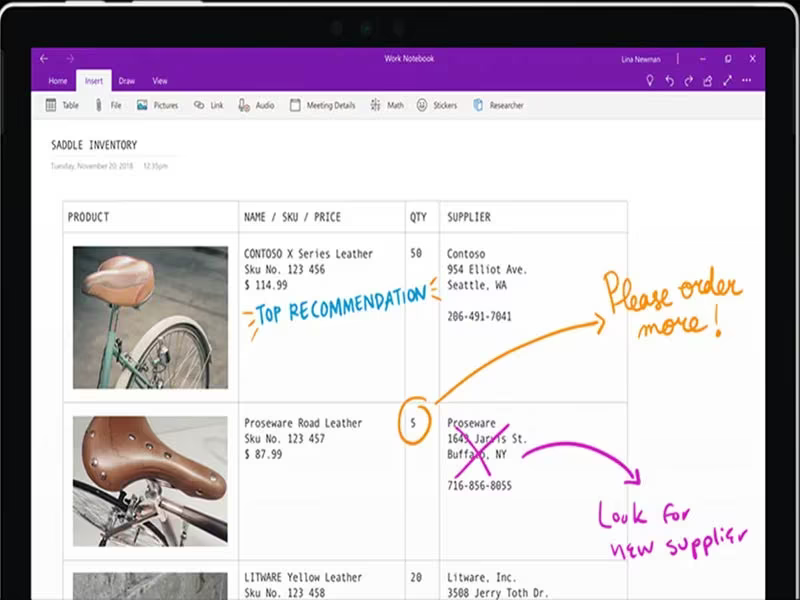
Windows Microsoft OneNote serves as a cloud-based digital notebook, enabling users to create and manage various forms of media all in one location. With OneNote, you can capture diverse content types like audio and video recordings, lab results, journal entries, and notes from meetings. Notably, this software can automatically transform handwritten notes into digital text, which enhances organizational productivity and reduces the need for manual retyping.
What Is Microsoft OneNote Best For?
The primary benefit of this application lies in its seamless integration within the MS Windows Office suite, providing users with a unified ecosystem for managing projects. The software's ability to synchronize effortlessly across different devices ensures that your information is readily available whenever you need it. The straightforward nature and adaptability of Windows OneNote make it an excellent choice for individuals, teams, and organizations spanning numerous industries.
Microsoft OneNote Pricing
This software features a flexible pricing plan that can be customized to meet your organization's specific requirements. Reach out to us for a tailored quote regarding the cost of Microsoft OneNote.
Microsoft OneNote Integrations
The software integrates seamlessly with all Microsoft products and connects to several third-party applications, including:
Microsoft Office 365
Google Calendar
Gmail
Trello
Asana
Zapier
SurveyMethods
Schoology
How Does Microsoft OneNote Work?
Here’s a quick guide on navigating the dashboard and utilizing the project management tools available in Microsoft OneNote:
Log in to your Microsoft account dashboard.
Create a new note or project file and assign it a descriptive title.
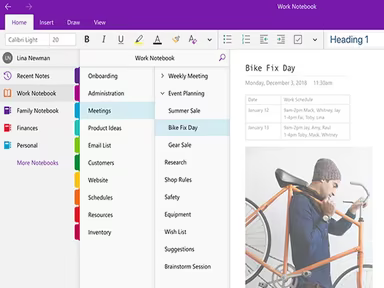
Organize your notes into sections within a notebook for better categorization.
Tag key content to maintain structure and organization in your work.
Facilitate idea sharing and enhance collaboration by using the real-time editing feature.
Utilize the search function to quickly locate specific information.
Sync your notes across devices for on-the-go access.
You can also arrange for a complimentary Microsoft OneNote demo to explore its features and functionality further.
Who Is Microsoft OneNote For?
The project management software provided by Microsoft OneNote is designed for a wide range of users, including individuals, teams, and larger organizations across diverse industries. Whether you're involved in government work, education, non-profit sectors, or IT, MS OneNote can assist you in enhancing your project management and deliverables.
Is Microsoft OneNote Right For You?
This note-taking software offers powerful and versatile project management capabilities. Its straightforward integration with other MS Office applications, tagging systems, and mixed media handling may make it an ideal solution for all your project management requirements. Furthermore, OneNote is highly scalable, making it appropriate for businesses of any size.
The software also prioritizes the security and confidentiality of your records. User feedback on Microsoft OneNote has generally been very favorable, highlighting its ability to help manage workflows effectively.
If you're still uncertain whether it's the right option for you, feel free to reach out to us at info@softwareseekers.com. Our customer support team is ready to assist you in making an informed decision.