

Microsoft SharePoint
Transform team collaboration and document management with Microsoft SharePoint's innovative cloud platform for enhanced efficiency and knowledge sharing.
Are you struggling with fragmented communication among your team and poor document handling? Look no further than Microsoft SharePoint. This cutting-edge cloud platform tackles these problems head-on, providing a flexible, powerful, and adaptable solution for effective collaboration, document management, and knowledge sharing. Boost your team’s productivity with the capabilities of Microsoft SharePoint.
What Is Microsoft SharePoint?
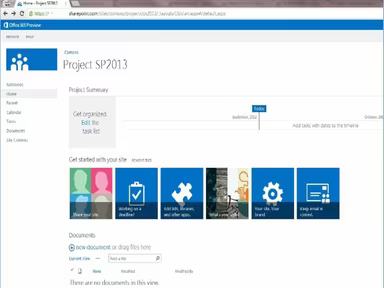
Microsoft SharePoint is a cloud-driven platform that is part of the Microsoft 365 ecosystem. It enhances collaboration and content management both within an organization and beyond. This software offers effective solutions for teamwork, document handling, and communication among teams. By providing a unified platform, Microsoft SharePoint tackles the issues of fragmented communication and poor document management.
What Is Microsoft SharePoint Best For?
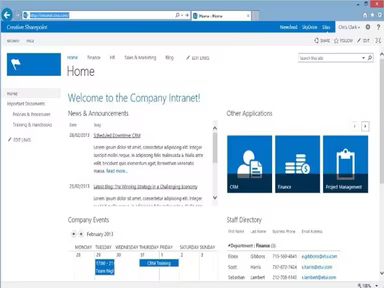
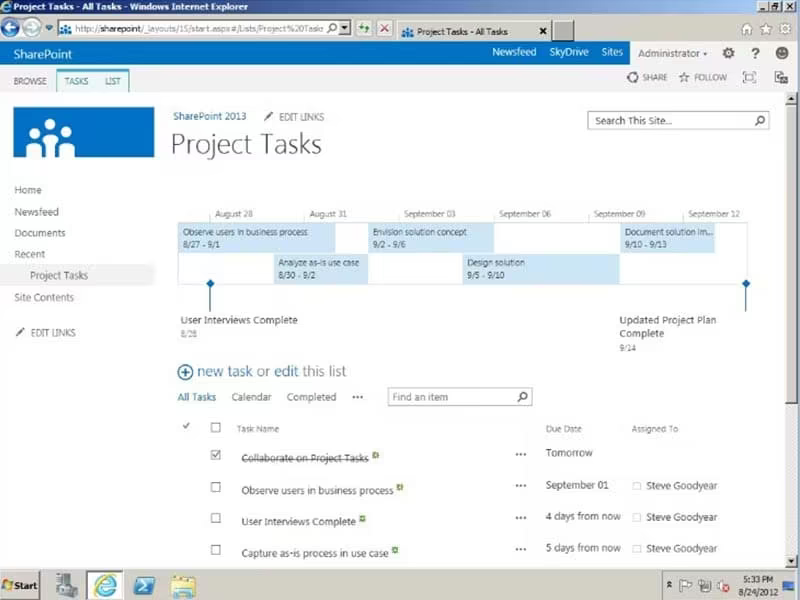
Renowned for its sophisticated collaboration capabilities, Microsoft SharePoint features an integrated content management system. It allows for the creation of dynamic team sites tailored for various projects, departments, and divisions. Users can share files, data, news, and resources from a centralized location, thus optimizing collaborative efforts.
Microsoft SharePoint Pricing
The vendor presents two pricing options for Microsoft SharePoint:
SharePoint (Plan 1) – $5/user/month
Microsoft 365 Business Standard – $12.5/user/month
For a personalized quote on Microsoft SharePoint based on your organization’s size and requirements, please inquire further.
Note: Pricing may vary over time.
Microsoft SharePoint Integrations
The software integrates seamlessly with various Microsoft applications, such as:
Microsoft Teams
Word
Excel
PowerPoint
OneDrive
Microsoft Lists
Microsoft Outlook
How Does Microsoft SharePoint Work?
To effectively utilize the functionalities of Microsoft SharePoint, follow these steps:
Log in to Microsoft SharePoint with your credentials.
Navigate to the dashboard to explore available features and options.
Select specific features such as document libraries, lists, or communication sites.
Click on your chosen option, like 'Document Libraries' for managing documents.
Upload files by selecting 'New' and then 'Upload' for easy sharing.
Create organized data through 'Lists' to track items efficiently.
Use communication sites to establish collaborative team environments and announcements.
Tailor your SharePoint experience by adjusting settings to fit your workflow.
Utilize the search feature to quickly find files or information.
You can also schedule a free demo of Microsoft SharePoint for further insights into its capabilities.
Who Is Microsoft SharePoint For?
The following sectors commonly utilize Microsoft SharePoint:
Entertainment
Information Technology
Aviation and Aerospace
Education
Legal Services
Engineering
Telecommunications
Is Microsoft SharePoint Right For You?
If you are in search of a robust platform that fosters collaboration both internally and externally, then Microsoft SharePoint could be the ideal choice. It is widely trusted by users and utilized by numerous Fortune 500 companies.
A few notable clients include Mott MacDonald, Arla Foods, Gap Inc., and TransAlta. Additionally, the software adheres to industry security standards to ensure user data remains secure against external threats.
If you still have questions about whether Microsoft SharePoint is suitable for you, feel free to reach out to our customer support team at info@softwareseekers.com for assistance in making an informed decision.