

Microsoft To Do
Boost your productivity with Microsoft To-Do, the intuitive task manager that helps you organize, prioritize, and streamline your daily activities effortlessly.
Microsoft To-Do is designed to simplify your everyday tasks with ease. This user-friendly application assists in structuring your tasks, establishing reminders, and prioritizing your daily responsibilities. Enjoy a more organized workflow with Microsoft To-Do, serving as your central hub for managing tasks effortlessly. Review its pricing options and discover its features to begin your journey.
What Is Microsoft To Do?
Overview
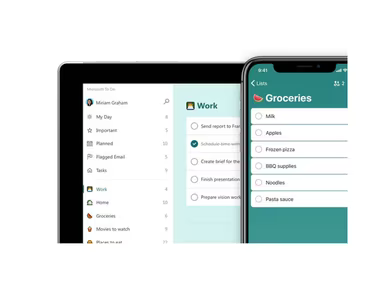
Microsoft To Do, which was previously known as Wunderlist, is an effective task management application designed to keep you organized and on track. Its user-friendly interface and smooth synchronization across platforms allow you to easily create, prioritize, and oversee your to-do lists. Whether you need to set reminders, establish due dates, or share lists with others, Microsoft To Do is here to help you maintain productivity and reach your objectives.
Additionally, Microsoft To Do caters to both home and business users and is accessible on desktop and mobile devices, providing effortless task list management from virtually any location.
What Is Microsoft To Do Best For?
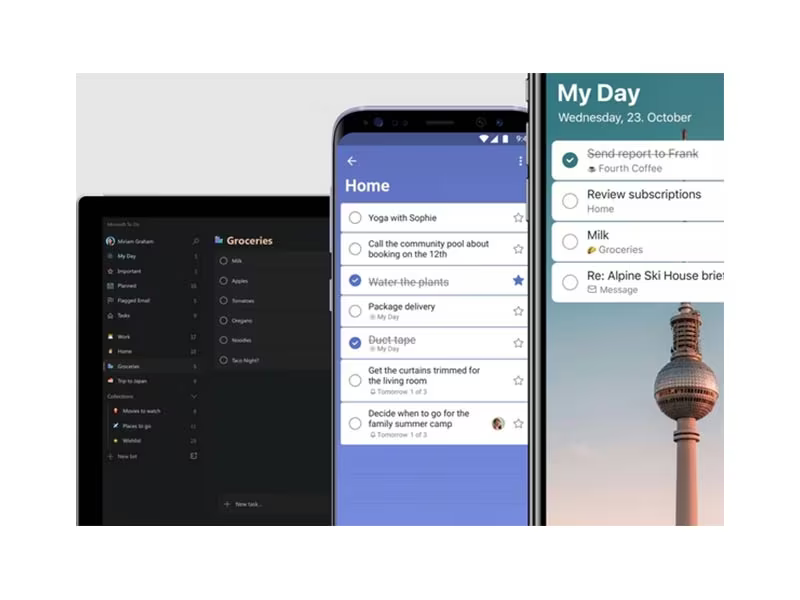
The customizable and approachable design of Microsoft To Do is a key highlight, making task management both efficient and enjoyable. Users can tailor their experience by choosing themes and colors to visually distinguish their lists. Plus, incorporating emojis and icons adds a playful element to the task lists.
Microsoft To Do Pricing
This software presents two pricing options: Business and Home. Below are the standard pricing tiers available under the Business plan:
Microsoft 365 Business Basic - $6 user/month
Microsoft 365 Business Standard - $12.50 user/month
Microsoft 365 Business Premium - $22 user/month
If you prefer using Microsoft To Do for personal tasks, you can opt for either Microsoft 365 Family or Microsoft 365 Personal, starting at $9.99/month and $6.99/month respectively.
Both plans come with a complimentary 30-day trial. You can also request a personalized quote for a Microsoft To Do pricing plan that suits your specific needs.
Disclaimer: Prices are subject to change.
Microsoft To Do Integrations
The software works seamlessly with other Microsoft tools, including:
Word
Excel
SharePoint
Outlook
Teams
How Does Microsoft To Do Work?
To start using the Microsoft To Do app after logging in, follow these steps:
Click the '+' icon next to 'My Day' and enter the name of your new list.
Categorize your lists as work tasks or project details.
In the 'New task' input area at the top, type your task and press enter.
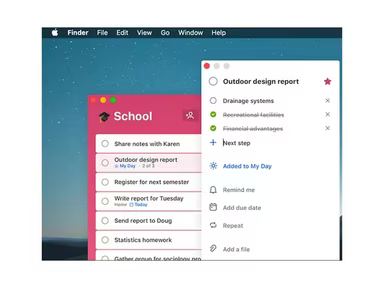
Select a task to view its details.
Set a due date for the task, add reminders, and even schedule it to repeat if it's a recurring task.
Assign tasks to team members by selecting who should handle each one.
If certain tasks need prioritization, mark them and move them into the 'Important' smart list.
You can check completion dates to keep track of finished tasks.
Utilize the 'My Day' feature to concentrate on daily priorities.
If you're interested in exploring more about what this software can do, consider scheduling a free demo of Microsoft To Do today.
Who Is Microsoft To Do For?
This application is utilized by professionals from various fields such as technology, education, healthcare, marketing, design, and construction. It is also beneficial for:
Project managers
Collaborative teams
Assistants
Freelancers
Is Microsoft To Do Right For You?
If you seek software that helps in organizing tasks, creating lists, and setting reminders, then Microsoft To Do could be an excellent fit for you.
This application benefits from the extensive security features integrated into the Microsoft 365 suite. These include data encryption, multi-factor authentication, and adherence to global as well as industry-specific compliance standards.
Additonally, if you require a scalable and secure project management tool that integrates effectively with other Microsoft products, Microsoft To Do may be an ideal option.
If you're still uncertain about whether Microsoft To Do is right for you, feel free to reach out to us at info@softwareseekers.com. Our knowledgeable team is ready to assist you in making an informed decision.