logo

Minitab Engage

Transform your data analysis experience with Minitab Engage, a sophisticated and adaptable platform designed to provide tools for data visualization, statistica...

0.00 | 0 Reviews

Transform your data analysis experience with Minitab Engage, a sophisticated and adaptable platform designed to provide tools for data visualization, statistica...

Product Overview

Transform your data analysis experience with Minitab Engage, a sophisticated and adaptable platform designed to provide tools for data visualization, statistical evaluation, and practical insights. It facilitates effective decision-making for businesses, seamlessly empowering your team to achieve more. With a range of flexible pricing plans available, you can choose the perfect option to begin your journey.
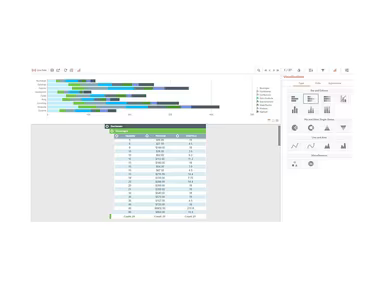
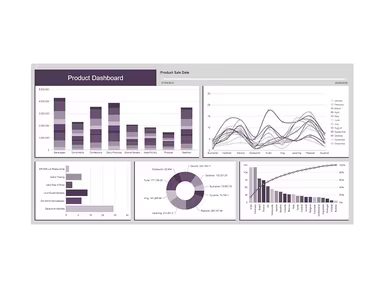
Product Snapshot

Product Details

What Is Minitab Engage?

Overview

Minitab Engage is a cloud-driven software platform aimed at assisting organizations in establishing improvement and innovation initiatives. It equips users with essential problem-solving resources, project management functionalities, and additional features to facilitate project execution. Accessible from any internet-enabled device, Minitab Engage ensures convenience for its users.

This integrated solution is particularly beneficial for organizations striving to adopt lean methodologies and six sigma principles. By offering a unified platform for managing projects, analyzing data, and fostering collaboration, Minitab Engage empowers teams to optimize their workflows, minimize waste, and enhance overall productivity.

What Is Minitab Engage Best For?

Minitab Engage is ideally suited for organizations focused on developing improvement and innovation programs. It offers a comprehensive array of problem-solving tools, project management features, and more to assist teams in executing their projects proficiently. The software excels in areas such as idea generation, innovation, and business transformation.

With robust and validated problem-solving methodologies alongside brainstorming, diagramming, and mapping tools, users can easily generate ideas, monitor progress, organize workflows, and collaborate effectively with their teams.

Minitab Pricing

Minitab provides a variety of pricing options tailored to the type of license you select. Pricing plans encompass individual licenses as well as enterprise-wide licenses. For further details regarding Minitab pricing, please click on Get Pricing.

Minitab Integrations

Minitab seamlessly integrates with various software applications, facilitating data importation and the utilization of Minitab's statistical analysis tools. Below is a list of third-party applications compatible with the software:

  • Microsoft PowerPoint

  • Microsoft Word

  • SIMUL8

  • JMP

  • WinSPC

How Does Minitab Work?

To begin using Minitab software after installation, follow these steps:

  1. Log in to the Minitab software using your credentials.

  2. Select the type of analysis you wish to conduct.

  3. Import your data into Minitab.

  4. Choose the relevant analysis tool from the menu.

  5. Adjust the analysis settings as necessary.

  6. Interpret the findings and make informed decisions based on the results.

You can also opt for a free demo version by clicking on Watch Demo to experience the software firsthand.

Who Is Minitab For?

Minitab caters to anyone who requires data analysis and aims to make informed decisions based on data insights. The software enjoys popularity across diverse industries such as:

  • Healthcare

  • Manufacturing and Industrial

  • Academic

  • Energy and Natural Resources

  • Government and Public Sector

  • Insurance

  • Software and Technology

Secure and Central Project Storage

The project management capabilities of Minitab Engage include secure centralized storage that is accessible from any location. By default, project access is limited, allowing project owners and administrators to define user permissions. Users can choose to include or exclude projects from dashboard reports while utilizing a folder structure for organized storage.

Is Minitab Right For You?

If your goal is to analyze data effectively and make decisions grounded in data insights, then Minitab may be an ideal choice. The software is user-friendly and features an extensive range of statistical analysis tools that accommodate users at different levels of statistical knowledge.

Furthermore, Minitab Engage holds ONC certification and complies with HIPAA standards. This ensures that sensitive patient information is protected while maintaining security and privacy. With Minitab, organizations can trust that their data adheres to HIPAA regulations.

If you’re still uncertain about investing in Minitab, reach out to our specialists at info@softwareseekers.com for guidance on whether this software meets your needs.

Project Management Software Features

dashboard
free plan
reporting
scheduler
dashboards
free trial
mobile app
purchasing
ai features
file sharing
integrations
telemedicine
collaboration
mobile access
time tracking
bid management
patient portal
budgeting tools
e prescriptions
email marketing
lead generation
marketing tools
quality control
rent collection
task management
asset management
automation tools
custom workflows
document sharing
easy integration
expense tracking
lab integrations
lease management
maintenance logs
project tracking
shared calenders
budget management
claims management
data importexport
project templates
safety management
tenant management
time zone support
content management
customizable forms
data visualization
equipment tracking
project management
project scheduling
shop floor control
team communication
alertsnotifications
campaign management
communication tools
contract management
document management
employee engagement
employee management
employee onboarding
facility management
incident management
production planning
property accounting
reporting analytics
resource allocation
workforce analytics
financial management
inventory management
maintenance requests
patient demographics
portfolio and assets
real time monitoring
bill of materials bom
billing and invoicing
business intelligence
customer segmentation
equipment maintenance
inspection management
partner data exchange
product health scores
scalable architecture
work order management
attendee communication
customizable workflows
facilities maintenance
performance management
benefits administration
change order management
compensation management
registration management
reporting and analytics
social media management
supply chain management
workflows and approvals
business intelligence bi
communication and access
documents and compliance
manufacturing management
subcontractor management
training and development
integrated team calendars
stakeholder collaboration
access controlspermissions
human resources management
maintenance and operations
attendance and time tracking
employee self service portal
integration with erp systems
product lifecycle management
centralised product portfolio
venue and resource management
agenda and schedule management
compliance and risk management
human resources management hrm
sales and marketing automation
speaker and content management
audience interaction technology
data driven product performance
employee information management
on site and virtual event tools
project planning and scheduling
tenant and lease administration
appointment managementscheduling
product lifecycle management plm
integration with financial systems
production planning and scheduling
recruitment and applicant tracking
financial management and accounting
customer relationship management crm

Pros

  • Easy to use
  • Offers a wide range of statistical analysis tools
  • Can be integrated with other software tools

Cons

  • Pricing can be expensive for enterprise-wide licenses
  • Some users may find the software lacking in advanced statistical analysis tools

Price

Professional

Custom

Get Free Guidance from Our Solution Experts.

Ratings

0.00 | 0 reviews

Ratings Distribution

Positive

0%

Neutral

0%

Negative

0%

User Reviews

No reviews yet

Be the first to share your experience with Minitab Engage.

Frequently Asked Questions

Find answers to the most common queries about our software recommendation service.

Minitab does not have a mobile app, but the software can be accessed through a web browser on mobile devices.

Yes, Minitab offers an API for integration with other software tools.

Unlike other software, Minitab Engage only offers online chat support. Adding to that, Minitab Engage also provides technical support, including training, installation support, and support videos.

Minitab Engage is a data analysis software, but it doesn’t serve as primary database.

Minitab Engage offers different pricing plans for different clientele. Click on the "Get Pricing" to get a custom quote specially tailored for your enterprise requirements.

Several industries, including healthcare, manufacturing, education, and finance, use Minitab.

Minitab supports multiple languages, including English, Portuguese, Dutch, Spanish, Japanese, and Chinese.

Minitab can be integrated with popular software tools like Microsoft PowerPoint, Microsoft Word, SIMUL8, JMP, and WinSPC.