

MPOWR Envision
Transform your public health and social service projects with MPOWR Envision's flexible, data-driven solutions for enhanced decision-making and efficiency.
MPOWR Envision is a cloud-centric project management solution tailored specifically for organizations in public health and social services. It provides adaptable, data-informed options that enhance decision-making and program oversight. This tool is compatible with various platforms and easily integrates with external applications. Boost your organization's effectiveness and reach. Inquire about personalized pricing for MPOWR Envision today!
What Is MPOWR Envision Software?
Overview
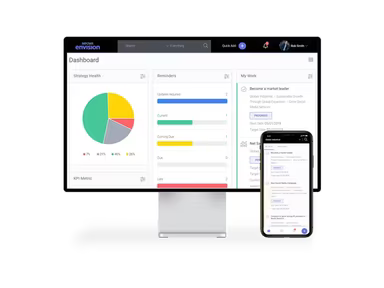
MPOWR Envision is a cloud-enabled medical project management solution that provides a comprehensive view of essential performance indicators and success metrics, enhancing transparency, accountability, and informed decision-making. This software is compatible across various platforms, including Mac, Windows, Linux, Chromebooks, and any web-enabled devices.
Serving as an extensive data management and analytical tool, it assists public health and social service organizations in refining their programs and services through data-driven insights. The intuitive interface allows users to efficiently input and monitor data concerning clients, programs, and outcomes in real time.
What is MPOWR Envision Best for?
This software has gained popularity among organizations aiming to enhance their data management and analysis capabilities due to its adaptability. MPOWR Envision can be tailored to meet the unique needs of each organization, allowing for the management of diverse data types and the flexibility to evolve alongside changing requirements.
MPOWR Envision Pricing
The pricing plans begin at $500 per month when billed annually. For enterprise modules, costs vary depending on the specific features and number of users required.
Discover the best pricing options for MPOWR Envision along with a personalized plan designed to suit your organization's size and requirements.
MPOWR Envision Integration
MPOWR Envision seamlessly integrates with various third-party tools such as Slack, Google Docs, and Dropbox, facilitating smooth communication and collaboration within the organization.
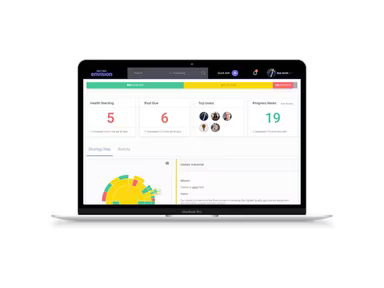
Moreover, it features an integrated sunburst map that aids users in visualizing their project health status. Different health stages are color-coded: critical (red), at-risk (yellow), and healthy (green).
How Does MPOWR Envision Software Work?
To start using MPOWR Envision after installation, follow these steps:
Create user accounts: Begin by establishing user accounts for all individuals who will access the software. Assign roles and permissions based on their job functions and required access levels.
Configure the software: Given its flexibility, customize the software to align with your organization's needs. This involves setting up data fields, workflows, dashboards, and reports.
Import data: Once configured, proceed to import your data into MPOWR Envision. This may encompass client information, program details, and outcome metrics.
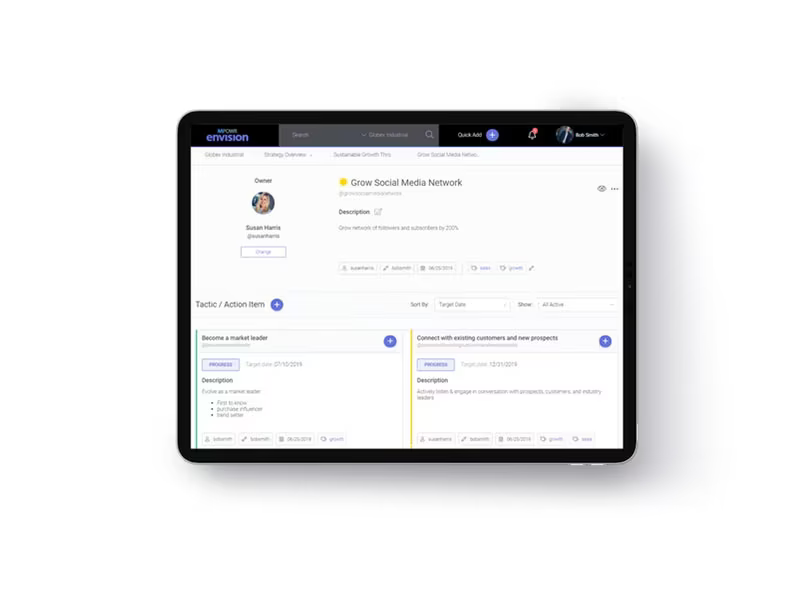
Establish goals and targets: MPOWR Envision is crafted to assist organizations in defining and tracking goals for their programs and services. After importing data, set performance targets to monitor progress over time.
Monitor performance: With the software configured and data imported, you can start tracking program performance and outcomes in real-time.
Unlock the full potential of MPOWR Vision by scheduling a free software demo today to explore its features.
Who is MPOWR Envision Software for?
MPOWR Envision is utilized by numerous public health agencies and social service organizations, including state and local health departments, community-based groups, and non-profit entities.
Is MPOWR Envision Software Right for You?
MPOWR Envision offers customizable dashboards and tools for effective data visualization, report generation capabilities, and a method to track program effectiveness over time. Designed with user-friendliness in mind, it caters particularly well to those who may not possess extensive technical skills.
This software stands out as a dependable solution that can streamline your data management processes, enhance your programs and services, and ultimately lead to improved outcomes.