

My Hours
Boost productivity and simplify time tracking with My Hours. Easily log hours and manage tasks with its user-friendly interface.
My Hours presents an intuitive approach to time tracking, enabling users to effortlessly record hours and oversee tasks. While entering time entries retroactively can sometimes be a bit challenging, the software features a user-friendly interface and facilitates straightforward task management. In summary, My Hours serves as a dependable resource for both individuals and teams aiming to enhance productivity while maintaining precise time logs.
What Is My Hours?
Overview
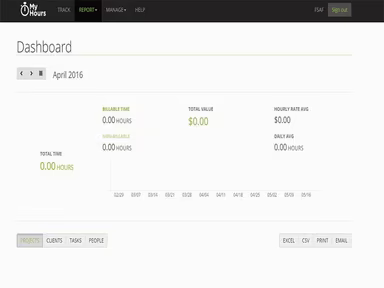
My Hours is a cloud-based solution designed for tracking time efficiently, catering to both individuals and teams. It allows users to log their working hours, manage projects, and keep an eye on productivity in real-time. With customizable reporting options available through My Hours, users can evaluate their work patterns, gain insights into how their time is spent, and enhance their overall efficiency. Additionally, the platform facilitates smooth billing processes, enabling the generation of invoices derived from recorded hours and expenses.
What Is My Hours Best For?
The time-tracking functionality of My Hours enables users to maintain accurate logs of their working hours. It equips them to effectively manage the timing of their tasks and projects while also tracking time dedicated to specific assignments. Users can effortlessly transition between different tasks and projects, which can lead to heightened productivity and effectiveness.
My Hours Pricing
If you're looking for a fundamental yet powerful tool to track your time, you can start with the free version of My Hours. Alternatively, for those seeking enhanced features, you can opt for the Pro plan at a rate of $9 per month for each active team member.
Prospective customers can click on Get Pricing for further information regarding the costs associated with My Hours software.
My Hours Integrations
This software seamlessly integrates with various third-party applications, including:
QuickBooks
Zapier
How Does My Hours Work?
To utilize the My Hours project management tool, follow these steps:
Log in using your assigned credentials to access the platform.
Create your team by adding members through their email addresses.
Initiate projects by clicking on the 'Projects' tab followed by 'New Project.'
Fill in the project details such as its name, client, and billing method.
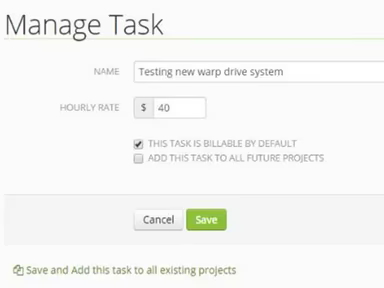
To track your time, head to the 'Time Tracker' tab, select a project, input a task, and activate the timer.
You can pause or stop the timer as needed.
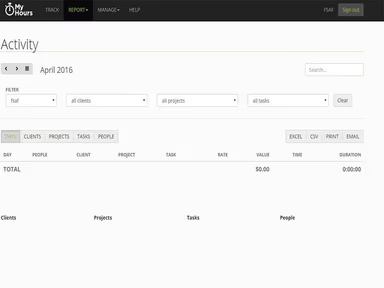
Generate detailed and tailored reports based on your tracked time in the ‘Reports’ tab.
Create invoices that reflect tracked hours and expenses.
Schedule a My Hours demo by clicking on Watch Demo or reach out to Software Finder for additional help.
Who Is My Hours For?
The My Hours time-tracking solution is ideal for businesses across all scales, from freelancers and startups to medium-sized companies and large organizations. Its user-friendly interface meets the diverse needs of multiple industries, making it one of the top choices for time tracking in:
Creative agencies
Consulting firms
Information technology (IT)
Education
Healthcare
Non-profit organizations
Government entities
Is My Hours Right For You?
If your business seeks a dependable solution for time tracking and project management, My Hours software could be an excellent fit. This is particularly true for companies managing multiple projects, collaborating with remote teams, or billing clients based on hours worked. The software’s capability to produce professional invoices from tracked hours and expenses streamlines the billing process and may enhance cash flow. Moreover, its mobile application allows users to track time while on the move, making it suitable for businesses with field personnel or those frequently away from their desks.
Additionally, My Hours adheres to the General Data Protection Regulation (GDPR), a mandate established by the European Union aimed at safeguarding individual data and privacy. This commitment ensures that high standards of data protection are upheld within the platform.
We suggest checking out reviews of My Hours to see what current users have to say about their experiences with the software. For more information, please reach out to Software Finder at info@softwareseekers.com.