
Notion Software
Boost your productivity with Notion's customizable databases and user-friendly interface. Streamline tasks and organize your life effortlessly!
Boost your efficiency with Notion. This versatile application improves your workflow through features such as adjustable databases, clear status properties, and integrated widgets. Although it offers a range of sophisticated capabilities, you can utilize it to optimize tasks, arrange important aspects of your life, or even build a full-fledged website thanks to Notion's intuitive design. Uncover what Notion can do for you today.
What Is Notion Software?
Notion is a comprehensive project management tool that provides users with an integrated workspace. It consolidates knowledge and optimizes workflows for teams of various sizes. The platform facilitates writing, brainstorming, and planning project concepts while enabling collaboration with clients and stakeholders.
What Is Notion Software Best For?
A notable feature of Notion is its AI capabilities. This functionality boosts productivity and enhances the user experience in managing information. It automates repetitive tasks, such as organizing pages and recommending relevant content, which allows you to concentrate on more critical activities. Furthermore, it adapts to your habits and preferences over time, delivering a tailored experience.
How Much Does Notion Cost?
Notion offers several pricing tiers as follows:
Free - $0/seat/month
Plus - $12/seat/month
Business - $18/seat/month
Enterprise - Custom Pricing
For personalized pricing options for Notion, feel free to reach out to us.
Please note that prices may vary.
Notion Software Integrations
This software seamlessly connects with various third-party applications such as Asana, Unito, Miro, and Webex. Additionally, Notion integrates with:
Typeform
Make
Figma
Jira
Everhour
How Does Notion Software Work?
If you're looking to get started with Notion, follow these steps:
Log in to your Notion dashboard.
Select the '+' icon to create a new page and assign it a name.
Choose from a variety of templates tailored for different uses like notes, tasks, or databases.
Add elements like headings, bullet points, numbered lists, checkboxes, images, links, and videos.
Organize your material into distinct blocks.
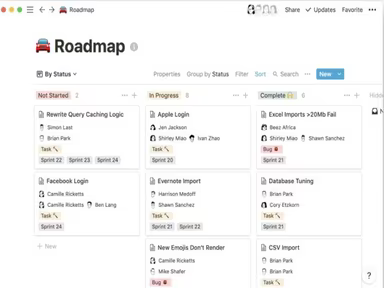
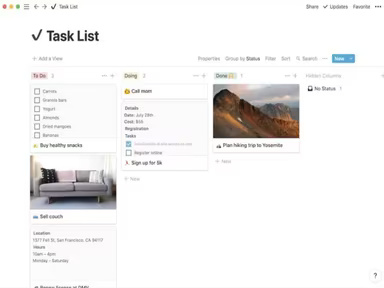
Create databases using formats such as table, board, calendar, gallery, or list.
Add properties to each database entry (e.g., status, assignee, due date).
Invite team members to view or edit pages and assign tasks accordingly.
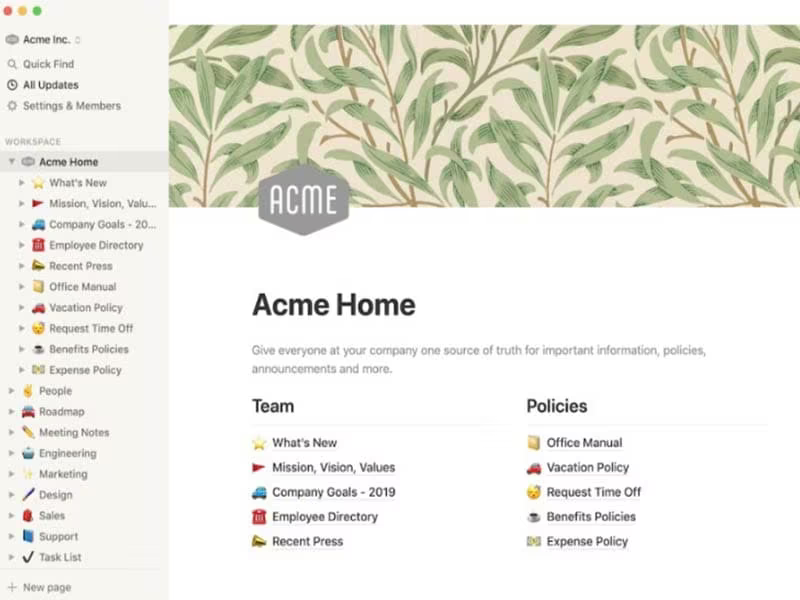
Create an interconnected workspace by dragging pages for rearrangement and personalize your pages with cover images and emojis.
Watch a demo of Notion to explore its features more thoroughly.
Who Is Notion Software For?
The platform offers a collaborative workspace equipped with tools for managing projects, creating databases, and brainstorming ideas. It is ideal for small businesses and caters specifically to sectors such as education and marketing. Beyond project managers, various departments also utilize Notion:
Product
Engineering
Design
Is Notion Software Right For You?
If you're assessing whether Notion fits your needs, consider two essential aspects: scalability and security. Its scalability makes it a superb option for individuals and teams of all sizes. The flexible pricing structure is an added advantage.
Regarding security measures, Notion implements strong protocols including encryption both in transit and at rest and regularly undergoes third-party audits and security assessments. Numerous teams at companies like Toyota, Nike, Uber, Figma, and Pixar have placed their trust in this software.
If you're still uncertain about investing in Notion software, check out reviews or reach out to us at info@softwareseekers.com for further information.