

Office Timeline
Create stunning timelines and Gantt charts effortlessly with Office Timeline, the essential PowerPoint add-in for clear project planning and communication.
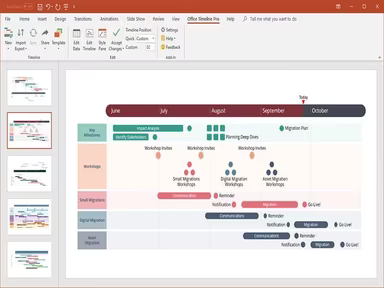
Office Timeline serves as a powerful add-in for PowerPoint, allowing users to craft visually striking timelines, Gantt charts, and swimlane diagrams. This indispensable resource aids in project planning and enhances communication by converting intricate data into easily digestible visuals.
What Is Office Timeline?
Overview
Office Timeline is an online tool designed for creating timelines and Gantt charts with ease. This software enables businesses to craft visually striking PowerPoint presentations effortlessly. With features for project scheduling, collaborative editing, milestone tracking, and the ability to import data, Office Timeline is a powerful asset for any team.
What Is Office Timeline Best For?
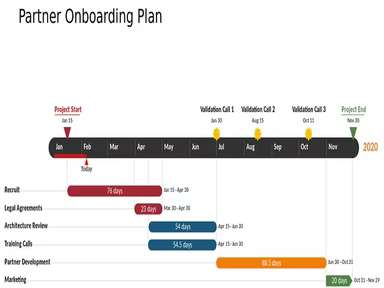
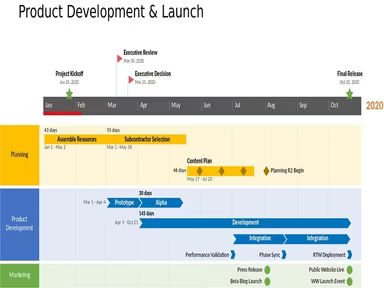
This software is highly regarded for its ability to produce timelines that clearly convey project status and important milestones. It's particularly beneficial for professionals who must present intricate information in an understandable format. Office Timeline ensures that timelines are styled automatically, presenting all necessary details effectively.
Office Timeline Pricing
The software is available both as an add-in and an online solution. Below are the pricing options for the Office Timeline add-in:
Pro Edition: $149/year (1 license)
Pro+ Edition: $199/year (1 license)
Alternatively, you can choose the Office Timeline Online version at $149/year (1 license), which is accessible exclusively through your browser. For a personalized plan, you can request a custom quote for Office Timeline.
Please note that pricing may change.
Office Timeline Integrations
This software works seamlessly with various Microsoft products, including Microsoft PowerPoint, Project, Outlook, and Word. Additionally, Office Timeline integrates with:
Jira
Smartsheet
Wrike
How Does Office Timeline Work?
After logging into Office Timeline, you can navigate the dashboard as follows:
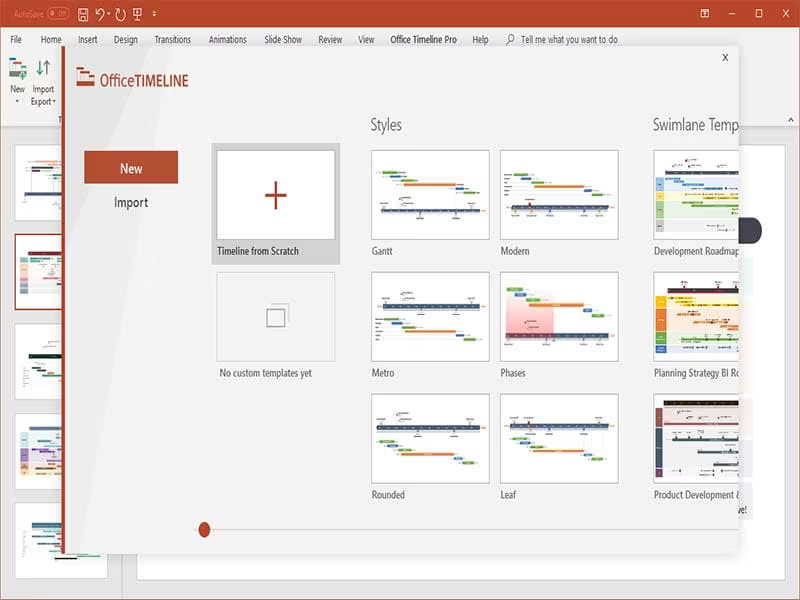
Create new timelines by clicking the "New File" button.
Customize your timeline by choosing a pre-designed template or starting from scratch.
Add milestones, tasks, or events to your timeline and modify their duration and dependencies.
Adjust visual elements like colors, shapes, fonts, and backgrounds to align with your brand using the Office Timeline ribbon.
Collaborate with team members by sharing your timeline, enabling them to view, edit, or comment on it.
If you want to see how the software operates, consider scheduling a free demo of Office Timeline to explore its features further.
Who Is Office Timeline For?
The Office Timeline add-in serves both large corporations and small businesses, along with professionals such as educators, project managers, and remote teams. It finds application across various sectors including:
Retail
Consulting
Pharmaceuticals
Healthcare
Finance
Aerospace
Manufacturing
Is Office Timeline Right For You?
If you're in search of software that simplifies timeline creation within PowerPoint, then Office Timeline could be an excellent fit. It has gained the trust of teams from companies like Hulu, Adobe, Universal, Johnson & Johnson, and Aptos.
The application functions as an add-on within Microsoft PowerPoint and benefits from the robust security protocols of the Microsoft platform. It is versatile enough to accommodate projects of varying sizes and complexities. Its user-friendly nature allows for swift modifications and adjustments regarding tasks and milestones based on project requirements.
If you're still uncertain whether it's the right tool for you, reach out to us at info@softwareseekers.com. Our customer support team is ready to assist you in evaluating Office Timeline.