

Opentimetool
Simplify project time tracking with openTimetool. Boost collaboration and efficiency while enjoying real-time updates for better management and revenue growth.
Is managing your organization's project time tracking proving to be a struggle? Look into openTimetool, a flexible tool that operates in the cloud and online. This software streamlines the process of time tracking, promotes assessment and teamwork, and provides updates in real-time. Delve deeper into the features of openTimetool to boost your company's project management capabilities and drive revenue growth.
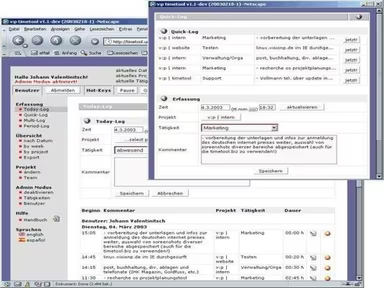
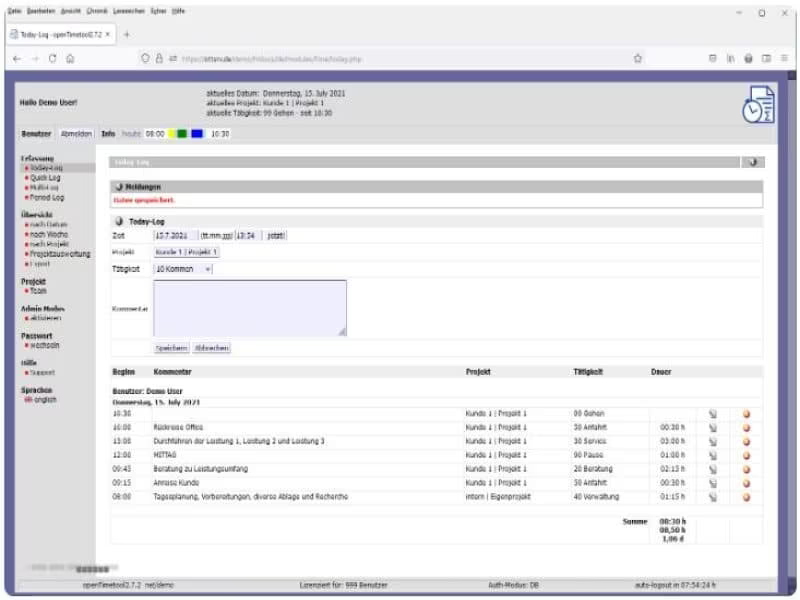
What Is openTimetool?
openTimetool is a versatile project time-tracking tool that operates in the cloud and is accessible via the web. It is designed to cater to various industries without being limited to a specific sector. This software effectively addresses the typical challenges associated with tracking project time. Users can easily and swiftly log their project hours, ensuring accurate recording of work and project times down to the minute.
What Is openTimetool Best For?
The openTimetool software is well-known for its user-friendly evaluation options. All logged hours by your team members are available in real-time and can be analyzed in multiple formats. Additionally, it supports data export, enabling integration with other applications such as MS Excel or MS Office for further analysis.
openTimetool Pricing
The Basic plan of this software starts at €4 per user each month, along with a one-time setup fee of €49.00. You can receive a custom quote for openTimetool tailored to the unique requirements of your organization.
Please note that pricing is subject to change.
openTimetool Integrations
Currently, the vendor has not provided any details regarding third-party integrations.
How Does openTimetool Work?
Here’s a brief guide on navigating the dashboard and utilizing the features of the software:
Log in using your credentials to enter the openTimetool dashboard.
Access the calendar feature to schedule and oversee appointments.
Create tasks and assign them to team members along with due dates.
Leverage the time-tracking capability to document work hours.
Generate reports to monitor project status and time utilized.
Collaborate with coworkers through the built-in messaging system.
Adjust your settings for a customized experience.
You also have the option to arrange a free demo of openTimetool to explore its features further.
Who Is openTimetool For?
This software is suitable for businesses of all sizes, including consulting agencies, publishing companies, freelancers, editorial offices, and training organizations. The following sectors utilize openTimetool:
Automotive
Engineering
Information Technology
Healthcare
Insurance
Architecture
Is openTimetool Right For You?
If you are in search of an all-encompassing, web-based project time-tracking solution that is versatile and can be accessed from any device with internet connectivity, then openTimetool could be an excellent choice for your organization. It boasts a variety of features such as time tracking, user management, task management, data export capabilities, along with real-time updates and reporting.
If you are still uncertain about investing in openTimetool software, please reach out to our customer support team at info@softwareseekers.com. They will assess whether this software aligns with your organizational needs, helping you make an informed decision.