

Paymo
Boost productivity and streamline your projects with Paymo project management software. Stay organized and meet deadlines effortlessly!
Paymo is a project management tool designed to make your workflows smoother, increase productivity, and improve collaboration among team members. With this intuitive solution, you can easily stay organized and meet your deadlines without hassle. Effectively monitor time, handle tasks, and optimize your projects with ease. Start your journey today!
What Is Paymo?
Overview
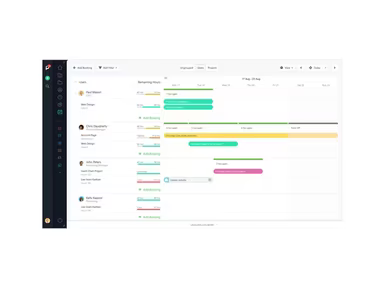
Paymo serves as a comprehensive work management platform designed to help teams visualize their project progress, boost productivity, and efficiently manage various project stages. This software is tailored to enhance productivity for businesses, freelancers, and remote teams by offering intuitive workflows and effective organization of distributed tasks. It includes a variety of features that facilitate project management, client invoicing, time tracking, and profitability measurement within a collaborative workspace.
What Is Paymo Best For?
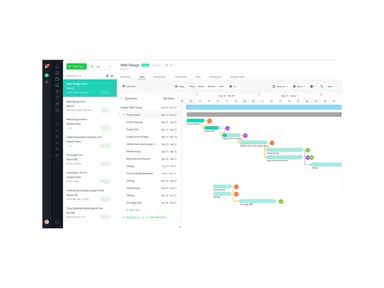
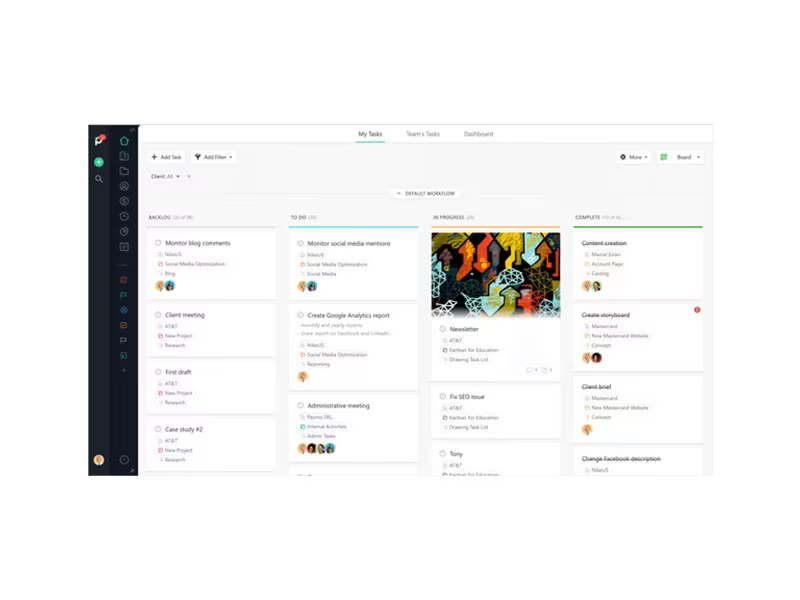
One of the standout features of Paymo is its robust project management capabilities. The software encompasses a wide array of tools such as automatic time tracking, Kanban boards, Gantt charts, and more. This rich feature set enables teams to stay organized, boost productivity, and manage project timelines and budgets effectively.
Paymo Pricing
The company provides four monthly pricing tiers for its project management and time-tracking software:
Free: $0/user/month
Starter: $3.9/user/month
Small Office: $6.9/user/month
Business: $10.9/user/month
For further details, feel free to request a custom quote today!
Note: The pricing may change over time.
Paymo Integrations
Paymo integrates effortlessly with numerous leading productivity and collaboration applications. Some notable integrations include:
Slack
QuickBooks Online
Xero
Typeform
JotForm
Integromat
Pabbly
Pomodone
How Does Paymo Work?
To get started with the Paymo project management software, follow these simple steps:
Log in to your account and access the dashboard.
Navigating to the 'Projects' section allows you to open existing projects or click 'New Project' to create one.
Add a description, team members, and milestones for the project.
Head over to the 'Timesheets' section and select an active task to start tracking your time.
Utilize the Kanban or task list boards under each project to check on task statuses.
Create client invoices based on the tracked timesheets.
Send invoices allowing customers to make online payments via integrated payment solutions.
Record any out-of-pocket expenses related to a project using the expense tracking feature.
Review task/project performance, profitability, and team productivity through the analytics dashboard for potential improvements.
You can watch a free demo of Paymo to explore its various features further.
Who Is Paymo For?
The project management software from Paymo is suitable for freelancers as well as small to medium-sized businesses (SMBs) across various sectors, including:
Creative/Marketing
Information Technology
Healthcare
Telecommunication
Web Design
Consultation
Is Paymo Right For You?
If your business seeks an efficient solution for managing time, tasks, and projects overall, then Paymo's work management system is worth considering. It offers a holistic approach for tracking time spent on projects, managing resources effectively, and optimizing overall productivity. With real-time collaboration features in place, it facilitates task delegation while ensuring that the team stays aligned.
The platform is also expected to implement strict measures for safeguarding user data through encryption and regular audits. We encourage you to read Paymo reviews to find out what current users think about the software.
If you need more information, please reach out to Software Finder at info@softwareseekers.com.