

Pivotal Tracker
Streamline your project management with Pivotal Tracker. Stay organized and up-to-date with real-time progress updates for teams of any size.
Pivotal Tracker is a cutting-edge online project management solution designed to help teams manage and arrange tasks efficiently. With its user-friendly web interface, it keeps users informed about the most recent updates on project progress. This makes it an essential digital resource for teams, regardless of their size, to effectively plan, monitor, and finalize their tasks.
What Is Pivotal Tracker?
Overview
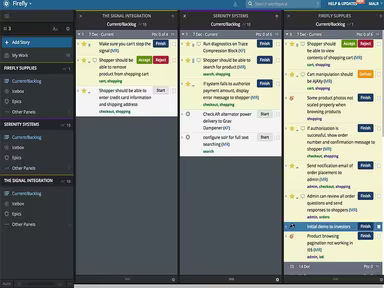
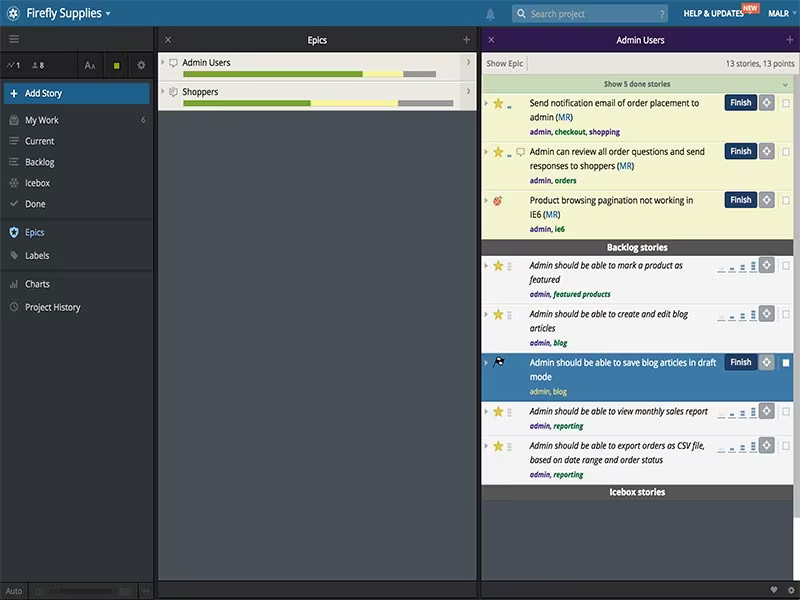
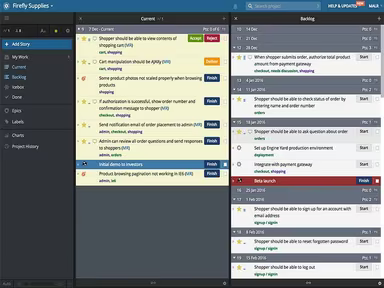
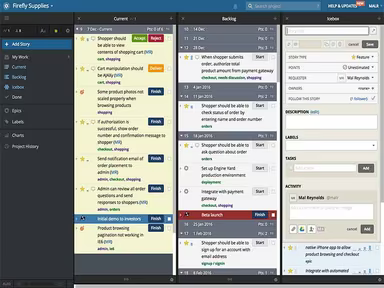
Pivotal Tracker is a cloud-driven agile project management platform developed by Pivotal Labs. It facilitates improved communication among team members, enhances collaboration, and streamlines task tracking. This tool ensures that agile teams remain synchronized and effectively monitors their progress. Users can create tasks from stories and manage resources efficiently. With additional functionalities like time tracking, reporting, and various integrations, it serves as an essential resource for software development teams aiming to maintain organization and increase productivity.
What Is Pivotal Tracker Best For?
This application excels in helping teams maintain organization, collaborate seamlessly, and monitor progress in real-time. It simplifies the processes of prioritizing tasks, allocating work, and establishing deadlines.
Pivotal Tracker Pricing
The following pricing tiers are available for Pivotal Tracker:
Free - $0 (up to 5 collaborators)
Startup - $10/month flat rate (6-10 collaborators)
Standard - $6.50 per collaborator/month (11+ collaborators)
Enterprise - Customized pricing
Pivotal Tracker also allows users to scale their usage as needed.
Please note: Pricing is subject to change.
Pivotal Tracker Integrations
Pivotal Tracker integrates with several third-party applications, including but not limited to:
Slack
GitHub
Jira
Zendesk
Clarity
ZapUp
Living Spec
How Does Pivotal Tracker Work?
To utilize Pivotal Tracker after installation, follow these steps:
Log in using your credentials.
Create a new project by naming it and providing a description.
Add team members to the project and assign roles such as developers, testers, and project managers.
Create stories, which serve as the fundamental units of work in Pivotal Tracker, representing tasks or features to be completed.
Prioritize stories by dragging them into the desired order on the project board.
Estimate the effort required for each story using a point system.
Assign stories to team members and establish due dates.
Utilize Pivotal Tracker’s real-time collaboration tools like comments and notifications to keep everyone informed about the project’s status.
Leverage built-in reporting and analytics features to track progress, identify potential bottlenecks, and make informed decisions based on data.
You can also view a free demo of Pivotal Tracker to understand how it can streamline complex development processes.
Who Is Pivotal Tracker For?
This software caters to businesses of all sizes, ranging from small and medium enterprises (SMEs) to large corporations. Its high scalability makes it suitable for various industries and sectors, including:
Education
Technology
Nonprofits
Social impact organizations
Boutique agile firms
Product design
Is Pivotal Tracker Right For You?
Pivotal Tracker is ideal for organizations adopting agile development practices. It enables teams to plan their work in short cycles known as iterations or sprints. By breaking down tasks into smaller, prioritized segments called stories that can be estimated and assigned, it allows distributed and cross-functional teams to stay aligned while making transparent progress.
The software also incorporates security measures like role-based access controls and robust authentication protocols to safeguard sensitive project information. Additionally, Pivotal Tracker adheres to regulatory standards such as SOC 2 and ISO 27001 to ensure the security of customer data and systems.
We suggest reviewing Pivotal Tracker feedback from current users for insights. For further inquiries or assistance, please reach out to Software Finder at info@softwareseekers.com.