

Sage Timeslips
Optimize your billing with Sage Timeslips, the trusted solution for detailed time tracking and flexible invoicing tailored for law firms and service teams.
Key Insights
Derived from customer feedback
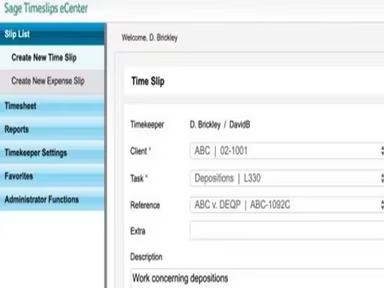
Timeslips serves as a time tracking and billing solution tailored for law firms, accounting firms, and teams in professional services that handle billable-hour processes. Users frequently commend its comprehensive reporting features, versatile invoicing options, and dependable performance for legal billing tasks. However, there are notable issues such as an outdated user interface and a complicated setup process. A recent enhancement includes the introduction of Timeslips Go, which has taken the place of Timeslips eCenter.
Our Assessment
Sage Timeslips continues to be a solid option for small to mid-sized law firms and professional service companies that need meticulous time tracking, adaptable billing formats, and sophisticated invoicing functionalities. Although its reliability and extensive reporting capabilities receive high praise, the somewhat antiquated interface may not align with the preferences of teams looking for a more contemporary experience.
What Is Sage Timeslips?
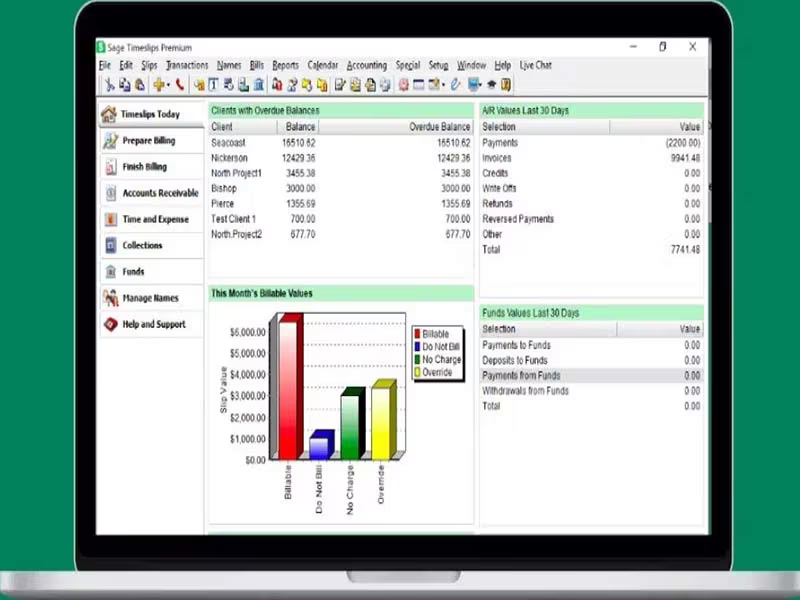
Sage Timeslips serves as a comprehensive solution for time tracking and billing, specifically tailored for legal practices. While primarily a desktop application, it also features a cloud-based alternative called Sage Timeslips Anywhere, which enables users to monitor hours and manage projects for clients from any location. Additionally, there is a mobile/web companion version named Timeslips Go.
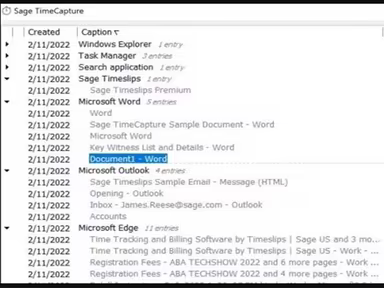
This software is equipped with numerous functionalities aimed at enhancing productivity, saving time, and increasing revenue. Key features include timesheet entry, invoicing, reporting, and more. Sage Timeslips effectively tackles various challenges associated with timely billing processes, providing a more efficient and organized approach.
What Is Sage Timeslips Best For?
The software is well-known for its user-friendly design. Its intuitive interface makes it suitable for individuals across all experience levels, ranging from beginners to experienced professionals. This simplicity applies to every feature of the software, including time tracking, billing, reporting, and analysis.
How Much Does Sage Timeslips Cost?
The starting price for Sage Timeslips Anywhere is $44 per user per month. This plan is ideal for solo practitioners and smaller firms as it provides essential time tracking and billing tools without needing to install a desktop application.
Other available plans include:
Timeslips Premium:
Starter - $61/month
Standard - $113/month
Pro - $151/month
Elite - $168/month
A free trial is also offered. Beyond the base subscription fees, law firms and professional service organizations should consider the following potential costs:
Implementation And Setup: $500–$5,000+ depending on the size of the firm, complexity of billing, and deployment needs.
Data Migration And Invoice Customization: $1,000–$8,000 based on historical billing data and customization requirements.
Staff Training And Onboarding: $500–$3,000 for training billing teams, administrators, and attorneys.
Accounting, Payment, And E-Billing Integrations: $1,000–$10,000 depending on the number of third-party systems integrated.
Ongoing IT Support And Maintenance: $500–$5,000 annually for server management, upgrades, backups, and technical assistance.
Cloud Hosting Or Remote Access Infrastructure: $1,000–$6,000 annually for firms needing hosted desktop or remote billing access.
You can obtain a tailored cost estimate for Sage Timeslips based on your organization’s size and specific requirements.
Please note that pricing may vary.
Sage Timeslips Integrations
The software integrates seamlessly with the following applications:
Paya
Quickbooks
LawPay
Sage 50
How Does Sage Timeslips Work?
You can easily navigate through the dashboard and utilize the features of the software by following these steps after logging in:
Launch the Sage Timeslips application on your desktop.
Double-click on the TSTimer icon to view the list of timers.
Select ‘Convert to Slip’ to turn the current timer into a time slip.
A dialog box will appear where you can input the details of your time slip.
Access various reports to evaluate your time tracking and billing activities.
Create invoices based on the time slips you have generated.
Import or export data from Sage Timeslips by choosing ‘All Files’, then ‘Timeslips’, followed by clicking the ‘Import’ toolbar button.
If you wish to explore more about what this software offers, schedule a complimentary demo of Sage Timeslips.
Who Is Sage Timeslips For?
This platform is utilized across various sectors including:
Information Technology
Consulting
Architecture
Law
Is Sage Timeslips Right For You?
If you're searching for an effective way to track time, manage billing processes, and enhance your law firm's operations, then Sage Timeslips could be what you're looking for. The software provides multiple billing solutions with automatic time-capture features. It prioritizes efficiency and offers a scalable option that simplifies complex billing processes.
If you want to find out more about the capabilities of the Sage Timeslips platform, reach out to our customer support team at info@softwareseekers.com. They will provide you with a comprehensive overview of the software to assist you in making an informed decision.