logo

SAP Business One

Many small to medium-sized enterprises face difficulties in achieving efficient operations, gaining financial clarity, and managing sales effectively. SAP Busin...

0.00 | 0 Reviews

Many small to medium-sized enterprises face difficulties in achieving efficient operations, gaining financial clarity, and managing sales effectively. SAP Busin...

Product Overview

Many small to medium-sized enterprises face difficulties in achieving efficient operations, gaining financial clarity, and managing sales effectively. SAP Business One presents a cutting-edge ERP solution designed to tackle these issues, offering both scalability and powerful features. Discover how SAP Business One can be customized to meet your business needs.
Product Snapshot

Product Details

What Is SAP Business One?

Overview

SAP Business One is a cloud-driven Enterprise Resource Planning (ERP) solution tailored for small to mid-sized enterprises across diverse sectors. This software encompasses a variety of functionalities, including financial oversight, customer and sales management, inventory tracking, business intelligence, and marketing campaign oversight. By consolidating these essential business operations into a singular platform, SAP Business One enables users to optimize their workflows and make data-driven decisions.

What Is SAP Business One Best For?

This software excels in its ability to integrate critical business functions into one cohesive system. It effortlessly connects different operational aspects, such as master data management along with sales and customer relationship management. By providing a holistic view of operations, SAP Business One enhances efficiency and supports better decision-making.

SAP Business One Pricing

The pricing for SAP Business One varies based on your organization's specific needs, size, and industry type. For a customized quote that reflects your company's requirements and scalability, reach out for a personalized SAP Business One pricing plan.

SAP Business One Integrations

SAP Business One can integrate with several third-party platforms, including:

  • SAP Hana

  • Microsoft Excel

  • Zendesk

  • Happay

How Does SAP Business One Work?

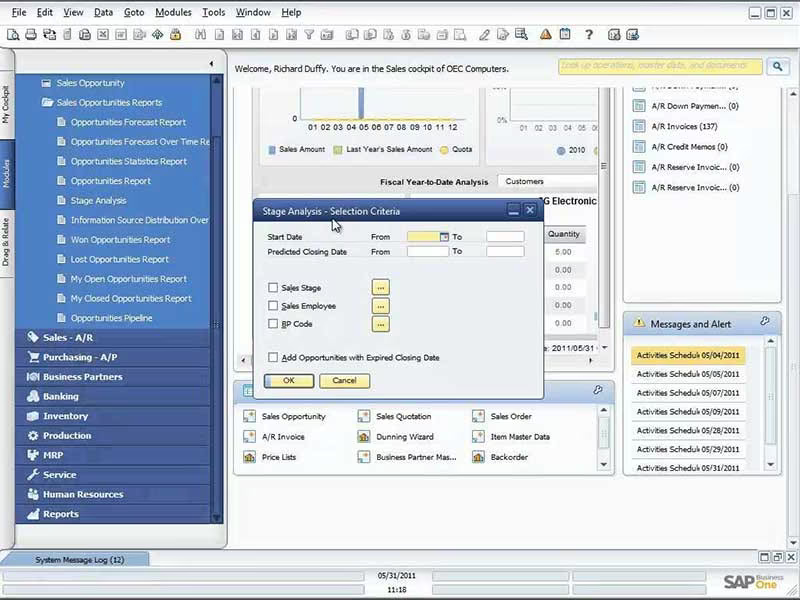
Here’s a brief guide on navigating the dashboard and utilizing the features of the software:

  1. Log in to SAP Business One to access the dashboard.

  2. View the main dashboard for an overview of important business metrics.

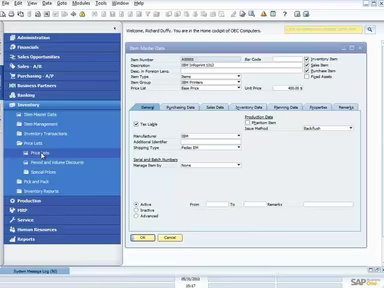
  3. Use the navigation menu to explore various modules like sales, inventory, and finance.

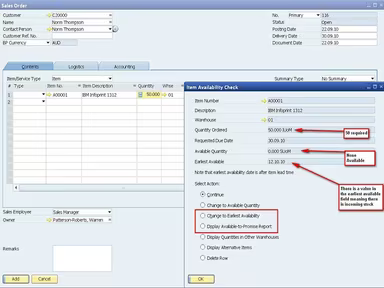
  4. Create new transactions such as sales orders or purchase requisitions.

  5. Generate reports and analytics for insights into your business performance.

  6. Customize dashboards and reports according to your specific needs.

  7. Set up alerts to receive notifications about significant events.

  8. Manage user permissions and roles to control access effectively.

  9. Utilize the search functionality for quick data retrieval.

You can schedule a complimentary demo of SAP Business One to experience its capabilities firsthand.

Who Is SAP Business One For?

The SAP Business One software is specifically crafted for small and medium-sized businesses. It finds application in various industries such as:

  • Information Technology

  • Retail

  • Accounting

  • Wholesale

Is SAP Business One Right For You?

If you seek a solution that evolves alongside your business, equipping you with essential tools for efficient operations, then SAP Business One may be just what you need. This software has garnered multiple accolades, including the 2023 SAP Innovation Award. Over 70,000 customers across more than 170 countries trust it. Notable clients include Vision33, I-Business Network, Softengine, Third Wave Business System, and N’Ware Technologies. Additionally, the SAP Business One ERP solution is recognized for its strong security measures, round-the-clock professional security support, ongoing leak detection capabilities, and an information security management system.

If you're interested in discovering more about the SAP Business One platform, please reach out to our customer support team at info@softwareseekers.com. They will provide you with a detailed overview of the software to assist in your evaluation of its value for your business.

Project Management Software Features

dashboard
free plan
reporting
scheduler
dashboards
free trial
mobile app
purchasing
ai features
file sharing
integrations
telemedicine
collaboration
mobile access
time tracking
bid management
patient portal
budgeting tools
e prescriptions
email marketing
lead generation
marketing tools
quality control
rent collection
task management
asset management
automation tools
custom workflows
document sharing
easy integration
expense tracking
lab integrations
lease management
maintenance logs
project tracking
shared calenders
budget management
claims management
data importexport
project templates
safety management
tenant management
time zone support
content management
customizable forms
data visualization
equipment tracking
project management
project scheduling
shop floor control
team communication
alertsnotifications
campaign management
communication tools
contract management
document management
employee engagement
employee management
employee onboarding
facility management
incident management
production planning
property accounting
reporting analytics
resource allocation
workforce analytics
financial management
inventory management
maintenance requests
patient demographics
portfolio and assets
real time monitoring
bill of materials bom
billing and invoicing
business intelligence
customer segmentation
equipment maintenance
inspection management
partner data exchange
product health scores
scalable architecture
work order management
attendee communication
customizable workflows
facilities maintenance
performance management
benefits administration
change order management
compensation management
registration management
reporting and analytics
social media management
supply chain management
workflows and approvals
business intelligence bi
communication and access
documents and compliance
manufacturing management
subcontractor management
training and development
integrated team calendars
stakeholder collaboration
access controlspermissions
human resources management
maintenance and operations
attendance and time tracking
employee self service portal
integration with erp systems
product lifecycle management
centralised product portfolio
venue and resource management
agenda and schedule management
compliance and risk management
human resources management hrm
sales and marketing automation
speaker and content management
audience interaction technology
data driven product performance
employee information management
on site and virtual event tools
project planning and scheduling
tenant and lease administration
appointment managementscheduling
product lifecycle management plm
integration with financial systems
production planning and scheduling
recruitment and applicant tracking
financial management and accounting
customer relationship management crm

Pros

  • Provides real-time visibility into operational and financial data
  • Offers a 360-degree view of the customer
  • Optimizes purchasing practices and reduces procurement costs
  • Enhances customer relationship management processes to increase sales
  • Offers robust security features, including 24/7 professional security

Cons

  • May require training for effective utilization due to its feature-rich nature
  • May demand significant IT resources for setup, according to some reviews
  • Setting up SAP Business One may be time-consuming

Price

Professional

Custom

Get Free Guidance from Our Solution Experts.

Ratings

0.00 | 0 reviews

Ratings Distribution

Positive

0%

Neutral

0%

Negative

0%

User Reviews

No reviews yet

Be the first to share your experience with SAP Business One.

Frequently Asked Questions

Find answers to the most common queries about our software recommendation service.

SAP Business One supports multiple languages, including Arabic, Dutch, English, French, Italian, and Spanish.

Yes, SAP Business One offers an API called the SAP Business One API Gateway.

Yes, SAP Business One project management software does support mobile devices and offers mobile apps for Android and iOS platforms.

SAP Business One integrates with Happay, SAP Hana, Zendesk, and Microsoft Excel applications.

The software pricing depends on your company’s needs, type, and size. Get a custom SAP Business One cost according to your organization’s requirements.

Typical users of SAP Business One include retail, information technology, wholesale, and accounting industries.

As a business management software, SAP Business One offers email, a help desk, chat, a knowledge base, and phone support options.