

Smartsheet
Streamline your project management with Smartsheet's automation and real-time reporting, ensuring efficient collaboration and deadlines met effortlessly.
Smartsheet brings together project management, timelines, and teamwork into one platform. While its extensive capabilities might seem daunting at first, the advantages of automation and real-time reporting are considerable. Additionally, its compatibility with applications such as Salesforce enhances its applicability across various sectors. Users can take advantage of a free trial to determine how well it meets their requirements.

What Is Smartsheet?
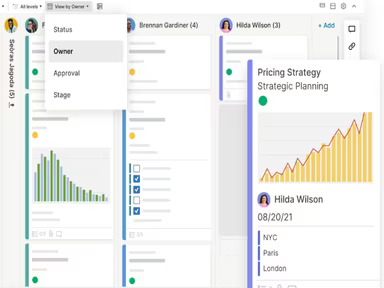
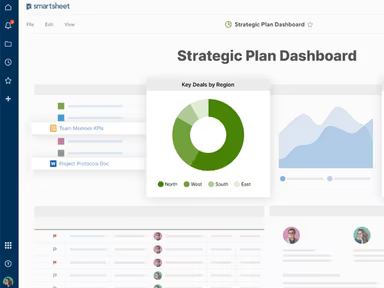
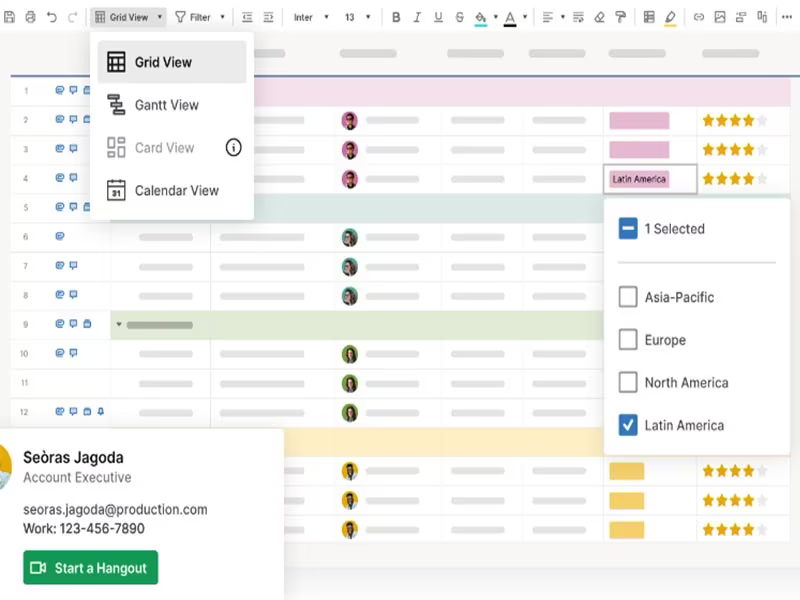
Smartsheet is a comprehensive enterprise work management platform designed for organizations to effectively oversee projects, programs, and processes of all sizes. As a cloud-based tool, it offers features for team collaboration, workflow automation, resource management, and managing portfolios. Whether handling basic task management or spearheading extensive company transformations, Smartsheet serves as a flexible solution suitable for varied business needs.
This platform provides numerous built-in templates, clear pricing structures, and integrations with a wide array of other applications. With Smartsheet, users gain enhanced visibility and control over their work, which is particularly useful for teams charged with managing large-scale portfolios or optimizing the project development process.
What Is Smartsheet Best For?
A standout feature of Smartsheet is its automation capabilities, empowering users to establish recurring and conditional workflows for routine tasks. By automating these processes, teams can conserve time and minimize manual efforts. This feature also enhances visibility into project status and historical execution, facilitating better resource management and tracking across multiple departments.
Unlike its competitors such as Monday.com or Trello, Smartsheet distinguishes itself with enterprise-level security and robust portfolio management tools, making it a premier option for businesses in need of a more powerful platform.
Smartsheet Pricing
Smartsheet provides a range of pricing plans that cater to businesses of any scale. Users can choose to pay on a monthly or annual basis, based on their requirements. The pricing for Smartsheet is outlined as follows:
Free – $0
Pro – $12/member/month
Business – $24/member/month
Enterprise – Custom pricing
Advanced Work Management – Custom pricing
While the pricing is straightforward, it's important to note that additional costs might arise, including for extra storage, automation features, or integrations with tools like Tableau or PowerBI, which might involve extra setup and usage fees. Furthermore, larger organizations or teams new to Smartsheet may incur extra costs for training and onboarding. To get tailored pricing, please request a custom quote for your business.
Disclaimer: Pricing is subject to change.
Smartsheet Integrations
Smartsheet effortlessly integrates with numerous third-party applications, enhancing its functionalities and allowing users to interlink their existing technology stack. Some prominent integrations include:
Jira
Salesforce
Adobe Creative Cloud
Miro
DocuSign
How Does Smartsheet Work?
Upon logging in, users can start navigating the dashboard and engage with Smartsheet’s project management software by following these steps:
Create a new sheet to initiate your project, program, or process.
Add columns and rows to monitor key details, such as tasks and due dates.
Assign tasks to individuals using the assignment column.
Utilize features like dependencies to connect tasks that require a specific sequence.
Set up views and filters to highlight only relevant data, such as overdue tasks.
Automate repetitive tasks and approval processes through formula columns and automation rules.
Access a variety of templates designed for common scenarios, such as Agile project management or planning marketing campaigns.
Modify, edit, and structure content as your project develops using Smartsheet's dynamic tools to keep track of project progress.
You also have the option to schedule a demo of Smartsheet for a personalized guidance on the platform’s features.
Who Is Smartsheet For?
Smartsheet is an ideal solution for businesses of various sizes, from small startups to expansive enterprises. It is particularly advantageous in sectors such as:
Marketing
IT and operations
Construction
Healthcare and life sciences
Government
Education
How Smartsheet Compares To Competitors?
Feature | Smartsheet | monday.com | Trello |
|---|---|---|---|
Interface | Offers a familiar, Excel-like interface for data management | Provides a more visual, broad-based interface | Primarily uses Kanban-style boards without a spreadsheet view |
Resource Management | Includes resource management tools for tracking team workload and availability | Provides workload views but may lack comprehensive resource management features | Does not offer built-in resource management, requires third-party integrations |
Automated Workflows | Provides advanced workflow automation with conditional logic and alerts | Offers automation features, though they may be less advanced | Basic automation primarily through integrations and power-ups |
Scalability | Designed to handle complex, large-scale projects with cross-project views and reporting | Suitable for various project sizes but may require additional configuration for large-scale projects | Best suited for smaller projects; can become cumbersome with increased complexity |
Is Smartsheet Right For You?
If you’re in search of a project management solution capable of growing alongside your expanding business, Smartsheet should be on your radar. It excels for organizations aiming to manage extensive portfolios and streamline their operations. Its adaptable pricing options, including those for business and enterprise levels, make it suitable for a wide range of businesses.
Smartsheet is distinguished by its impressive portfolio management functionalities and ability to manage intricate workflows, making it perfect for teams coordinating multiple projects across various departments. In comparison with other project management solutions such as Asana and Basecamp, Smartsheet provides superior resource management capabilities and advanced features like enterprise-grade security, customizable pricing, and integration options with industry-standard applications such as Salesforce, Jira, and Adobe Creative Cloud.
If you’re still uncertain whether this software is the right fit for you, consider exploring reviews highlighting the advantages and disadvantages of Smartsheet. Alternatively, feel free to reach out to us at (661) 384-7070, and we will assist you in making an informed choice.