
TeamDynamix
Streamline your operations with TeamDynamix, the ITSM and PPM platform that excels in resource management to keep your projects on budget and schedule.
TeamDynamix provides an all-encompassing platform for IT service management (ITSM) and project portfolio management (PPM) aimed at optimizing the operations of organizations. While the mobile experience may not match the functionality of its desktop counterpart, the platform stands out in resource management, helping to keep projects aligned with their budget and timeline.
What Is TeamDynamix?
Overview
TeamDynamix is a cloud-based software solution focused on project portfolio management (PPM). It aims to streamline project management activities and ensure successful results. This platform allows organizations to plan, execute, and monitor projects effectively. By offering a unified space for collaboration, resource allocation, and reporting, TeamDynamix helps teams deliver projects punctually and within budget constraints.
What Is TeamDynamix Best Known For?
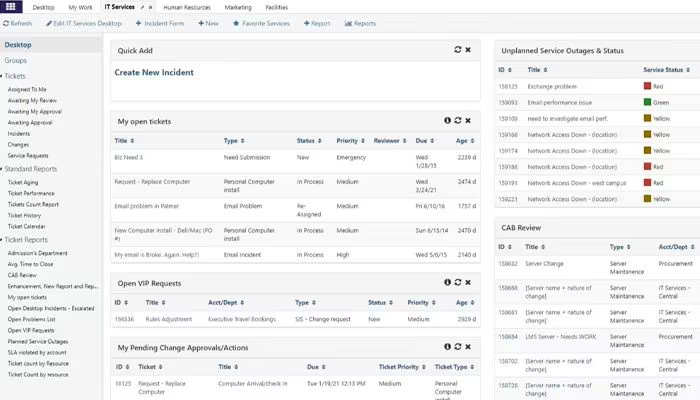
The software is particularly recognized for its integration with IT service management features. This capability allows organizations to oversee their routine IT operations alongside strategic initiatives from one cohesive platform. For instance, teams can utilize TeamDynamix to handle IT projects tied to system upgrades or security improvements while also addressing ongoing IT service requests and incidents.
TeamDynamix Pricing
The cost of TeamDynamix varies depending on the size and specific needs of an organization. Click Get Pricing to receive a tailored quote.
TeamDynamix Integrations
This software connects seamlessly with various third-party applications, enhancing its functionality and ensuring smooth integration. Some of these include:
Teams
Slack
DocuSign
Salesforce
Workday
Active Directory
Azure
Amazon Web Services
How Does TeamDynamix Work?
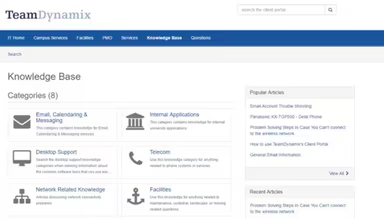
Here’s a simple guide to navigating the dashboard and utilizing the features of the software:
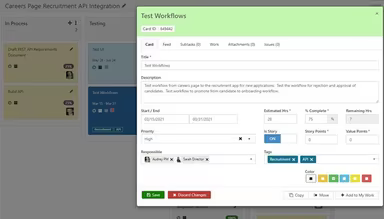
Log in and access the dashboard, then head to the project management area.
Create a new project by selecting the "New Project" button.
Input project specifics such as name, goals, and timeline.
Assign team members and manage resources with the resource management tools.
Establish project milestones, tasks, and dependencies to create a clear roadmap.
Use collaborative workspaces to enhance communication and file sharing among team members.
Monitor project progress, keep track of milestones, and generate detailed reports to evaluate performance.
You can also arrange a complimentary TeamDynamix demo to explore its features further. Click Watch Demo now!
Who Is TeamDynamix For?
This software serves organizations of various sizes across multiple sectors, including:
Business services
Energy and utilities
Financial services and insurance
Healthcare
Hospitality
Legal services
Manufacturing and CPG
Retail
Telecom
Media and technology
Is TeamDynamix Right For You?
If you're looking to eliminate the struggles associated with project management, TeamDynamix offers a more efficient solution. The software has received praise from clients in various industries and is trusted by businesses of all sizes. With an emphasis on security, scalability, and user-friendliness, TeamDynamix delivers a robust PPM solution designed for successful project outcomes. Experience the benefits of this award-winning software that leading companies rely on for streamlined project management.
If you're still uncertain whether it's the right fit for you, reach out to us at info@softwareseekers.com, and our customer support team will help you make an informed choice.