

TeamingWay Software
Optimize your remote work with TeamingWay, the goal-oriented collaboration tool that simplifies teamwork and enhances productivity for businesses.
TeamingWay is a collaboration tool designed with a focus on achieving goals, streamlining and improving the experience of remote work for organizations. It offers a comprehensive platform that addresses various collaboration needs. However, it does not include some key features such as recording capabilities and whiteboard options for virtual meetings. On the bright side, it allows for easy meeting arrangements, making it possible to hold longer meetings without any time limitations.
What Is Teamingway?
Overview
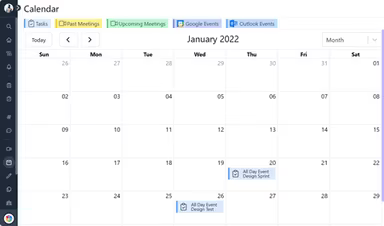
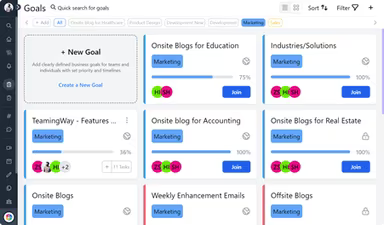
Teamingway is a project management solution designed to facilitate teamwork and enhance project oversight. It offers a comprehensive set of tools that streamline collaboration, making it easy to work effectively from any location. The platform is both versatile and customizable, allowing users to tailor it according to their specific requirements.
What Is Teamingway Best For?
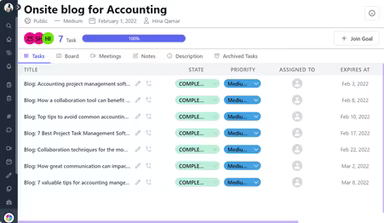
The standout feature of Teamingway is its user-friendly task management system. Teams can efficiently create, assign, and prioritize tasks, which simplifies tracking project advancement, enhancing communication, and reaching objectives.
Teamingway Pricing
The pricing for Teamingway begins with the Startup plan at $8.99 per user per month. The most sought-after option is the Professional plan priced at $11.99 per user per month. Additionally, there is a 14-day free trial available, along with an Enterprise plan.
Refer to the Teamingway software pricing breakdown table or click Get Pricing for further details.
Teamingway Integrations
Teamingway software enables seamless integration with email and various other applications, fostering effective team communication. However, the vendor does not specify the third-party applications compatible with its system.
How Does Teamingway Work?
To get started with Teamingway after installation, follow these steps:
Log in with your Teamingway credentials.
Create a new project by selecting the "New Project" button.
Input the project name, description, and any other pertinent details.
Invite team members by entering their email addresses.
Establish roles and permissions for each member.
Create tasks within your project by clicking the "New Task" button.
Assign tasks to team members, set deadlines, and provide necessary details.
Utilize Teamingway's time-tracking feature to keep track of time spent on tasks.
Allocate resources such as personnel, equipment, and materials to specific tasks and projects.
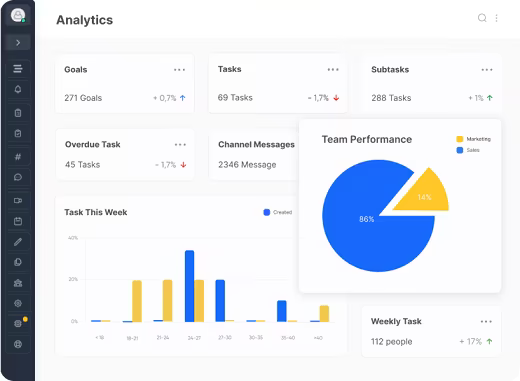
Get a real-time overview of progress, timelines, and budgets from the dashboard.
Explore customization options within the platform to enhance your project management approach.
Click Watch Demo to arrange a demonstration of Teamingway and discover more about its capabilities.
Who Is Teamingway For?
Teamingway is a highly adaptable project management software that caters to organizations and teams across various sizes and sectors. It can be utilized by individuals, small teams, mid-sized companies, as well as large enterprises.
This software is beneficial for industries including software development, accounting, healthcare, education, real estate, and human resources.
Is Teamingway Right For You?
If you're seeking to enhance productivity and efficiency in your business operations, Teamingway software might be just what you need. It offers an extensive array of features and automation tools that enable teams to organize and monitor projects effectively, delegate tasks, collaborate remotely, manage resources, generate reports, and much more.
In summary, Teamingway can significantly enhance communication and collaboration among team members while shortening project timelines and improving overall team performance. Notable users of this software include Kickstart Coworking Space, DicoTech, Daftarkhwan, the University of Toronto, and Macpac Films.