

Teamwork Software
Achieve efficient project management with Teamwork software. Collaborate seamlessly and meet your goals with intuitive tools designed for productive teamwork.
Discover powerful and flexible project management through Teamwork software. This platform provides user-friendly tools designed for seamless collaboration. Step into an environment where objectives are achieved effectively, and teamwork thrives.
What Is Teamwork Software?
Overview
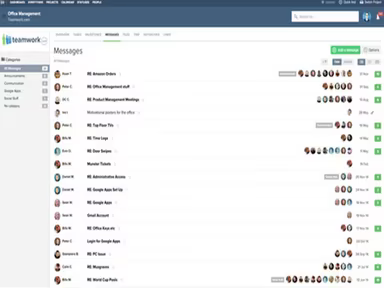
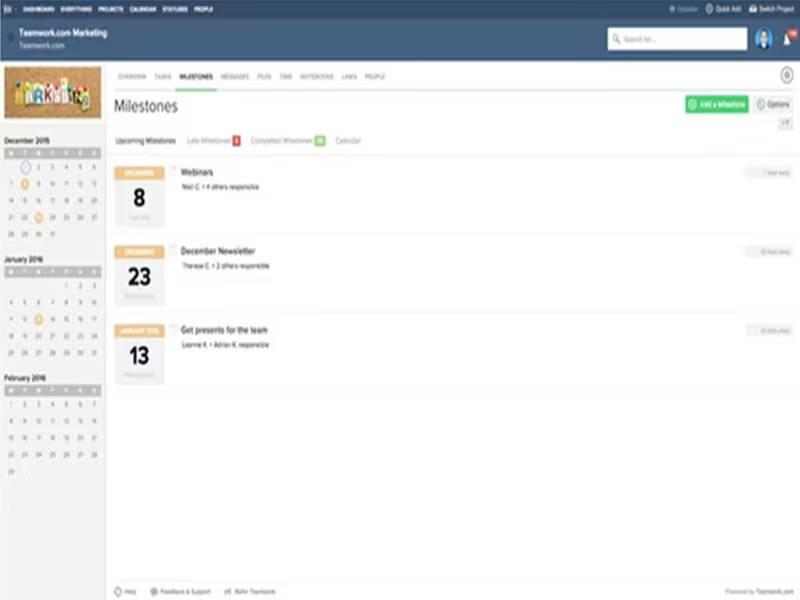
Teamwork Software, often referred to as Teamwork.com, is a cloud-based solution for project management that aims to optimize business processes. It enhances team productivity by making collaboration and communication more efficient. This platform provides tools for task management, time tracking, and workflow optimization. It is particularly suited for organizations aiming to boost efficiency, foster teamwork, and ensure timely project delivery within budget constraints.
What Is Teamwork Software Best For?
Renowned for its comprehensive project management features, Teamwork excels in promoting collaboration and optimizing workflows. Key functionalities such as task management, time tracking, and Gantt charts enable teams to remain organized, effectively manage their responsibilities, and keep projects on schedule. It is especially beneficial for teams working remotely or across various locations.
Teamwork Pricing
The pricing structure for Teamwork is tailored to fit different needs and requirements. Customers can take advantage of a free trial and choose from five distinct pricing plans:
Free Forever: $0/user/month (up to 5 users/plan)
Starter: $8.99/user/month (minimum 3 users)
Deliver: $13.99/user/month (minimum 3 users)
Grow: $25.99/user/month (minimum 5 users)
Scale: Custom pricing
Please note that pricing may change over time.
Teamwork Software Integrations
Teamwork supports a variety of integrations, enabling users to connect the software with many of their daily tools. Some prominent integrations include:
Slack
Microsoft Teams
HubSpot
Monday
Google Drive
Harvest
Stripe
How Does Teamwork Software Work?
To get started with Teamwork's project management capabilities, follow these simple steps:
Access an overview of all your projects via the dashboard.
Select the 'Add Project' button to initiate a new project.
Input the project details, including name, description, start and end dates, etc.
Assign team members to the project as needed.
Create tasks within the project, delegate them to team members, set deadlines, and monitor progress.
Utilize the chat feature for instant communication with your team.
Watch a demo of Teamwork to explore its features further.
Who Is Teamwork Software For?
This project management solution is designed for businesses of all sizes, from emerging startups to large corporations. It serves various sectors including marketing, IT, consulting, professional services, creative agencies, and more.
Is Teamwork Software Right For You?
The Teamwork platform could be especially advantageous for teams that operate remotely or are distributed across different locations. Additionally, it adheres to significant international security standards to safeguard your data. The system employs encryption for data transmission, conducts regular backups, and enforces strict access controls.
We suggest checking out reviews from existing users to understand how they benefit from using Teamwork. For further inquiries, please reach out to our support team at info@softwareseekers.com.