

TickTick Software
Boost your productivity and stay organized with TickTick's powerful task management features, including Kanban boards and collaboration tools.
Efficiently handle your tasks with TickTick. This powerful tool offers a variety of features such as task creation, Kanban boards, and collaboration options. Whether you're working independently or part of a group, you can maintain organization, monitor habits, and enhance productivity. Choose from a range of customized pricing plans that suit your requirements.
What Is TickTick?
Overview
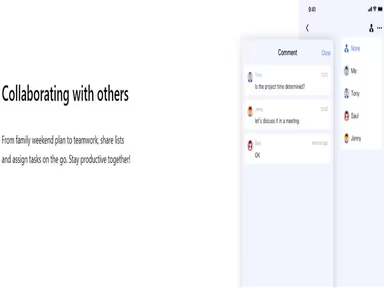
TickTick is an innovative application designed for task management and to-do lists, enabling users to capture their thoughts, organize tasks, and efficiently manage their time. Beyond basic task handling, this software includes collaborative options, empowering teams or businesses to prioritize and monitor tasks collectively.
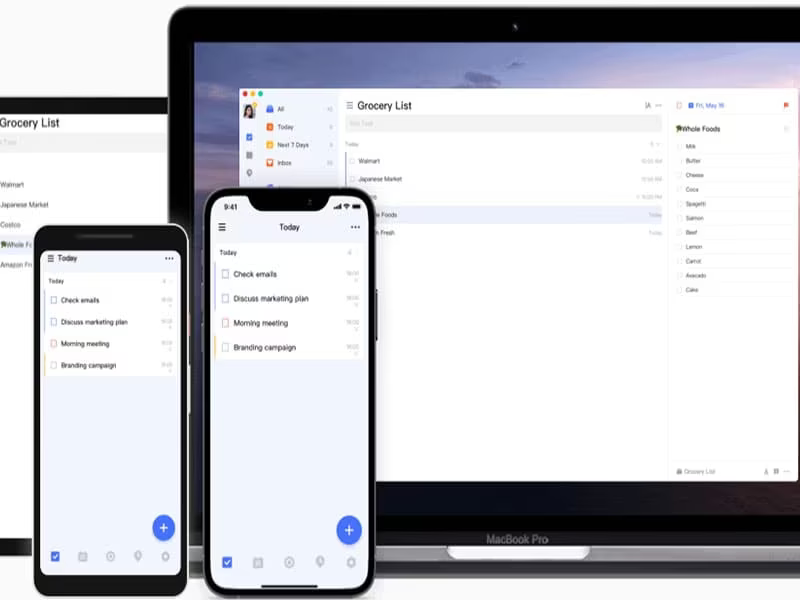
Additionally, TickTick provides seamless cloud synchronization across various devices, ensuring that your tasks and schedules are consistently updated in real-time, regardless of the device you are using. This user-friendly application serves to enhance both individual and team project management.
What Is TickTick Best For?
A notable feature of TickTick is its Smart Date Parsing, which intelligently sets due dates and reminders based on user input. This functionality significantly boosts productivity by minimizing the manual effort needed for each task.
TickTick Pricing
The software presents customized pricing options for both individuals and organizations. For a tailored quote regarding TickTick for your company, please reach out to us.
TickTick Integrations
The provider has not shared any details about integrations with third-party applications.
How Does TickTick Work?
Here’s how to maximize your experience with the TickTick to-do list app:
Log into the software using your TickTick credentials.
Add tasks by clicking the "+" button; include titles, set due dates, and add further details as necessary.
Create a new task list by clicking the "..." button and choosing "Add List."
Utilize the action menu on the detail page to drag and drop tasks into different lists according to your needs.
Set reminders for your tasks by clicking on the clock icon.
Enhance your experience with advanced features such as themes, white noises, and widgets for your tasks.
Watch a live demo of TickTick to explore its functionalities in depth.
Who Is TickTick For?
TickTick’s project management software caters well to business professionals across diverse sectors. It is commonly utilized by:
Project managers
Remote teams
Freelancers
Students
Educators and trainers
Is TickTick Right For You?
If your work involves managing projects that require oversight of multiple tasks simultaneously, then TickTick is the app for you. It allows you to create dynamic to-do lists, manage adaptable calendar views, and streamline daily responsibilities.
The software employs SSL encryption to safeguard your data. If you seek a secure and scalable task management solution, TickTick may be an excellent fit for you. It is trusted by professionals at industry-leading organizations such as Mashable, The Verge, Wirecutter, and The Washington Post.
To find out how TickTick can benefit your business, please contact us at info@softwareseekers.com.