

Timeero
Simplify workforce management with Timeero's innovative time-tracking software. Boost productivity and ensure accurate time tracking effortlessly.
Discover Timeero, the cutting-edge time-tracking software crafted to enhance your workforce management experience. Eliminate the hassle of cumbersome manual tasks and welcome a more efficient solution that guarantees precise time tracking, supports payroll processing, and provides valuable reporting insights. With Timeero, maintain flexibility, increase productivity, and oversee your team's time with ease.
What Is Timeero?
Overview
Timeero is an application designed for GPS time and mileage tracking, enabling users to oversee employee hours, create timesheet reports, and monitor team locations in real-time. This software simplifies the management of employees by providing precise time tracking and mileage reimbursement options. With features like scheduling, GPS monitoring, and segmented tracking, Timeero offers a straightforward solution for businesses looking to enhance their employee management processes.
What Is Timeero Best For?
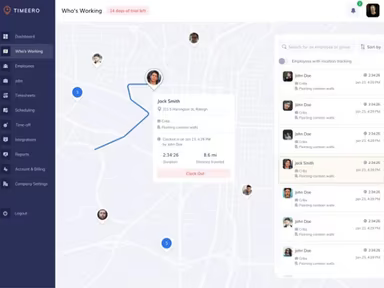
The standout feature of Timeero is its powerful GPS tracking capability, which sets it apart from other time-tracking solutions. It allows organizations to monitor their employees' real-time locations throughout the workday, providing valuable insights into how they allocate their time on various tasks. The GPS functionality also contributes to payroll accuracy by confirming that employees are present at job sites during their clock-in times.
Timeero Pricing
Timeero offers flexible pricing plans that can be tailored to your specific requirements. The subscription options available include:
Basic - $4/user
Pro - $8/user
Premium - $11/user
Enterprise - Custom pricing
For additional details or to receive a personalized quote, please reach out for pricing information.
Note: Pricing may change over time.
Timeero Integrations
The Timeero software seamlessly integrates with a variety of third-party applications. Key integrations include:
QuickBooks Online
QuickBooks Desktop
Rippling
Gusto
ADP
Xero Australia
Paychex
Viventium
Paylocity
Zapier
How Does Timeero Work?
If you’ve successfully installed the Timeero tool, here’s how to get started:
Log in using your credentials.
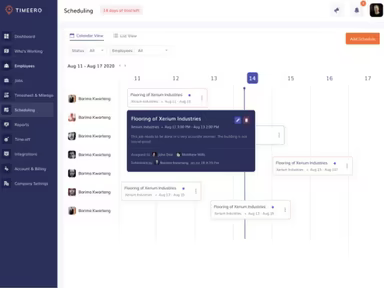
Navigating to the scheduling dashboard allows you to view assigned shifts for employees and make any needed adjustments.
You can assign new tasks or shifts by selecting employees and specifying date/time parameters.
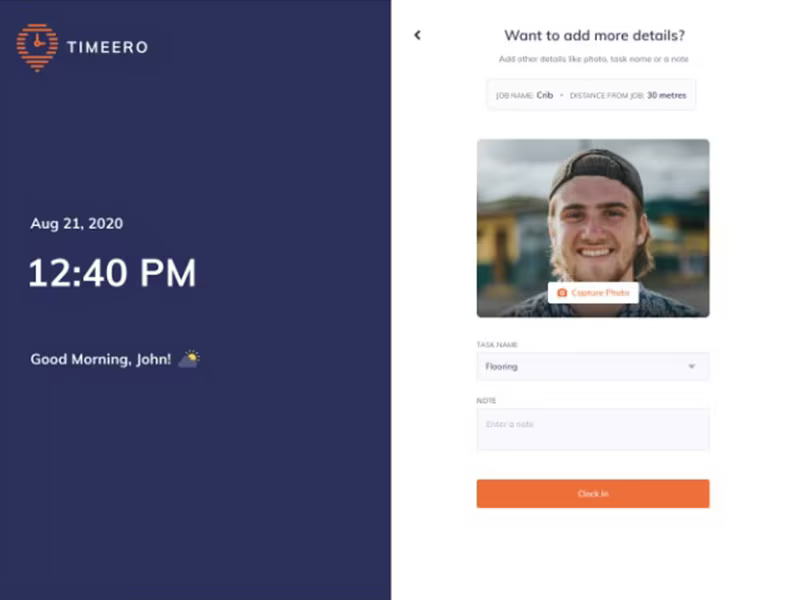
Your team can begin their shifts with the app, clocking in via their mobile device's location services.
Employees can clock out for breaks or conclude their shifts as necessary.
The dashboard provides real-time tracking data and employee locations accessible from both computers and mobile devices.
At the end of each pay period, hours and mileage data can be exported for integration with payroll or accounting systems.
You can continue to manage ongoing schedules, time cards, and job efficiency using the Timeero platform.
Schedule a complimentary Timeero demo today to discover more about this time and mileage tracking application.
Who Is Timeero For?
This software is ideal for businesses of all sizes, from small enterprises to large corporations. The following sectors can benefit from its capabilities in time tracking and employee management:
Food services
Agriculture
Construction
Non-Profit
Information Technology
Energy
Manufacturing
Retail
Staffing
Is Timeero Right For You?
If your business requires a thorough solution for tracking time and mileage—especially when managing remote or on-site staff engaged in various tasks—Timeero is an excellent choice. With features such as GPS time tracking, mileage logging, employee scheduling, and time-off approvals, the app provides an all-encompassing method for accurately monitoring attendance across different industries.
The Timeero app efficiently records mileage traveled, location data, and time spent on tasks while running in the background during shifts. Additionally, it allows employees to clock in and out conveniently via their mobile devices. The software prioritizes security and scalability, ensuring data privacy while adapting to your organization's evolving needs.
If you're still uncertain about whether investing in Timeero is worthwhile, feel free to contact us at info@softwareseekers.com. We would be happy to assist you in making an informed decision.