

WebPunchClock
Streamline employee time management with WebPunchClock, the intuitive time tracking software designed for efficiency and easy adoption in any business.
Discover the features of WebPunchClock, a cutting-edge time tracking software designed to streamline the management of employee hours. This tool enables your organization to handle time tracking with impressive effectiveness. With its well-structured functionalities, users can navigate effortlessly and adopt the system with ease, making WebPunchClock an excellent option for businesses of any size.
What Is WebPunchClock?
WebPunchClock is an online time-tracking tool designed to efficiently manage employee attendance. With its intuitive features, such as IP address verification, companies can easily oversee their time and attendance processes, significantly lowering administrative burdens. Whether for small teams or extensive workforces, WebPunchClock serves as an effective time management solution that enhances productivity.
What Is WebPunchClock Best For?
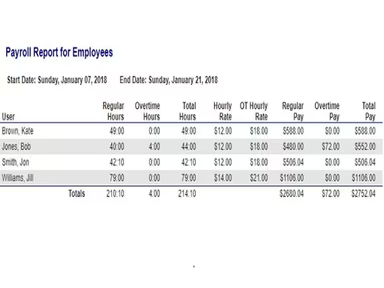
A standout feature of WebPunchClock is its ability to provide real-time payroll reporting. This allows managers to gain a comprehensive overview of each employee's hours and work time. Payroll processing becomes simpler as the software automatically calculates office hours, overtime, and leave taken.
The platform accommodates various pay cycles, including weekly, biweekly, and semi-monthly periods, thereby saving business owners valuable time during payroll processing each cycle. The real-time payroll reporting function simplifies one of the essential back-office operations for any organization.
WebPunchClock Pricing
The cost of WebPunchClock decreases with longer subscription commitments. Here’s how it breaks down:
Three months - $2.50/user/month
Six months - $2.25/user/month
One year - $2.00/user/month
A free 30-day trial is also available with no obligations.
Please note: Pricing may change.
WebPunchClock Integrations
Currently, the vendor has not indicated any third-party integrations.
How Does WebPunchClock Work?
The following steps will guide you in using WebPunchClock project management software:
Log in using your credentials.
Configure your company's employee time tracking settings, which include work shifts, breaks, and leave policies.
Add users to the system and assign roles or permissions.
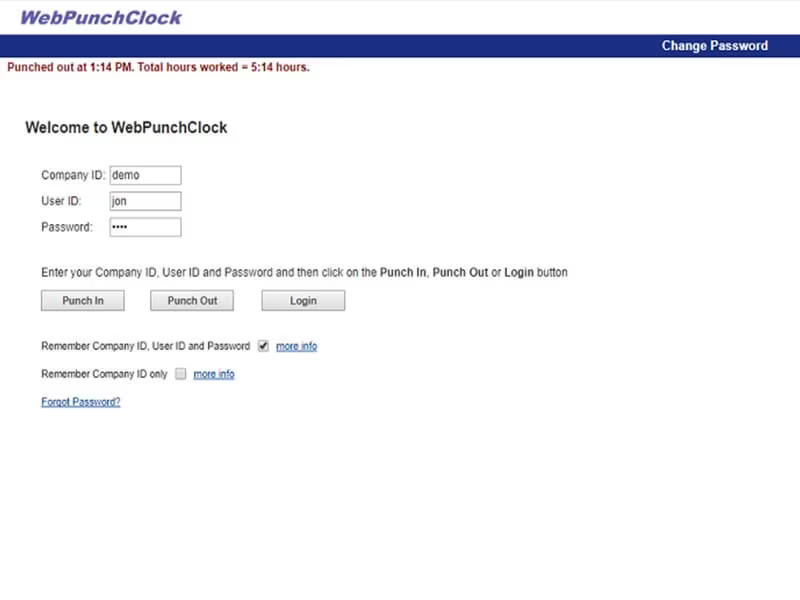
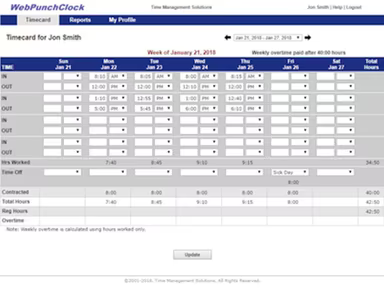
Employees can conveniently clock in and out via any standard web browser to record their working hours.
Managers can review and approve employee timecards, monitor attendance, and create payroll reports.
Access reporting features by logging into the dashboard to view attendance records, absences, and overtime.
Watch a free demo of WebPunchClock to explore more about this web-based time clock solution.
Who Is WebPunchClock For?
This software is ideal for businesses of all sizes, ranging from small startups to large corporations. It is applicable across various industries including:
Government
Non-profit
IT
Healthcare
Hospitality
Retail
Is WebPunchClock Right For You?
If you’re looking for a reliable tool for business time tracking and payroll management, WebPunchClock is an excellent option. It provides a user-friendly and budget-friendly solution. Employees can easily clock in from any device with a web browser, eliminating the need for physical timecards. Managers benefit from real-time insights into schedules, hours worked, and PTO balances.
This software also prioritizes security and compliance. It employs bank-level encryption along with two-factor authentication to safeguard sensitive payroll information. Regular security audits and certifications like SOC 2 Type II reflect WebPunchClock's dedication to upholding the highest industry standards.
If you're still uncertain whether this software meets your needs based on the review of WebPunchClock, reach out to Software Finder at info@softwareseekers.com for further assistance.