

Webtimeclock
Simplify your time and payroll management with Webtimeclock. Automate calculations and deductions for effortless organization. Try it today!
Webtimeclock offers an intuitive and fresh approach to handling time tracking and payroll management through an online platform. It streamlines various processes by automating calculations, deductions, taxes, and additional features. Experience the ease of using Webtimeclock by trying out the software today and discover how it can benefit your organization.
What Is Webtimeclock?
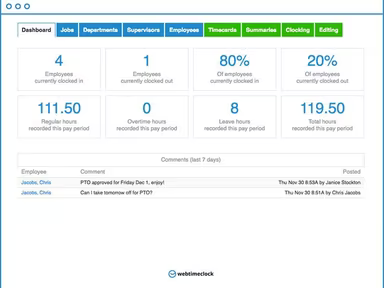
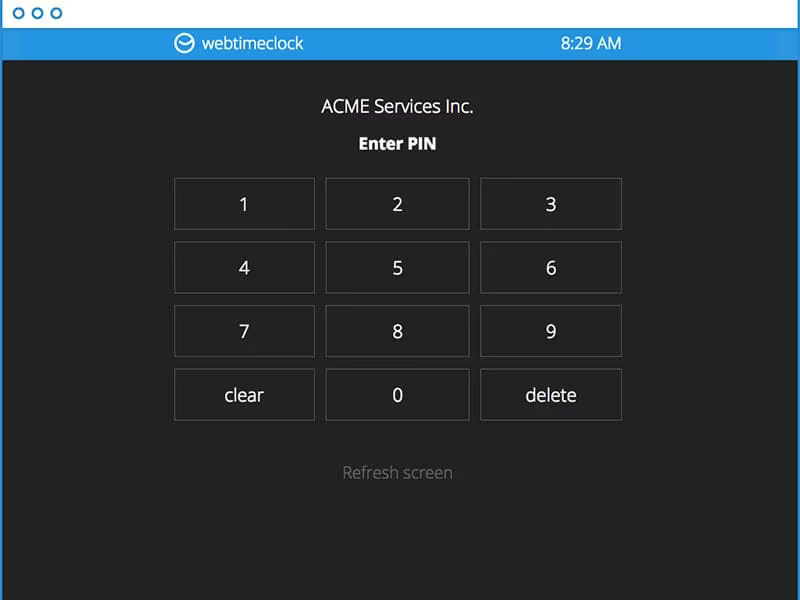
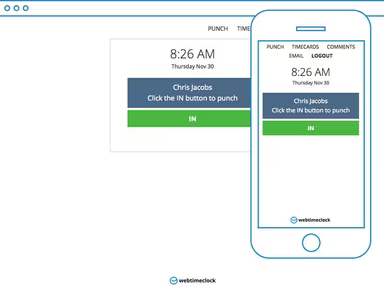
Webtimeclock is a cloud-driven time management tool designed specifically for organizations. It allows for the effective monitoring of employee work hours, overtime, and requests for time off. Its user-friendly web interface simplifies the login and logout processes, making time management easier for both staff and management.
Additionally, Webtimeclock supports attendance tracking, handling time-off requests, and precise payroll calculations. Its ability to integrate with multiple payroll systems makes it a great choice for businesses aiming to enhance productivity.
What Is Webtimeclock Best For?
The standout feature of Webtimeclock is its extensive and adaptable reporting system. This tool empowers businesses to extract essential insights regarding employee hours, overtime, and leave requests, aiding in effective workforce optimization and labor cost control.
With options to filter data by date range, department, or individual employee and to export reports in formats like Excel, CSV, or PDF, Webtimeclock offers a versatile approach to evaluating and tracking workforce performance.
Webtimeclock Pricing
The pricing structure of Webtimeclock is straightforward. Here’s a quick overview:
Webtimeclock - $3/user
Webtimeclock Payroll - $7/user + $39 base fee
For those interested, customized pricing details are available. Feel free to request a specific quote for Webtimeclock.
Note: Pricing is subject to change.
Webtimeclock Integrations
This software seamlessly integrates with various third-party applications, including:
QuickBooks
ADP
Heartland
Paychex
Gusto
SurePayroll
How Does Webtimeclock Work?
Getting started with the software is simple:
Log into the software using your credentials.
Establish rules for overtime, breaks, and PTO accruals.
Manage payroll, policies, and schedules effectively.
Track real-time updates on employee hours, overtime, and PTO.
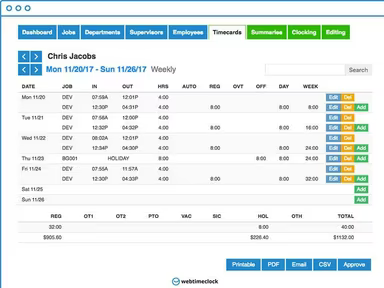
Create comprehensive reports on total hours worked, wages, and more.
Export time cards and reports as PDFs.
Allow employees access to manage their own time-tracking.
You can also watch a free demo of Webtimeclock to explore its features further.
Who Is Webtimeclock For?
This platform is suitable for businesses of all sizes, from small startups to large enterprises. It’s especially beneficial for companies employing a significant number of hourly workers, such as those in retail, food service, and manufacturing. It serves various sectors including:
Healthcare
Education
Construction
Is Webtimeclock Right For You?
If you’re moving from manual methods of time tracking to a web-based solution, consider using Webtimeclock. It's an excellent option if your business currently relies on paper timesheets or traditional time clocks for recording attendance and work hours.
In conclusion, choose Webtimeclock for an effective and user-friendly time-tracking solution. This platform focuses on boosting productivity, ensuring compliance, and providing useful insights.
If you want to learn more about how current users benefit from this software, we encourage you to read reviews of Webtimeclock. You can reach out to us at info@softwareseekers.com for assistance from our customer support team in making the right choice.