

Wimi
Boost team collaboration and efficiency with Wimi's all-in-one suite. Discover how Wimi can transform your workflow today!
Are you encountering difficulties with teamwork and productivity? Look no further than Wimi, a comprehensive collaborative platform designed to bring together all the tools necessary for effective and secure collaboration with your colleagues and partners. Dive into Wimi software now and uncover how it can assist you in reaching your objectives.
What Is Wimi?
Overview
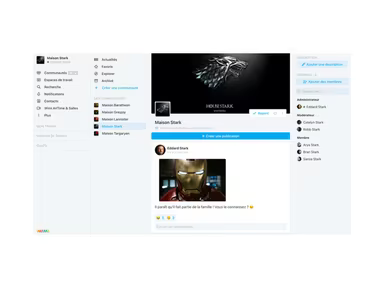
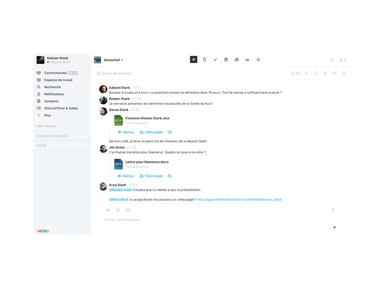
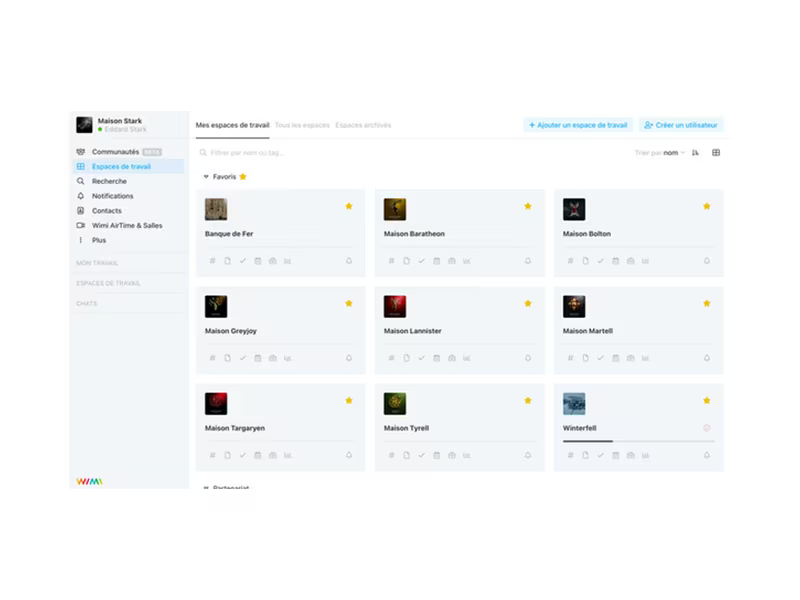
Wimi is a cloud-driven project management tool designed for seamless online collaboration. It allows users to formulate and distribute project plans while assigning tasks to team members. Moreover, the software includes time-tracking and reporting features that assist teams in maintaining organization and productivity. Other functionalities encompass performance monitoring, calendar or contact management, document handling, and internal communication.
What Is Wimi Best For?
The project management software from Wimi is well-known for its user-friendly interface. The application is designed to be simple, making it accessible for users to get accustomed to the platform quickly.
Wimi Pricing
The pricing plans available are as follows:
Team Projects, Small and Medium-sized Enterprises (SMEs) – starting at €3/user/month
Intermediate-sized Companies (ETIs) and Large Corporations – starting at €3/user/month
Public Sector – Custom pricing available
Sensitive Organizations – Custom pricing available
The software presents a range of pricing alternatives tailored to the diverse requirements of organizations. Feel free to request a customized quote for Wimi.
Please note that pricing may change.
Wimi Integrations
This software can integrate with several third-party applications, including:
Dropbox
Google Workspace
Skype
Microsoft 365
Slack
Salesforce
Evernote
Stripe
How Does Wimi Work?
To begin using Wimi project management software after installation, follow these steps:
Log in with your credentials to access the dashboard.
Create projects for various teams.
Invite team members to join the projects and allocate roles.
Establish tasks, deadlines, and descriptions based on project needs.
Upload pertinent files and documents to the project’s file repository.
Utilize the collaborative document editing feature to work on files alongside your team members.
Engage in communication through chat and comments to stay informed.
Track project advancement by evaluating task statuses, milestones, and deadlines.
You can watch a free demo of Wimi to discover more about its features.
Who Is Wimi For?
The Wimi software serves various organizations, regardless of their size. It is beneficial for sectors such as:
Architecture
Designing
Consultation
Creative fields
Information technology
Is Wimi Right For You?
If you seek a project management tool that boosts team collaboration, Wimi could be an ideal option for you. The software is also ISO-certified, ensuring that data stored in the cloud remains secure from unauthorized access. Additionally, it offers high scalability suitable for businesses of any size.
If you have any inquiries about the software, please reach out to our customer representative at info@softwareseekers.com.