

WorkforceHub
Optimize your workforce effortlessly with WorkforceHub, the user-friendly management solution designed for small businesses to tackle scheduling challenges.
WorkforceHub is designed as a workforce management tool specifically for small enterprises. It tackles scheduling difficulties and reduces mistakes, all while offering attentive assistance and easy-to-use navigation. Uncover a more straightforward approach to enhancing your workforce by diving into the features of WorkforceHub.
What Is WorkforceHub?
Overview
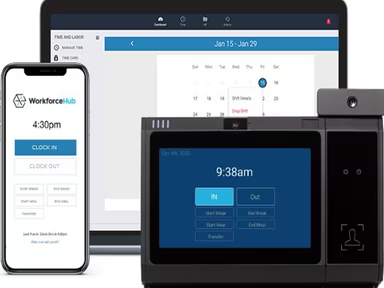
WorkforceHub is a cloud-based solution focused on workforce management, specifically designed for small businesses. It provides a variety of tools aimed at enhancing the efficiency and effectiveness of workforce management. The platform tackles issues related to time tracking, scheduling, and managing paid time off (PTO). By optimizing these functions, WorkforceHub enables companies to conserve time, minimize mistakes, and boost overall productivity.
What Is WorkforceHub Best For?
This software is well-known for its attentive and knowledgeable customer support team. The emphasis on customer service significantly enriches the user experience, facilitating smoother implementation and usage of the platform. The support staff is dedicated to resolving any problems or inquiries swiftly, ensuring minimal interruptions to business activities.
WorkforceHub Pricing
The pricing structure for WorkforceHub software is based on the following plans:
Essentials – $4 per employee
Advanced – $5 per employee
Plus – $7 per employee
Note: Prices may vary over time.
WorkforceHub Integrations
The software seamlessly integrates with various third-party platforms, including:
Gusto
QuickBooks
Indeed
ZayZoon
JobTarget
Tapcheck
Execupay
How Does WorkforceHub Work?
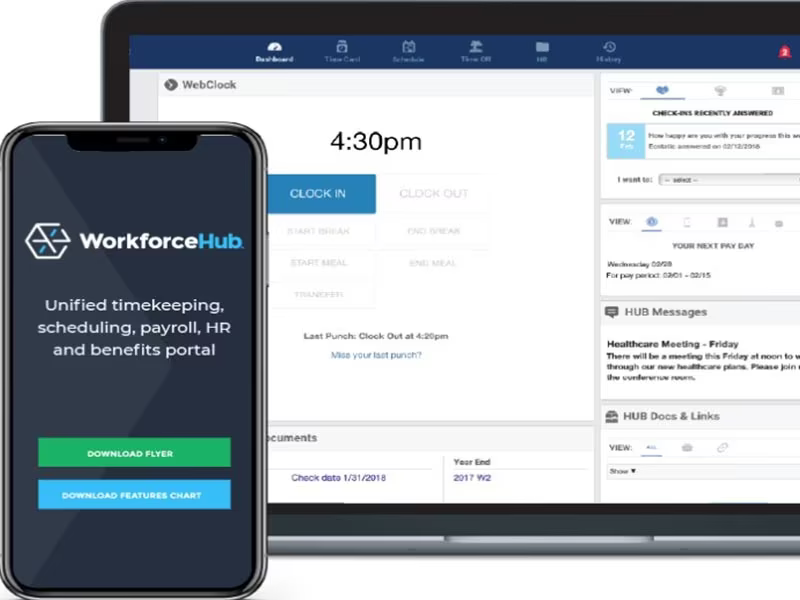
The following steps will guide you through using the dashboard and features of the software:
Log in with your credentials to access the WorkforceHub dashboard.
Navigate through various modules using the menu.
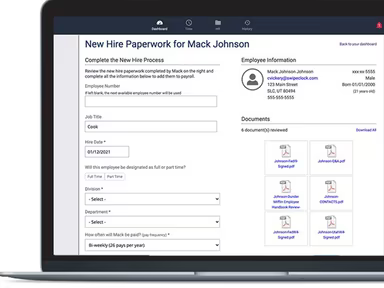
Create and manage employee profiles effortlessly.
Set up and personalize schedules for your workforce.
Monitor employee attendance and handle time-off requests.
Generate reports for insights into labor expenses and productivity.
Use communication tools for team collaboration.
Access help and support resources through the platform.
You can also arrange a demo of WorkforceHub for a detailed overview of the software.
Who Is WorkforceHub For?
The following sectors can greatly benefit from this platform:
Manufacturing
Healthcare
Construction
Food and beverages
Hospitality
Is WorkforceHub Right For You?
If you are in search of a cloud-based, all-in-one solution designed specifically for small businesses, then WorkforceHub could be an ideal payroll software option for you. The platform places a strong emphasis on data security, utilizing encryption protocols to protect your information both in transit and at rest. All data is securely hosted in a dedicated data center.
If you want to discover more about WorkforceHub, reach out to Software Finder at info@softwareseekers.com.