

ZEP Software
Boost your productivity with ZEP software! Seamlessly manage project workflows, collaboration, and documentation for streamlined operations.
Struggling with the complexities of project workflows? Boost your organization’s efficiency with ZEP software. Effortlessly manage project setup, teamwork, and documentation to optimize your operations. Discover the capabilities of ZEP and secure your partner in project management.
What Is ZEP Software?
Overview
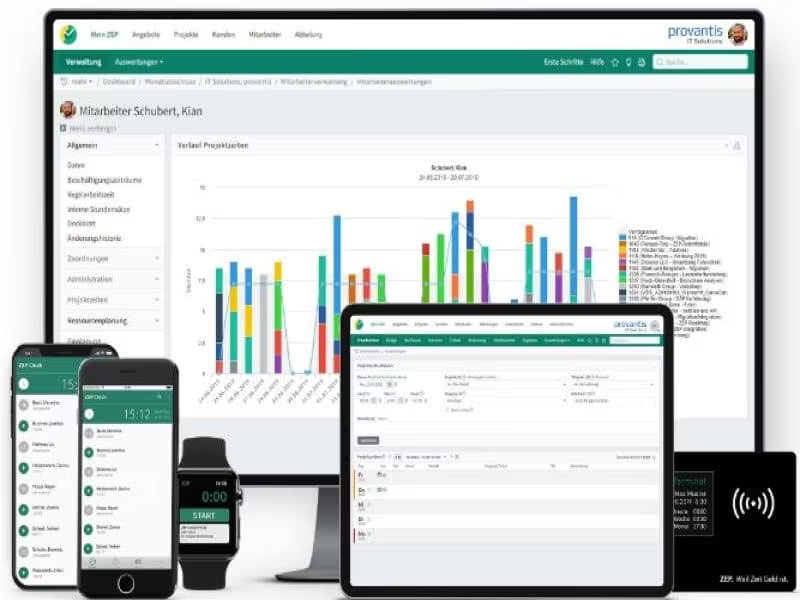
ZEP software is an on-premise solution tailored for time tracking, aimed at improving both project management and data analysis workflows. This all-in-one tool enables professionals and teams to effectively manage tasks such as data importation, project setup, scripting, analysis, visualization, collaboration, and documentation. Furthermore, it comes equipped with various features for operational management, including sales and profit assessments, project time monitoring, reporting, and more.
What Is ZEP Software Best For?
ZEP is particularly well-regarded for its outstanding customer support services. The platform prioritizes user satisfaction, with a support team that is known for its quick responsiveness. They efficiently address any issues that users encounter to maintain uninterrupted workflows.
ZEP Pricing
The provider offers several pricing options (including a 30-day free trial for all plans):
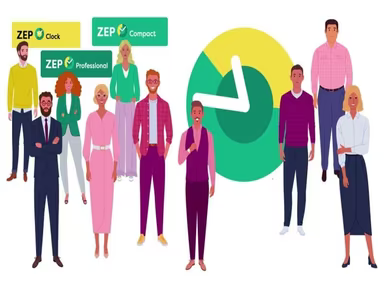
ZEP Clock – €1.5/user/month
ZEP Compact – €8/user/month
ZEP Professional – €20/user/month
The overall cost of ZEP software may vary based on the additional modules you select according to your needs.
Note: Pricing may change over time.
ZEP Software Integrations
This platform seamlessly integrates with a variety of third-party applications, such as:
Salesforce
HubSpot
Personio
How Does ZEP Software Work?
Here’s a step-by-step guide to navigating the dashboard and utilizing the software’s features:
Log in to access the ZEP dashboard.
Create a new project and enter details like the name, description, and objectives.
Import necessary data into your project, including documents, images, or datasets.
Establish experiment parameters, variables, and design options.
Use the integrated scripting tools to write code for tasks like data preprocessing, analysis, or visualization.
Create graphs, charts, and visual representations of your data using the visualization tools available.
Invite team members to collaborate on the project by assigning roles and permissions.
Share scripts, analyses, and visualizations to enhance teamwork while implementing version control to monitor changes.
You can also book a free demo of ZEP to experience its capabilities firsthand.
Who Is ZEP Software For?
ZEP is designed to be highly adaptable and can meet the requirements of businesses of any size. It is utilized across various sectors including:
Engineering
Information Technology
Sales
Automotive
Consulting
Is ZEP Software Right For You?
If you're in search of an on-premise time-tracking solution to enhance your organizational processes, ZEP could be an ideal fit. The software's compliance with SCORM standards and ISO certification showcases its dedication to industry benchmarks and data security.
ZEP's flexibility caters to businesses of all sizes—from small startups to large enterprises. Its modular design and various editions like Clock, Compact, and Professional ensure that it aligns with your specific needs.
If you're still uncertain about investing in ZEP software, reach out to us at info@softwareseekers.com. Our support team is ready to assist you in determining if this application is suitable for your requirements.