

.
What Is CodeScreen?
CodeScreen is an innovative platform designed for technical assessments.
What Issue Does CodeScreen Address?
Evaluating a candidate’s technical abilities can be a daunting and lengthy task during the recruitment process. Relying solely on resumes, academic qualifications, or a brief interview often falls short of providing a clear picture.
How Does CodeScreen Tackle This Issue?
CodeScreen utilizes realistic coding assessments that can be completed asynchronously and are automatically evaluated. This process enables recruiters to swiftly pinpoint the top developers.
What Key Benefits Does CodeScreen Offer to Customers?
Reduces the time commitment for recruiters and developers involved in candidate evaluations.
Delivers a more precise understanding of a candidate's potential job performance.
Who Can Benefit from CodeScreen?
This platform is advantageous for any organization that hires software engineers. It is especially beneficial for companies that:
Recruit numerous software developers.
Offer fully remote positions.
Receive a high volume of job applications.
Currently implement take-home tests.
Unique Selling Propositions of CodeScreen
Real-World Assessment
The assessments typically require 1.5 to 2 hours to complete.
They consist of mini-projects that simulate problems candidates encounter in their daily roles.
Real-World Environment
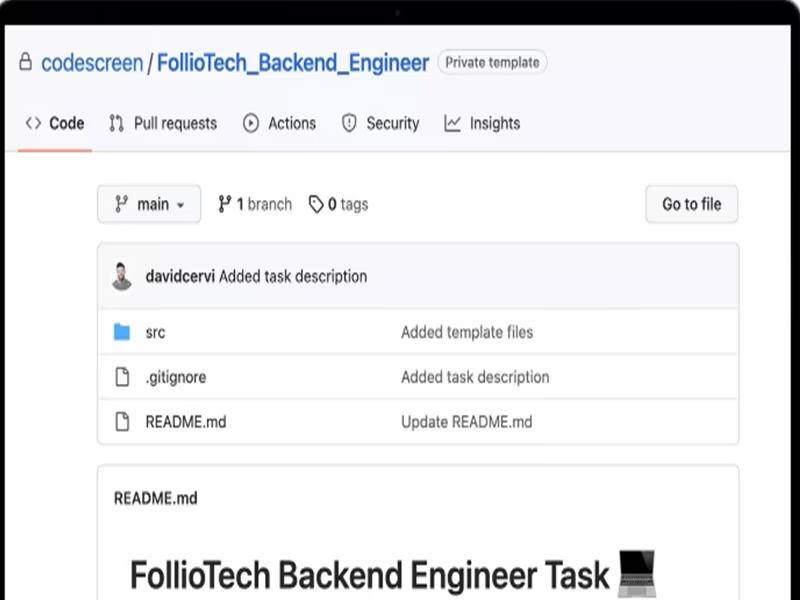
The GitHub workflow allows candidates to complete assessments in a familiar setting.
A robust code editor (such as IntelliJ or Visual Studio Code) enables companies to incorporate more intricate real-world challenges into their evaluations.
Custom Assessments
Easily import and modify existing take-home tests.
Create assessments targeting specific skills relevant to the company or industry (e.g., FinTech, Web3, etc.).
Live Coding with Context
This feature merges the expansive reach of take-home tests with the interactive nature of live coding interviews.
Candidates can first work on the assessment at their own pace and then discuss their solutions during the interview, enhancing accuracy in evaluations.
Features of CodeScreen
Library Assessments
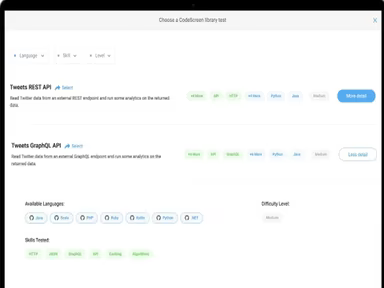
CodeScreen offers a comprehensive library containing over 100 assessments across more than 30 programming languages, frameworks, skills, and experience levels.
Custom Assessments
The platform allows for customization of assessments in over 30 languages and frameworks, enabling organizations to maintain their existing take-home tests while integrating the CodeScreen process.
Automated Grading
CodeScreen's advanced automated grading system eliminates the need for manual review of candidate solutions while providing detailed performance reports for each individual.
Candidate Report
The platform generates an analysis report for each candidate, detailing various performance metrics. This report is accessible through the ATS, enabling deeper insights into candidates’ solutions.
Live Coding with Context
CodeScreen's automated and asynchronous workflow pre-screens candidates, allowing companies to conduct Live Coding Interviews only with those who have demonstrated promise through their assessments.
Cheating Prevention
The multidimensional toolkit within CodeScreen effectively identifies and reduces cheating attempts by candidates, ensuring trust in the authenticity of each solution submitted.
Analytics & Reporting
The analytics feature provides customers with an overview of account usage through visual charts, making it straightforward to monitor and comprehend essential metrics throughout the screening process.
White-labelling
CodeScreen's white-labeling capability enables companies to ensure that their technical interviews align consistently with their brand identity.
Anonymous Mode
This mode helps eliminate unconscious bias, allowing companies to evaluate candidates purely on merit rather than preconceived notions.
Candidate Overview
CodeScreen presents a summary indicating which candidates have successfully passed or failed their assessments while also tracking their recent activities (e.g., email interactions, assessment initiation, etc.).