

ONLYOFFICE Workspace
Streamline your office management with ONLYOFFICE's innovative suite for document handling, real-time collaboration, and efficient project management.
The ONLYOFFICE software is a cutting-edge suite that simplifies your office management processes. It provides a powerful platform for managing documents, facilitating real-time collaboration, and enhancing project management efficiency. Discover the user-friendly interface and versatile tools tailored for organizations of any scale.
What Is ONLYOFFICE Software?
Overview
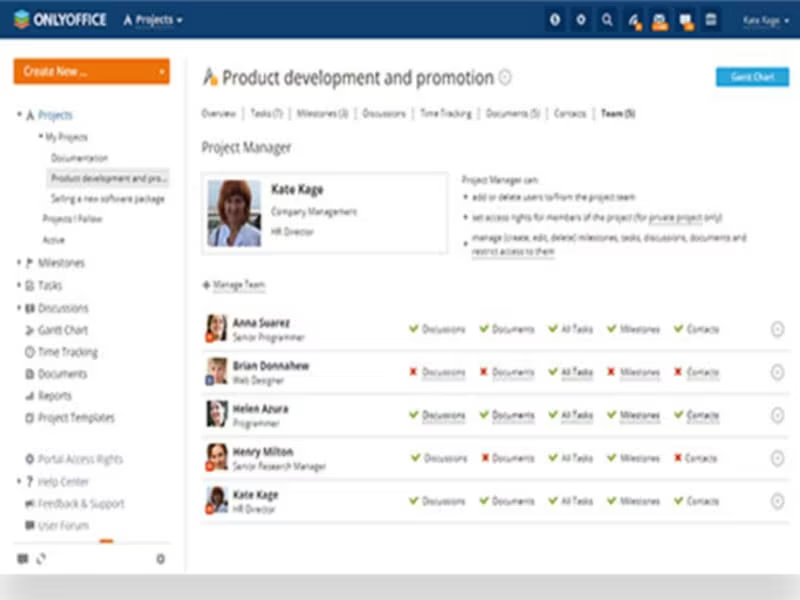
ONLYOFFICE is a cloud-driven project management tool designed to enhance task management and foster collaboration. Its intuitive interface, coupled with a variety of robust features, makes project planning and implementation straightforward. This software includes an array of capabilities such as task management, Gantt charts, collaborative document editing, team communication tools, and time tracking functionalities.
What Is ONLYOFFICE Software Best For?
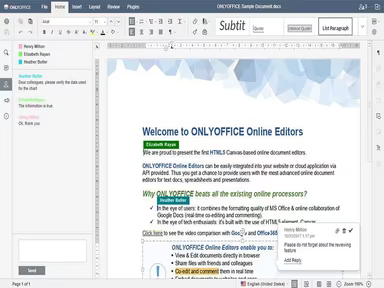
This software excels in document collaboration, enabling users to co-author or edit documents, spreadsheets, and presentations in real-time. Team members can work together on the same file simultaneously, which streamlines the collaborative process. It effectively resolves version control issues, ensuring that everyone is working with the most current version of any document.
ONLYOFFICE Software Pricing
ONLYOFFICE provides several pricing tiers to choose from:
DocSpace Cloud - Startup (Free), Business ($15 per admin/power user)
Docs Cloud - Business ($8 per user per month), VIP (customized)
Docs Enterprise - For Home ($149), Enterprise (From $1500)
Workspace Enterprise - Enterprise ($2200 per server), Enterprise Plus ($3300 per server), Enterprise - Premium ($4450/server)
Development Server - ($1950/server)
Production Server - (From $9100)
This variety of pricing options is designed to meet the diverse requirements of different organizations. If you would like to inquire about the cost of ONLYOFFICE software, please do so.
Please note: Pricing may change over time.
ONLYOFFICE Software Integrations
The software supports integration with a range of third-party applications, including:
HumHub
SharePoint
Alfresco
Liferay
Nextcloud
Confluence
Moodle
Jira
How Does ONLYOFFICE Software Work?
To get started with ONLYOFFICE, follow these steps:
Log in to your ONLYOFFICE dashboard.
Create a new project and outline tasks along with deadlines.
Assign tasks to team members and work collaboratively.
Share files and communicate via integrated messaging or comments.
Use the Gantt chart view to visualize timelines, dependencies, and key milestones.
Monitor time spent on tasks while tracking overall project progress.
Take advantage of real-time document collaboration features and version control.
Integrate with third-party applications to boost your productivity and workflow.
You can also watch a free demo of ONLYOFFICE software to explore its features further.
Who Is ONLYOFFICE Software For?
ONLYOFFICE serves a variety of sectors, including but not limited to:
Education
Science and research
Finance
Manufacturing
IT
Government
Non-profit organizations
International organizations
Is ONLYOFFICE Software Right For You?
If you are in search of a comprehensive office productivity suite that seamlessly integrates multiple tools into one platform, then ONLYOFFICE may be just what you need.
This software prioritizes security and scalability. It is designed to adapt according to business needs while implementing advanced security protocols for data protection. Whether you operate a small business or manage a large enterprise, ONLYOFFICE can cater to your requirements effectively.
The solution addresses numerous challenges faced in office management by simplifying workflows through a wide array of productivity tools available on one platform. It also boosts collaboration through its online office suite and business collaboration features.
If you are still uncertain whether ONLYOFFICE is the right fit for you, feel free to reach out to our customer support team at info@softwareseekers.com. They will assist you in making an informed decision.