

ShowMyPC
Access and manage PCs and Macs securely with ShowMyPC's easy, no-install setup for seamless remote connectivity and collaboration.
ShowMyPC enables teams to securely connect to and manage both PCs and Macs from a distance, offering features like screen sharing, file transfers, and online collaboration. Although it lacks extensive voice and video conferencing capabilities, its straightforward setup that requires no installation and support for multiple devices makes it an excellent choice for IT support, educators, and businesses looking for dependable remote access solutions.
What Is ShowMyPC?
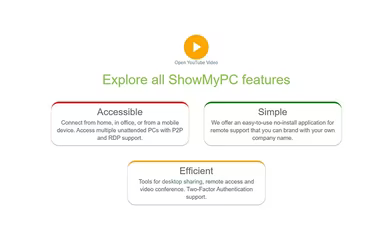
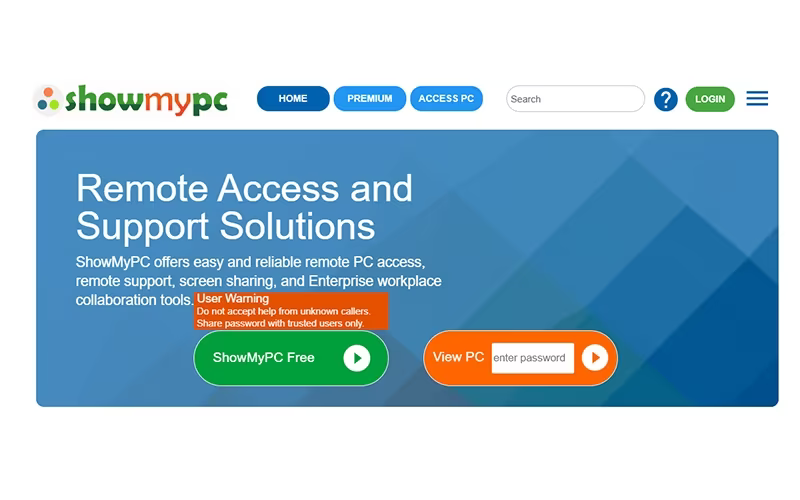
ShowMyPC serves as a remote access and support platform, allowing users to share screens, access desktops, and collaborate seamlessly across both PCs and Macs. One of its standout features is the ability to connect via a web browser, eliminating the need for software installation and ensuring a quick and easy setup. The service offers various access methods, such as web, RDP, and peer-to-peer connections, along with enhanced security measures including two-factor authentication and dual-layer tunneling.
This tool is designed for individuals, small businesses, and large enterprises alike, providing branded remote support, file sharing capabilities, and secure hybrid collaboration options.
ShowMyPC Pricing
The pricing structure for ShowMyPC includes the following plans:
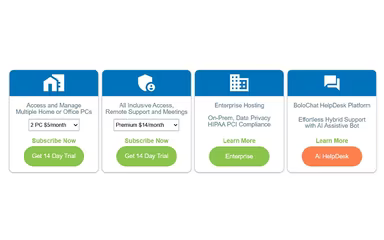
Multiple Home or Office PCs: Starts at $5/month (for 2 PCs)
Remote Support and Meetings:
Premium: $14/month
Professional: $19/month
Business: $40/month
Enterprise: Starts at $14/month
Enterprise Hosting: Custom pricing
BoloChat HelpDesk Platform: Starts at $10/month (1 user)
A 14-day free trial is available for potential users. You can request a personalized quote for ShowMyPC pricing that meets your specific needs.
Note: Pricing is subject to change.
ShowMyPC Integrations
The vendor has not provided details regarding third-party integrations. To dive deeper into the software's capabilities, consider booking a ShowMyPC demo.
Who Is ShowMyPC For?
The ShowMyPC software caters to a diverse range of industries and sectors, including:
IT and software development
Education and training
Healthcare
Financial and professional services
Retail and e-commerce
Government
Is ShowMyPC Right For You?
If you need a secure and adaptable remote support tool that simplifies intricate troubleshooting across global teams, then ShowMyPC could be the perfect solution. Its strength lies in delivering secure web-based access with robust two-factor authentication (2FA) and RDP support as an alternative to traditional VPNs. Additionally, its BoloChat helpdesk platform includes an AI Assistive Bot for seamless hybrid support. This makes it particularly suitable for enterprises that prioritize data security alongside innovative support methodologies.
If you're still uncertain whether ShowMyPC is the right fit for your needs, our support team is available at info@softwareseekers.com to assist you in making an informed decision.